
November 5, 2016
Answered

I made this arrow using a tool in Illustrator CC last night, but now I can't remember how I made it?

  • November 5, 2016
  • 3 replies
  • 3515 views

Here is the arrow:

Sr77Ygz.jpg

I believe I made a curved line and then somehow, clicked a button or something, and the arrow was already in the line. That or I used a specific tool or button to place the arrow and then curved it.

It's really getting under my skin that I can't recall out how I did it.
    This topic has been closed for replies.
    Correct answer Monika Gause

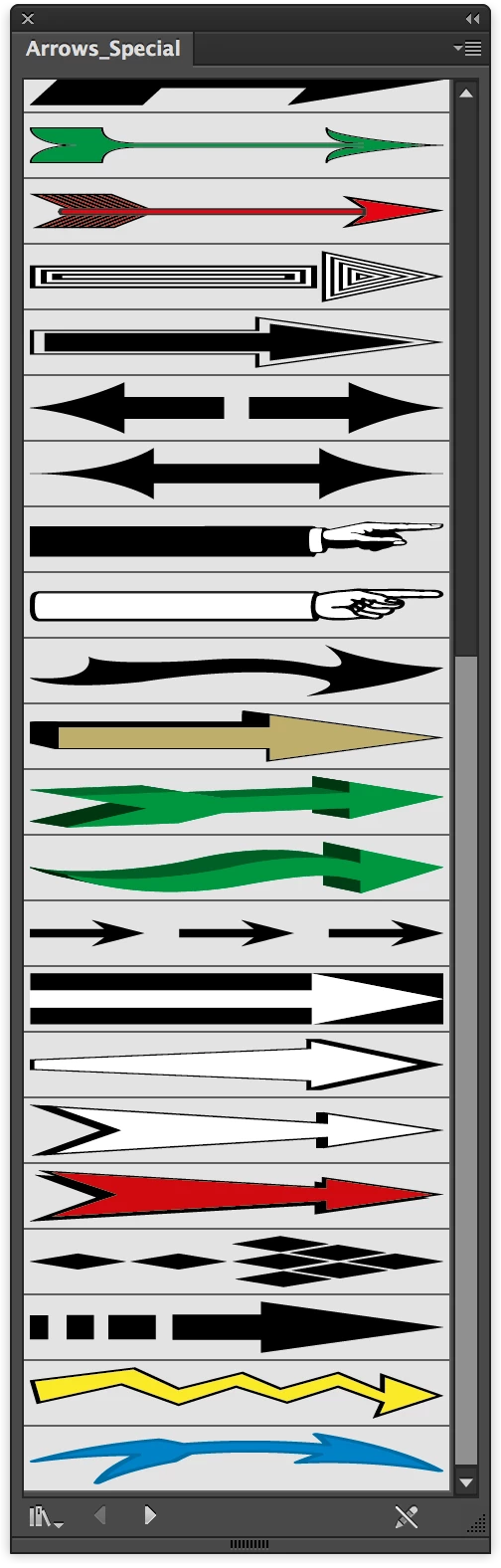
    It's in the special arrows libraries:

    3 replies

    Participant
    August 11, 2019

    and exactly how do you

    get to the special library?????

    Thanks!

    Monika Gause
    Community Expert
    Community Expert
    August 11, 2019

    Those are brushes.

    November 5, 2016

    I didn't download, borrow, or manually make this arrow. It's in the default program. Illustrator CC 2015.

    I've looked anywhere I can think to look and I still can't find it. If any of you guys could commit 2 minutes to check as well, I'd greatly appreciate it.

    Monika Gause
    Community Expert
    Monika GauseCommunity ExpertCorrect answer
    Community Expert
    November 5, 2016

    It's in the special arrows libraries:

    November 6, 2016

    Sure is. I'm honestly amazed that I somehow overlooked it every time I scanned each arrow. I guess I was looking for a red arrow.

    Monika Gause
    Community Expert
    Community Expert
    November 5, 2016

    Maybe it's been an art brush that you applied to a curved path.

    November 5, 2016

    How would I go about recreating it?

    I didn't manually make that arrow, It's a default preset included in the original installation somewhere within the program. I just can't find it, and even if I did, I'm not sure I could recreate that arrow.

    Monika Gause
    Community Expert
    Community Expert
    November 5, 2016

    First inspect the file you have. Maybe the brush is still live and you can edit it.

    Then search for it in all your brushes libraries. Please read about brushes and brushes libraries in the documentation.