
I need help on the Mesh tool, it doesn't make straight lines when I want to
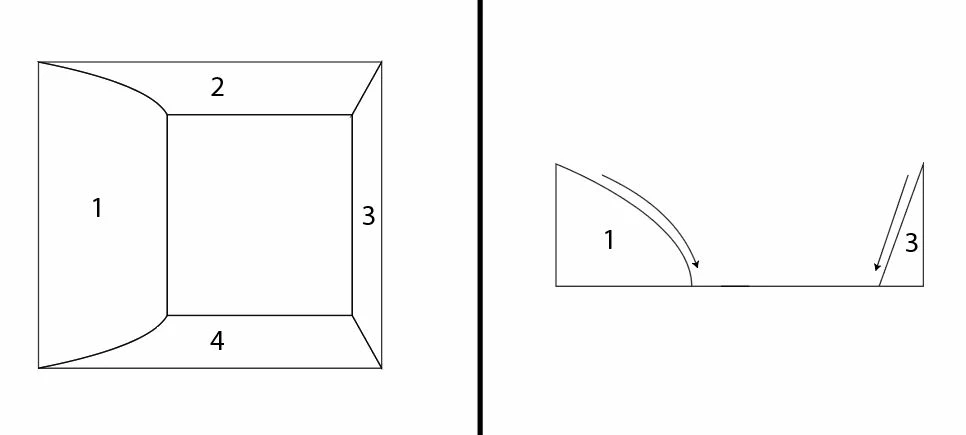
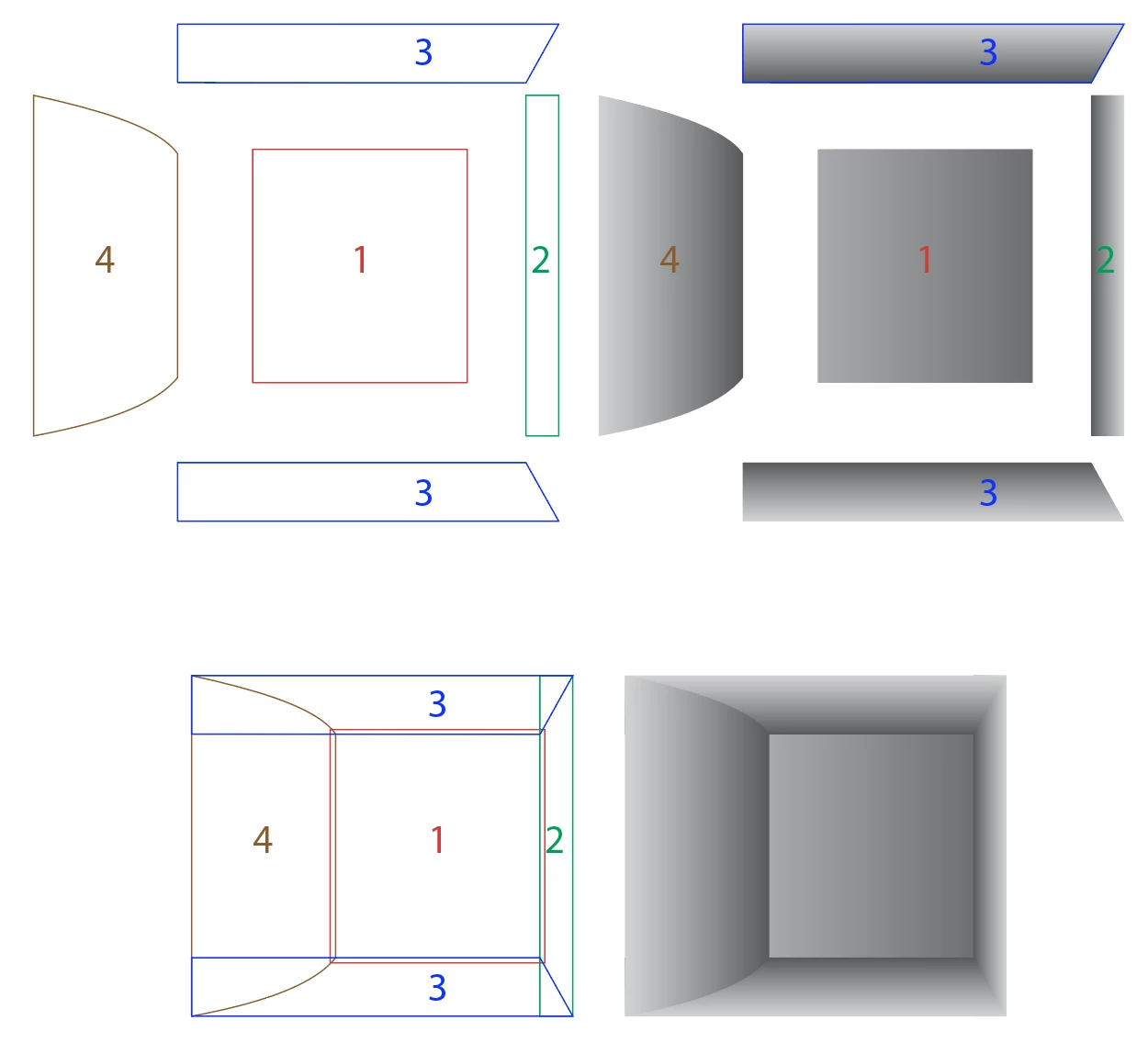
So I'm trying to make a figure of a box that that has a top down view, whose 4 sides are kind of sloping/sliding down into the middle bottom (as shown on the figure on the left at the bottom pic) (the figure on the right shows what it looks like on side view)
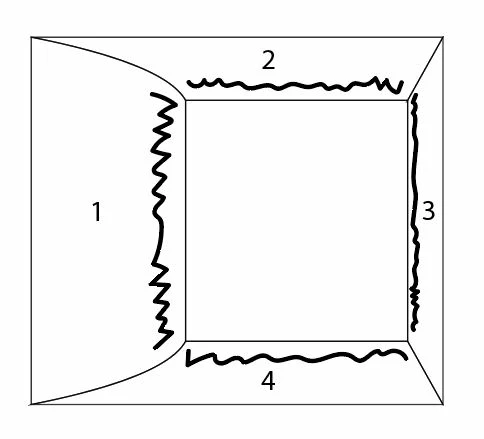
I'm trying to make it look like 3D, so I'm planning to use the "Mesh" tool, and make some kind of shadow on these areas I temporarily painted squiggly with a thick brush stroke
So I used the "Mesh" tool on the sides "1" and "2" of the figure.
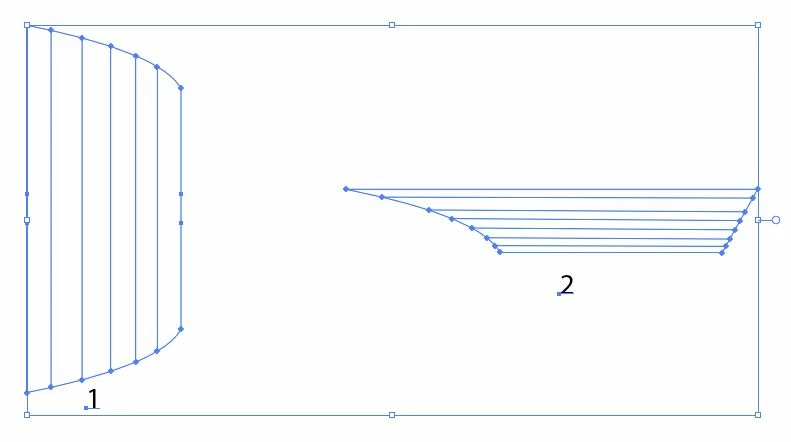
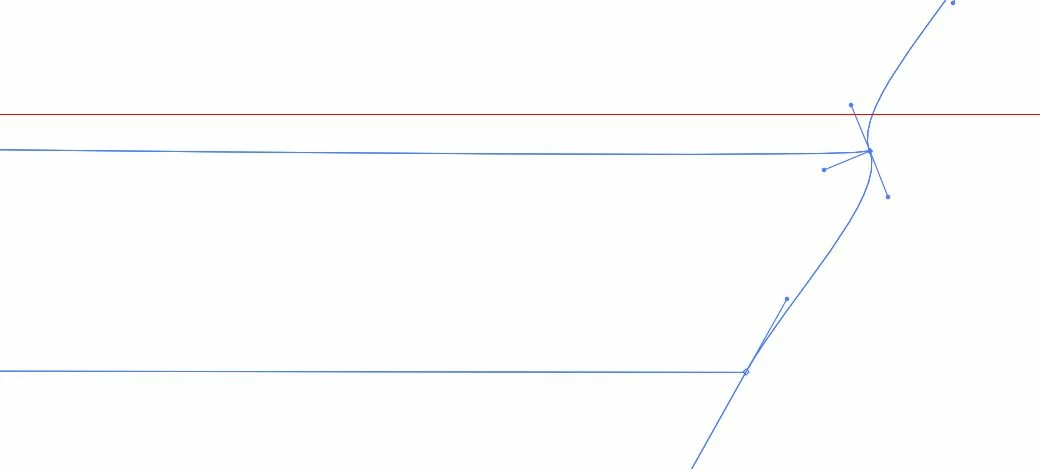
But here's my problem, the "Mesh" tool is not making an exact straight horizontal lines on my "side 2." I think this is because "side 2" isn't symmetrical in shape. As you can see in the pic below, it doesn't match the red line guide that I dragged from the ruler.
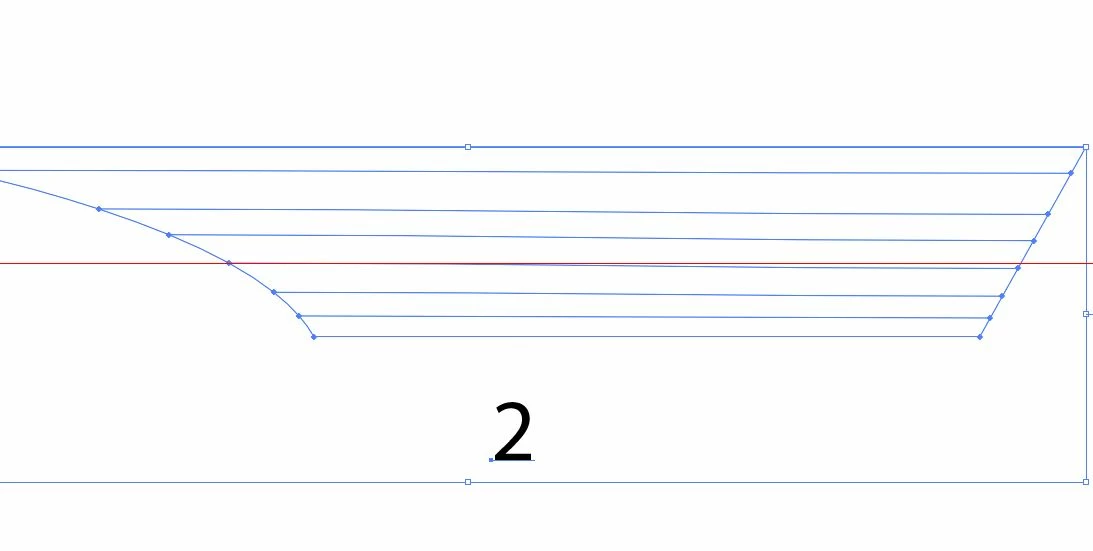
So I tried adjusting the point on one end to match the red linewith the "Anchor Point", but it just distorts the shape.
How do I make the "Mesh" tool create straight horizontal or vertical lines on shapes that are not symmetrical? I plan to use this tool more in the future when I try to create objects with 3D look and I want to be more precise with my shading.
 AdChoices