
Participant
August 5, 2022
Answered

I really have no idea how to ask about this.
  • August 5, 2022
  • 1 reply
  • 233 views

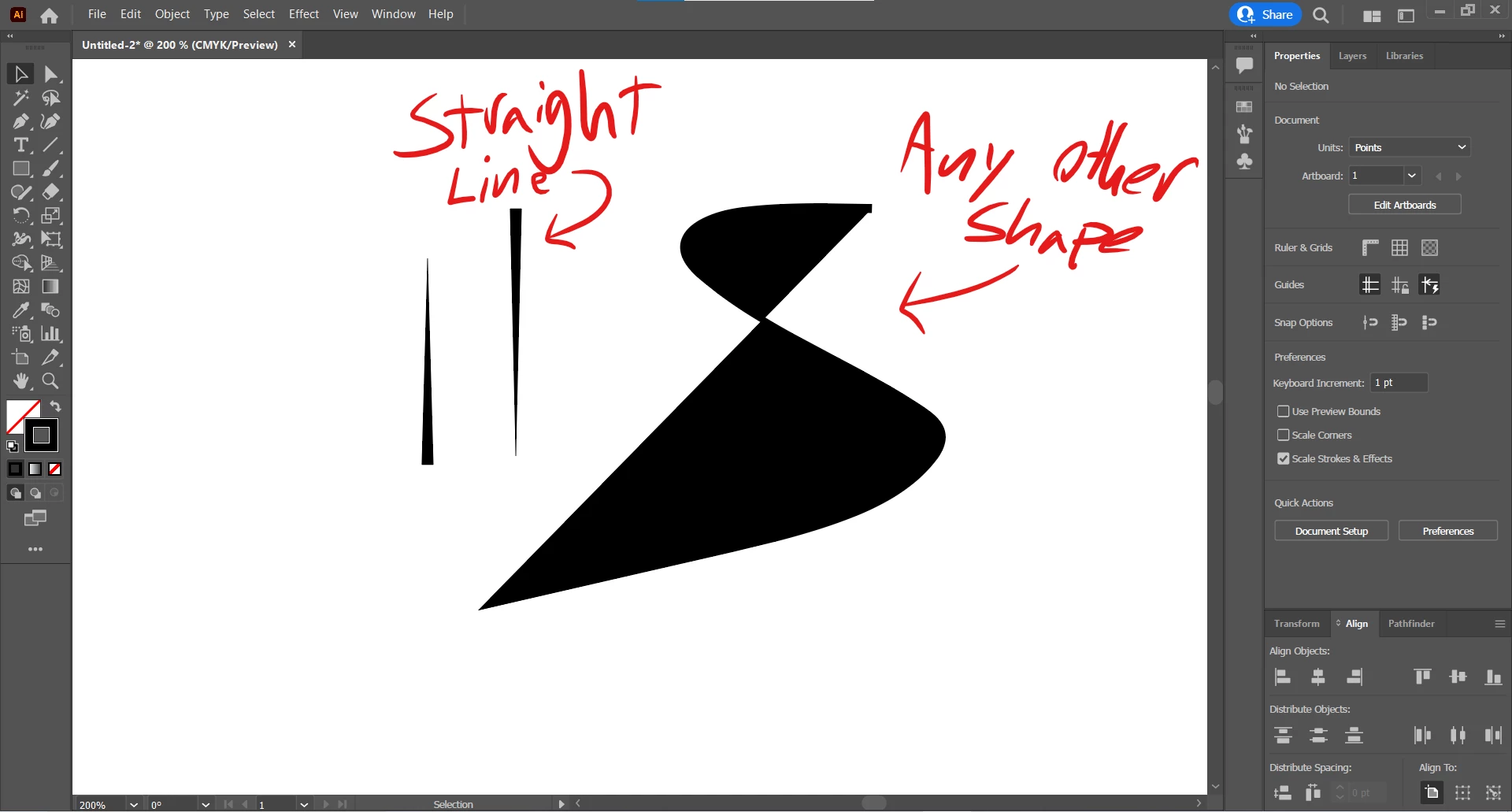
So I was trying to make an art brush when this happened. I've spent too long trying to figure out how to type my problem out on Google. It appears that my lines would fill when the stroke is not straight. Note: I am a bit new with Illustrator. I've looked at the default brushes but they appear to have the same settings. Any help would make my day! Sorry that I can't be more specific.

This topic has been closed for replies.
Correct answer Laura Coyle.

Your curvy path is filling with whatever fill color is selected. You can change the setting in the Paintbrush tool options. Double-click on the paintbrush tool in the tool panel. Uncheck the option to Fill new brushstrokes. Usually the Paintbrush tool will get its color from the stroke color that is set in that fill/stroke icon at the bottom of the tool panel. If you have a stroke and fill color set, and you have the fill new option enabled, your brushstrokes will try to fill as you draw them. Even when it's not a closed shape, you'll see a partial fill. Hope that helps!

1 reply

Laura Coyle.
Community Expert
Laura Coyle.Community ExpertCorrect answer
Community Expert
August 5, 2022

Your curvy path is filling with whatever fill color is selected. You can change the setting in the Paintbrush tool options. Double-click on the paintbrush tool in the tool panel. Uncheck the option to Fill new brushstrokes. Usually the Paintbrush tool will get its color from the stroke color that is set in that fill/stroke icon at the bottom of the tool panel. If you have a stroke and fill color set, and you have the fill new option enabled, your brushstrokes will try to fill as you draw them. Even when it's not a closed shape, you'll see a partial fill. Hope that helps!

Participant
August 7, 2022

It did, thank you!