



AlexVE
Participant
February 5, 2026

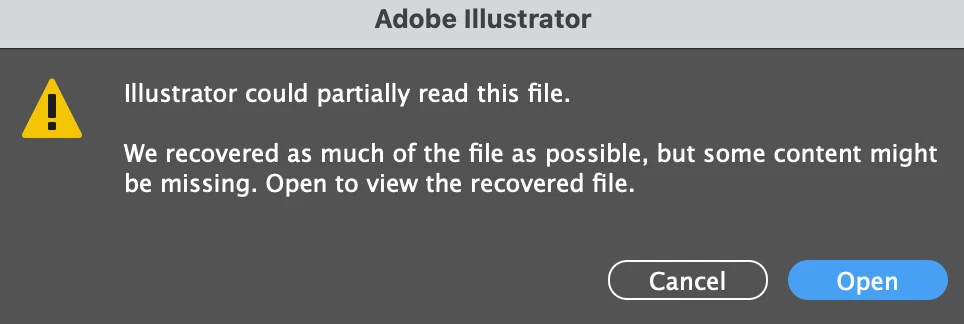
I received the error, Illustrator could only partially read this file, while opening a file

  • February 5, 2026
  • 3 replies
  • 10 views

Hi There, I

I’m having an issue with a big file worked on ai. and saved as a pdf.

When we want to open the file again in ai. the have the error message: “Illustrator could read partially this file,. We recovered as much of the file as possible, but some content might be missing. Open to view the recovered file.”

Then if we click on “Open”, the file become an image, and all of our layers, lines are flatten ->so not workable anymore. Do you from where this error can come? 

Thanks a lot for your help.
 

    3 replies

    Community Expert
    February 8, 2026

    Was the PDF file saved with the Preserve Illustrator Editing Capability option checked? That option is usually checked by default and should be if the file would be edited any further.

    If the file was saved to a cloud location or to another computer or server on a network it’s possible the connection might have glitched while the file was being saved.

    I’m used to seeing the “Illustrator could partially read this file” dialog box when I’m opening an .AI file exported by CorelDRAW. The v30 and v29 builds of Illustrator cannot open such files if they contain any live text objects. The Corel-generated .AI files have to be opened in a v28 build of Illustrator and re-saved so the current build of Illustrator can open the file. The problem is the v28 builds of Illustrator are no longer available to download. Unless the person opening such files is protecting a v28 install of Illustrator they’ll be completely out of luck. The people at Corel really need to do some quality control work on their Illustrator export filter. 

    Monika Gause
    Community Expert
    Community Expert
    February 6, 2026

    Looks like only the PDF part of the file could be recovered.


    Where did you save the file?

    If not on the hard disk, that’s what you should always do first.

    Illustrator can have trouble saving to networks, Cloud services, thumb drives.

    On top of that: if “Save in background” is turned on in the preferences, turn it off.


    This will not improve your situation with that particular file though.

    kglad
    Community Expert
    Community Expert
    February 5, 2026

    @AlexVE 


    use https://commonuity.adobe.com to find the illustrator forum and post your illustrator questions there.