

Illustration Error .278
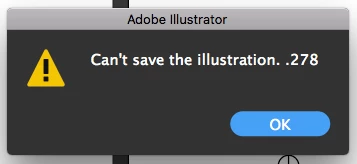
When I go to save my illustration file I keep getting an error that is saying "can't save illustration. .278."
I am on Illustrator CC and it's up to date and using Mac OS High Serria which is also up to date. I tried to save it as a .ai file and a PDF file. Also, I tried to move it and save it in Illustrator CS6 and it wouldn't save in there either. I have text in the file, but it's all outlined. I was able to save it with no problems yesterday. This is not the only file that is doing this either. I created a new file with completely different artwork and it still won't save. I even quit and re-opened Illustrator losing all of my work.
I am able to print the artwork, I just can not save it.
EDIT: I am trying to save my file to my external hard drive. I just tried to save it to my desktop and it saved. Can anyone explain this?
Message was edited by: Emily Holke


 AdChoices