Fighting!
Participating Frequently
February 19, 2018
Answered

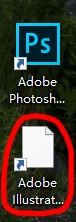
Illustrator的图标不正常显示(The icon of Illustrator doesn't display regularly)
  • February 19, 2018
  • 1 reply
  • 1687 views

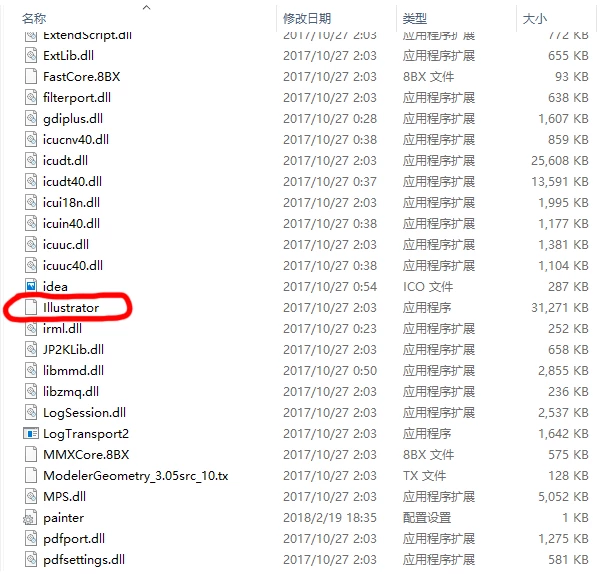
Illustrator的图标在安装过Photoshop之后就不能正常显示了,在它的安装目录中也是如此,这是它的一个bug?或者某些地方不兼容?请问如何解决?

(The icon of Illustrator cannot display normally when I have installed Photoshop,and it also happens in it's installation directory.Is this a bug of it?Or is there any problem of compatibility?Why is this?How can I solve the problem?)

    This topic has been closed for replies.
    Correct answer Monika Gause

    The emphasis is that the icon of the executive file(Illustrator.exe)has also disappeared,the same as restarting the computer...


    I don't know much about Windows, but I would search for solutions for general Windows icon issues, such as this one here: Application Icon Missing Solved - Windows 7 Help Forums

    The solutions include some editing preferences files or whatever, so you might want to double check the tips.

    1 reply

    Monika Gause
    Community Expert
    Community Expert
    February 19, 2018

    So Illustrator worked before you installed Photoshop?

    Which version on which system is it?

    Fighting!
    Fighting!Author
    Participating Frequently
    February 19, 2018

    Illustrator works normally whether I have installed Photoshop or not,but the icon disappered after I installed photoshop.

    The version of Illustrator is 22.0.1(64-Bit) and the version of system is Windows 10.

    Monika Gause
    Community Expert
    Community Expert
    February 20, 2018

    So the application works? Your only issue is the icon?

    Does a computer restart solve that?