
Participant
November 1, 2017
Answered

Illustrator 2018 Brushes 'Extra black Lines'

  • November 1, 2017
  • 2 replies
  • 1170 views

When I try to draw or paint with the pencil or brush tool, it automatically adds these odd black lines to the path created even when I use the standard basic brush. Does anyone know how to fix this?
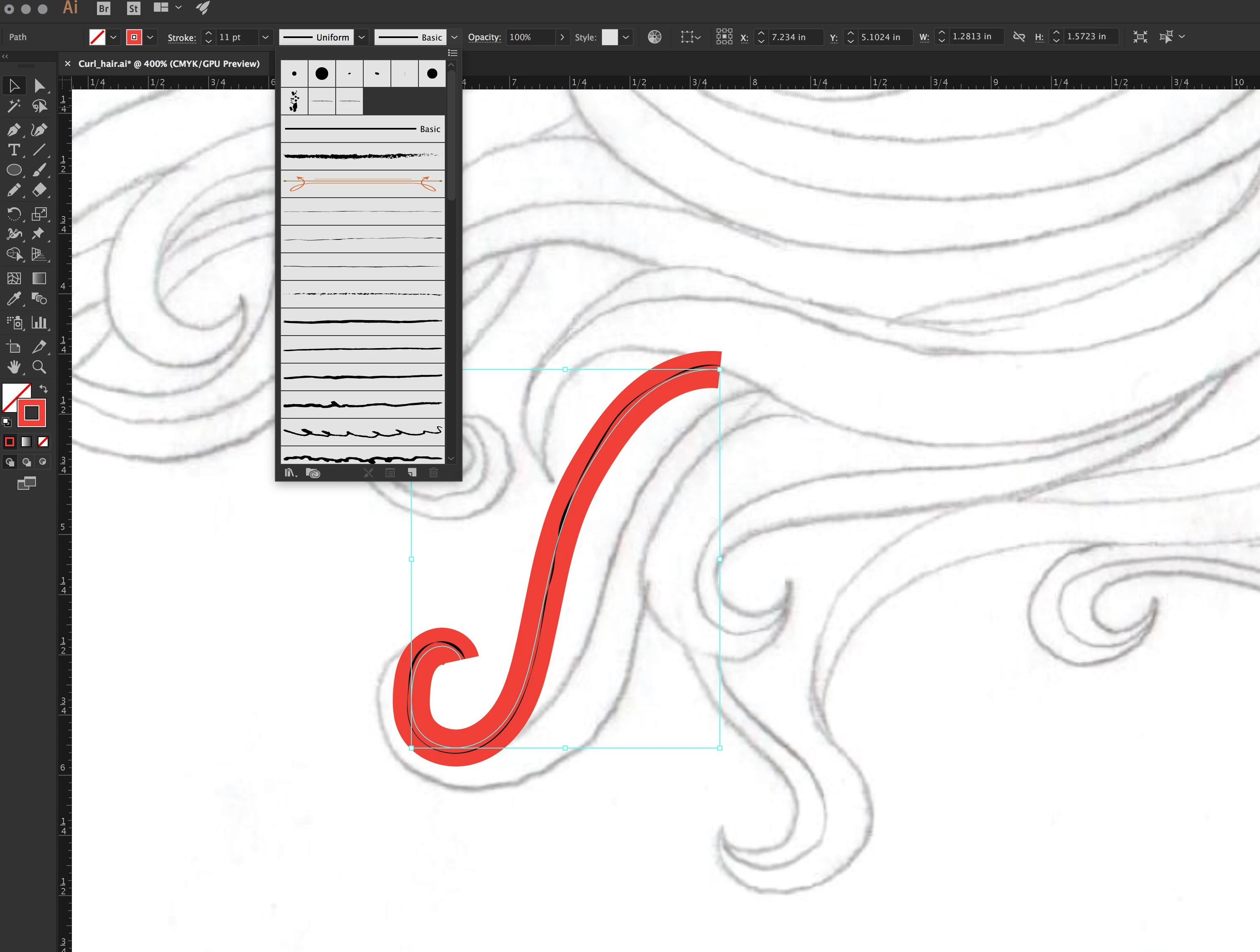
This topic has been closed for replies.
Correct answer Doug A Roberts

have a look at the appearance panel and check if there's a brush stroke applied to the layer

2 replies

Adobe Employee
November 2, 2017

Hi,

Can you please share the file at sharewithai@adobe.com . So, we can look into the issue.

Thanks and Regards

Ashutosh Gupta

Bill Silbert
Community Expert
Community Expert
November 1, 2017

Try turning off GPU Performance. Click on the rocketship in Illustrator's top menu bar to access it.

Participant
November 1, 2017

That didn't work

Doug A Roberts
Community Expert
Doug A RobertsCommunity ExpertCorrect answer
Community Expert
November 2, 2017

have a look at the appearance panel and check if there's a brush stroke applied to the layer