
Answered
Illustrator 2018 CC (22.0.0) won't create an "Artboard 17"
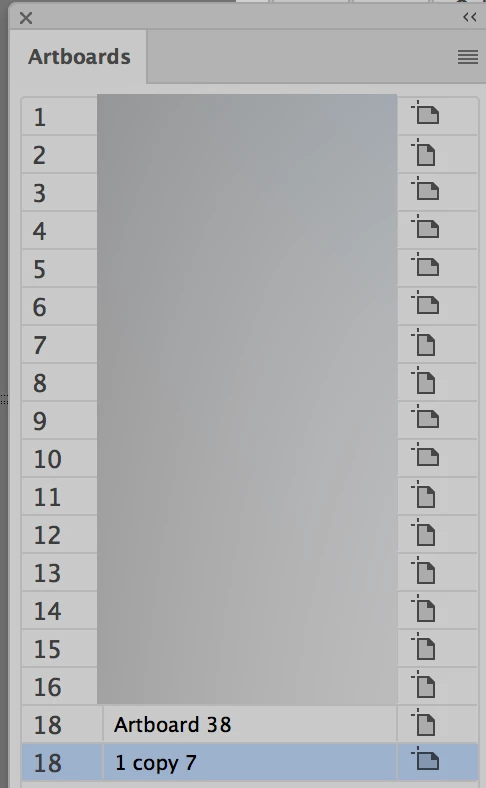 I'm using Illustrator CC 2018 (build 22.0.0) and noticed in one document that Illustrator's internal Artboard numbering created two "Artboard 18"s. I'm referring to Adobe's internal numbering, not the user-editable labels for each artboard.
More behavior I noticed:
- Deleting both Artboard 18s and creating new artboards resulted in an artboard 16 followed immediately by an artboard 18.
- Creating a new document from scratch and drag-copying artboards until 18 artboards are on the pasteboard reached a similar result, where the 17th artboard is labeled as the 18th.
Has anyone else noticed this problem and if so, is there a fix on the way? Thanks.
Message was edited by: Enrico Limcaco
 AdChoices