Jan Apisith
Participant
February 19, 2018
Question

illustrator 2018 screen crashing

  • February 19, 2018
  • 2 replies
  • 336 views

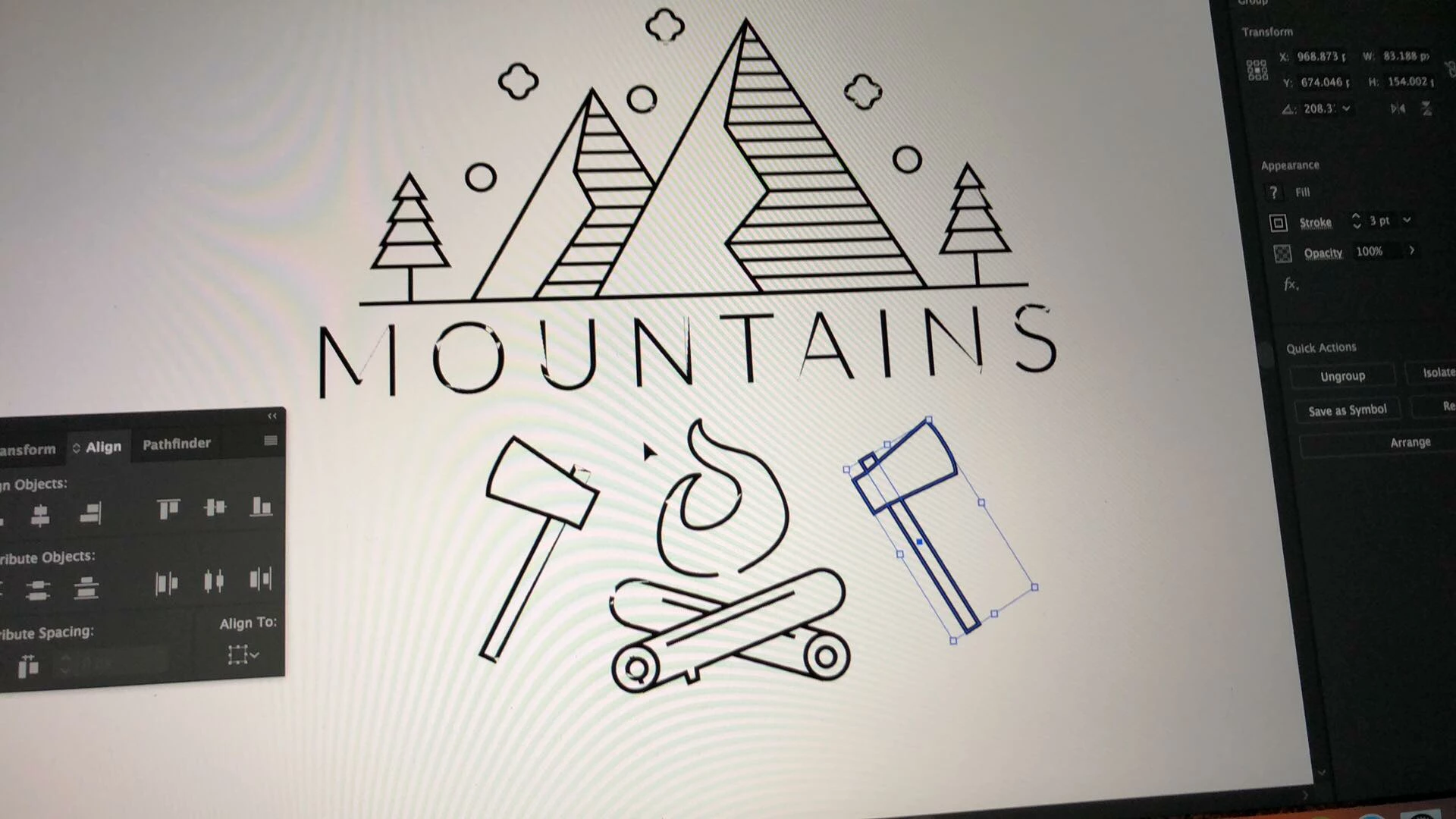
when working on illustrator the objects on art board is crashing all the time but the file still good just when working on it. plzzzz help

This topic has been closed for replies.

2 replies

Inspiring
February 19, 2018

Disable GPU performance and serif this helps.

Jan Apisith
Participant
February 19, 2018

After disable the Ai is slower

On Mon, 19 Feb 2018 at 10:56 pm, CHMprepress <forums_noreply@adobe.com>

Monika Gause
Community Expert
Community Expert
February 19, 2018

apisitho39386103  schrieb

After disable the Ai is slower

Try and get an update for the graphic card driver. Or a different graphic card.

AxelMatt
Community Expert
Community Expert
February 19, 2018

Moved to Illustrator

My System: Intel i7-8700K - 64GB RAM - NVidia Geforce RTX 3060 - Windows 11 Pro 25H2 -- LR-Classic 15 - Photoshop 27 - Nik Collection 8 - PureRAW 5 - Topaz Photo