


Illustrator 2019 Fill/Stroke Proxy - Dual Display Bug (?)
I run 2 monitors in Windows 7, most typically with my artboard window on the left (display 'A'), and a layout of panels on the right (display 'B').
Not sure whether it started with this immediately after installing 2019, but today, any click on a Fill/Stroke proxy, either the one in the Color panel, or the one at the bottom of the Tools panel, the Color panel instantly jumps from display B to (the same position on) display A.
So here's the normal state:
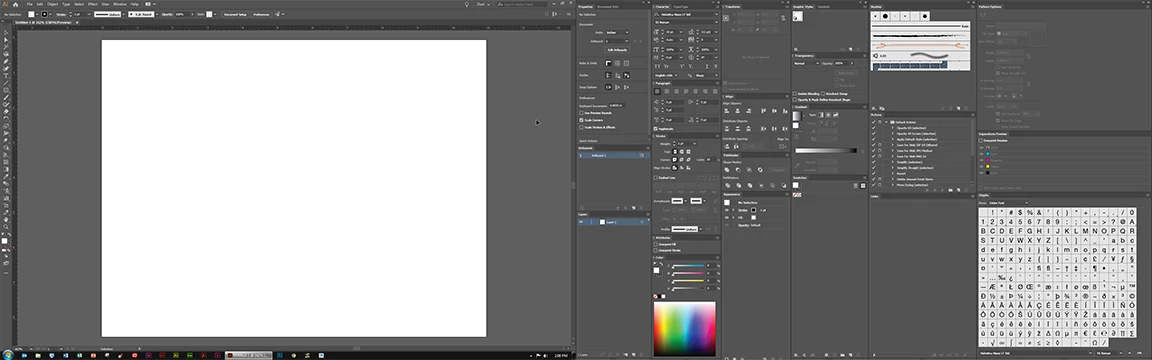
See the Color panel at the bottom of the second-from-left column of panels on display B.
In the screenshot the Fill proxy is active, but I want to affect Stroke, so I click the Stroke to make it active, and, as I mentioned, instantly, the Color panel (and the entire column of panels in which it's docked), teleports to display A:

This happens with the Color panel un-docked too, except then it makes the jump alone, from whatever screen coordinates it occupied on display B to the same relative coordinates on display A. And it bears mentioning again, clicking on either Fill/Stroke proxy (Color panel or Tools), produces this result . . . every time, now.
I've tried everything I could think of to create a condition that changes the behavior (including clearing/replacing preferences and settings; all but re-install).
Some findings:
- Jumps from B to A at least on the first instance, no matter how it got on B
- Even if it starts on A, and I drag it to B, it jumps to A as described above on the fist proxy click
- After that first instance, if I drag it back to B, the click the proxy again, it stays put on B
- Jumps from B to A every time when it's on B as part of a preset Workspace
- After the jump; Reset Workspace; jumps again
- Some inconsistent behavior if dragged back to B in this case; might jump in next proxy-click, might not
I have a Window 10 machine too, but haven't tested.
Lodging this as a bug report. If anyone else is seeing same/similar behavior, please vote.
 AdChoices