
Participating Frequently
July 21, 2022
Answered

Illustrator 2022 keeps crashing on Windows 11 Machine

  • July 21, 2022
  • 2 replies
  • 5113 views

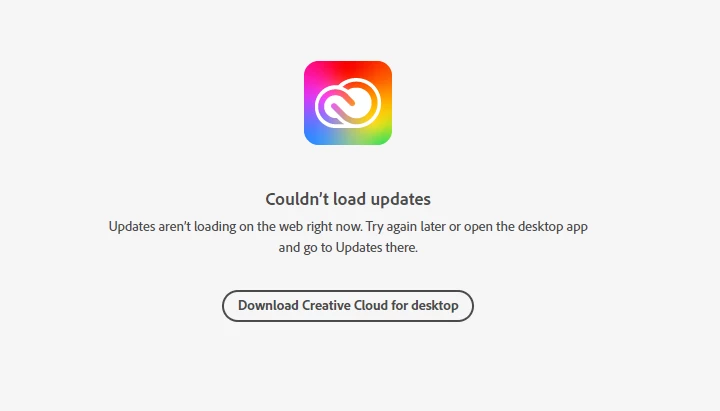
Hi all, I installed Illustrator 2022 a few weeks ago on my Lenovo Windows 11 desktop and it keeps crahsing. Windows is up to date and I am trying to see if there are any Illustrator updates. In the Adobe support site it says it can't load any updates (as per the screengrab). Any tips? 


This topic has been closed for replies.
Correct answer Anubhav M
I’m not even sure how to contact them?

Sent from Mail<> for Windows

Hello @Melanie253455697t1x,


Sorry for the late response. I could not find an active subscription under the account you are signed in with on the community. Could it be possible that you have the subscription under a different account?


Kindly try signing out of Creative Cloud and signing in with the other account as suggested by David and check if it helps.


Looking forward to your response.


Regards.

2 replies

Dave Creamer of IDEAS
Community Expert
Community Expert
August 5, 2022

Try signing out the Creative Cloud app and back in again. Try starting AI.


If that doesn't work, sign out of the CC app, use the Adobe CC Cleaner to remove your ID Credentials, sign back in. Try starting AI.


I'm running AI 26.4.1 on Windows 11 without issue. See if your video card drivers are up to date. You may have to go directly to the video card manufacturer's website to check.


David Creamer: Community Expert (ACI and ACE 1995-2023)
JCBFergie
Participating Frequently
March 15, 2023

I am having the same problem. Brand new computer. Fresh install of Creative Cloud apps. Simple graphic I'm working on. Illustrator keeps locking up and kicking me out. This was happening before on my previous computer, so I really don't think this isn't a problem on my end.

JameyRegier
Participant
October 11, 2023

I saw where someone simply unchecked 4 Windows... compatibility programs all right beside each other? It fixed my problem immediately and took less than 30 seconds. I've since done the latest Windows 11 update (which is where the Illustrator issues began) and can't remember how I did it. Does anyone remember coming across a solution like this?

Thanks


Monika Gause
Community Expert
Community Expert
July 21, 2022

It advises to try again later - how long have you been trying already?

Check the status here: https://status.adobe.com/  maybe there's an outage, or maintenance


Have you also tried resetting the preferences?

Or creating a new user account and check out from that one?

Participating Frequently
July 22, 2022
It been saying that for the past week.

No I haven’t tried either – how do I reset my preferences? Thanks!
Monika Gause
Community Expert
Community Expert
July 22, 2022