
Participant
March 8, 2023
Answered

Illustrator 2023 Expand Not Working

  • March 8, 2023
  • 1 reply
  • 840 views

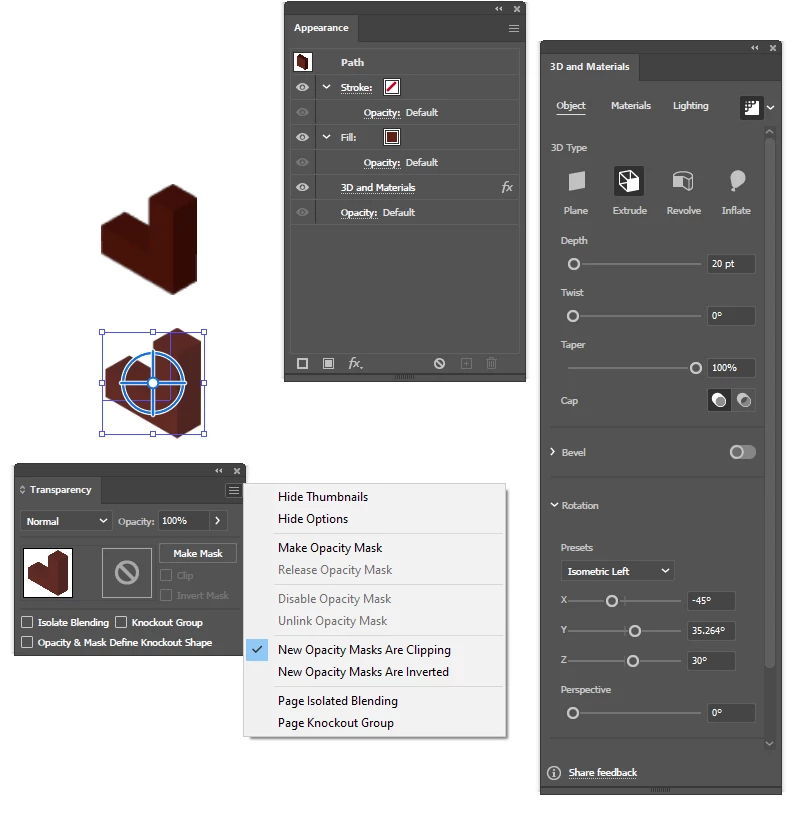
I'm trying to expand the selected shope. It's a L shape that I extruded.
When I Expand Appearance it makes it into a picture instead of giving me a group of objects to select each of its sides.
Any ideas?
t.i.a.
This topic has been closed for replies.
Correct answer Monika Gause

In the Raytracing settings, check Render as Vector and then click on Render. After that expand appearance. There will still be raster images, but there will also be paths.

1 reply

Monika Gause
Community Expert
Monika GauseCommunity ExpertCorrect answer
Community Expert
March 8, 2023

In the Raytracing settings, check Render as Vector and then click on Render. After that expand appearance. There will still be raster images, but there will also be paths.

Participant
March 8, 2023

Ok, that worked. Thank you.
It's more work to separate out the objects faces to be able to select them. But I will be able to explain it to my students. (Hopefully.)  ^__^

Monika Gause
Community Expert
Community Expert
March 9, 2023

You could try the classic 3D effects and set the Shading to None which will then create only few objects.