

Question
Illustrator 2025 can't count
How come in the Illustrator tables after 48 there is 50 and then 50 again, it's incredible that I don't even know how to count to 50, and I have to pay for this....
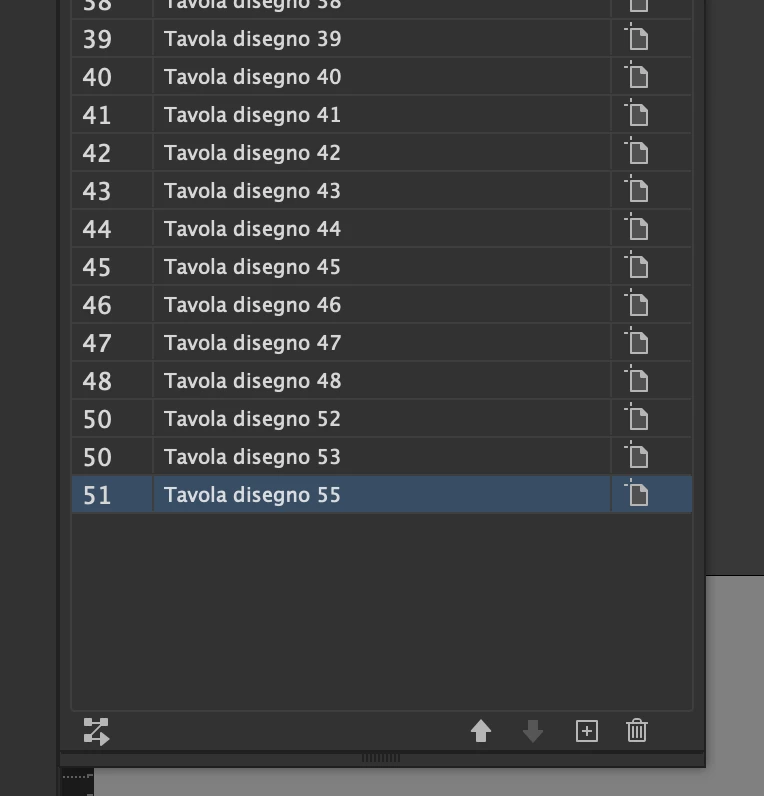

How come in the Illustrator tables after 48 there is 50 and then 50 again, it's incredible that I don't even know how to count to 50, and I have to pay for this....
Already have an account? Login
Enter your E-mail address. We'll send you an e-mail with instructions to reset your password.
 AdChoices