
johnh1029720
Participant
July 9, 2025
Question

Illustrator 2025 Image Trace Problem

  • July 9, 2025
  • 1 reply
  • 467 views

Hi Guys, 


I use Illustrator to make SVG vectors from JPEGs which I then use on a laser engraving machine to make jewellery.


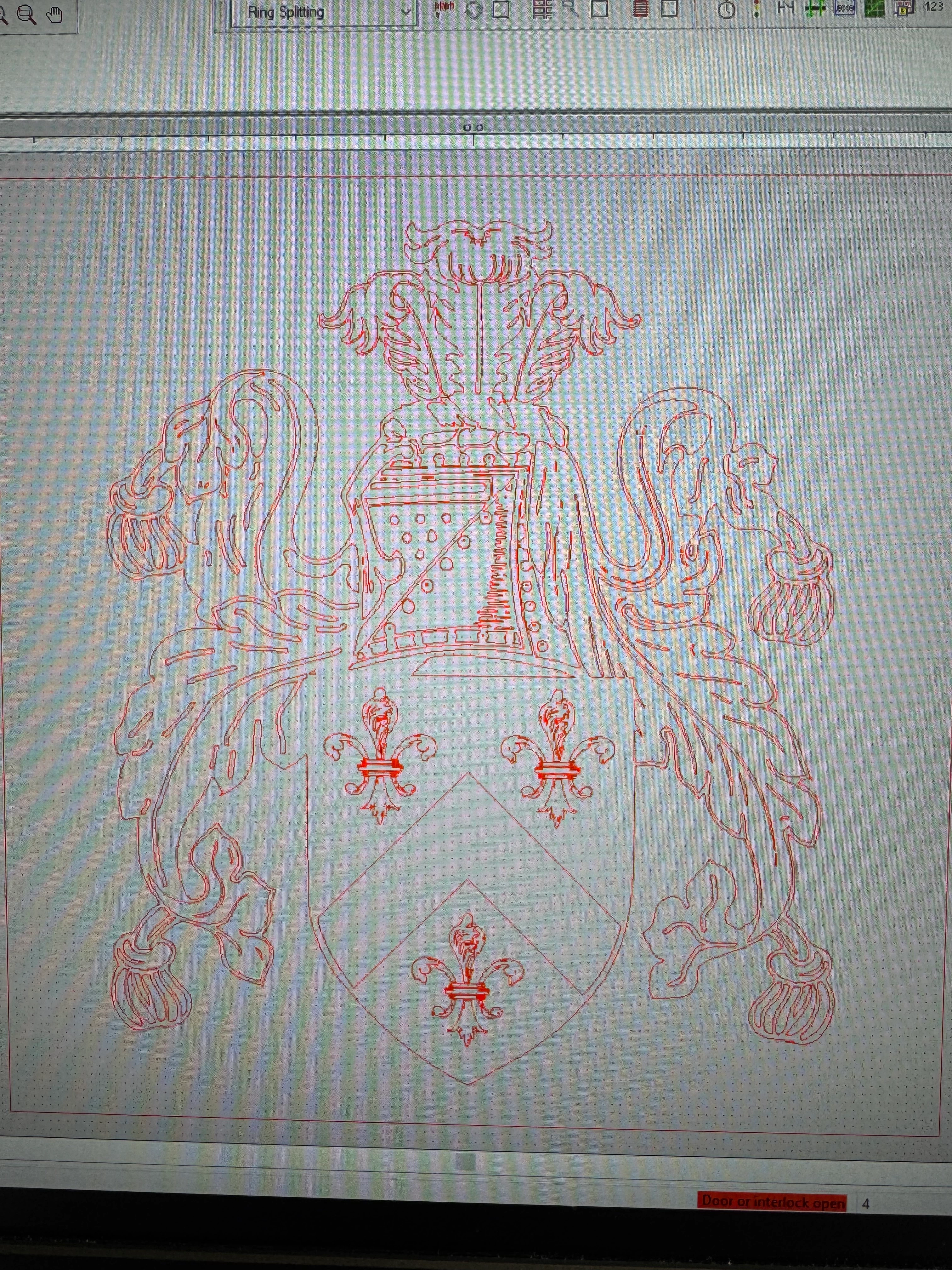
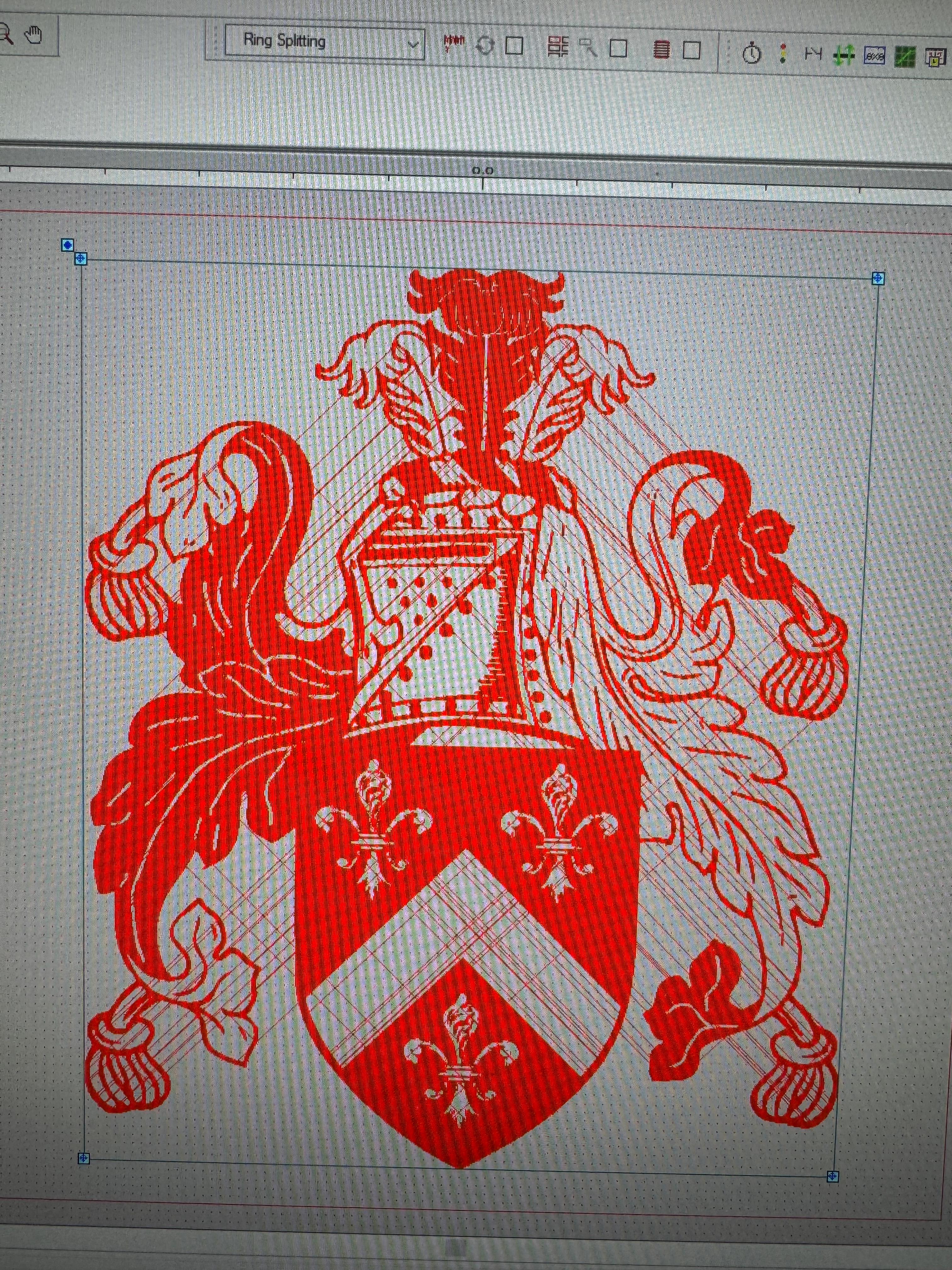
Since the 2025 update the image traces haven't been working. The best way I can describe it is that the image traces are no longer closed and the detail I need to engrave bleeds out. Before the 2025 update I followed exactly the same process and the image traces that were generated did not have this issue.


I have attached a few images to better explain what I mean and if anyone has any ideas how I can replicate the older style image trace that was closed I would be greatly appreciative.


Many thanks in advance
1 reply

Abhishek Rao
Community Manager
Community Manager
July 9, 2025

Hi @johnh1029720,


Thanks so much for sharing the details and images. I completely understand how frustrating it must be to lose detail in your engraving designs after the update.

I recommend adjusting your Image Trace settings manually. Try enabling "Ignore White," lowering the "Threshold" to pick up more detail, and fine-tuning the "Paths" and "Corners" sliders to help keep shapes closed. In the "Advanced" section, reducing noise and increasing path accuracy can also help.

If possible, please share a sample file so we can take a closer look. If it’s sensitive, feel free to DM it using a public link from Google Drive, Dropbox, or similar.

Please give this a try and let me know how it goes.


Looking forward to your update!

Abhishek

johnh1029720
Participant
July 9, 2025

Hi Abhishek,


Thank you for getting back to me so quickly.


I have attached the JPEGs & SVGs of two examples, one using the old image trace system and the other using the 2025 version.


I utilised the same process for both: black & white logo preset for the image trace then I manually delete any all white entities and save as an SVG.


The data wizard tooltip on my engraving software displays the 2025 image trace as having "183 open polylines" with the older style having 0 and functioning correctly.


Any advice would be greatly appreciated.


Thanks again,


John

Anubhav M
Community Manager
Community Manager
July 9, 2025

Hello @johnh1029720,

Thanks for confirming. Could you try using the enhanced image trace presets (if not using already), under Presets (https://adobe.ly/4lI4hVU) to see if it helps with your workflow?

Looking forward to hearing from you.
Anubhav