



Illustrator 2026 / macOS Sequoia: CEP Panels (ScripshonTrees/LAScripts) show UI but blank lists
App Version: Adobe Illustrator 2026 (v30.x) OS: macOS Sequoia (15.x) Hardware: MacBook Pro (Apple Silicon)
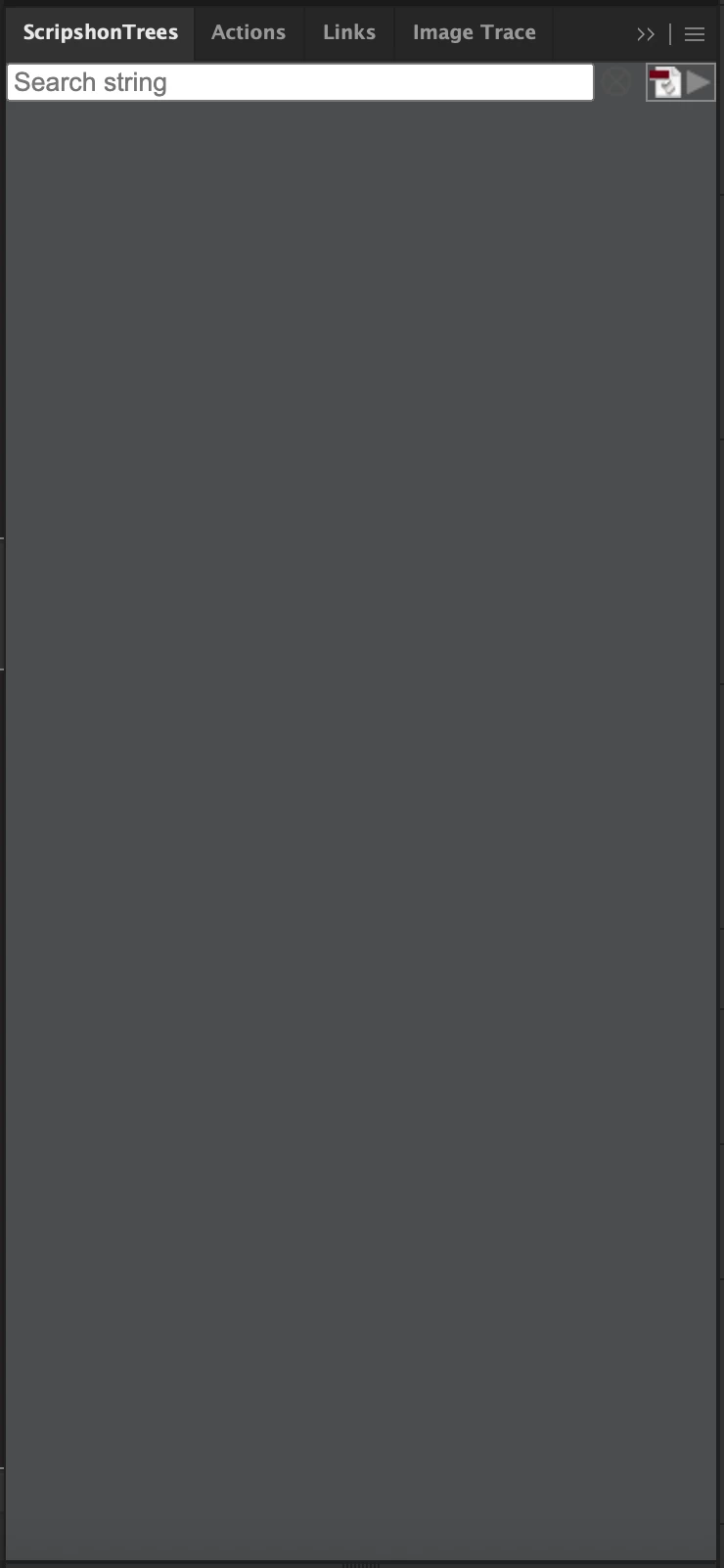
The Issue: Legacy CEP-based script launchers (specifically ScripshonTrees and LAScripts) have stopped functioning correctly. The panel frames and basic UI (search bars, buttons) render, but the actual list of scripts is entirely blank. Occasionally, the panels will gray out or fail to load entirely after a relaunch.
What I have already tried (No success):
-
Permissions: Granted Full Disk Access to Illustrator and toggled it off/on to refresh the TCC database.
-
Rosetta: Forced Illustrator to run in Rosetta mode; panels remained blank.
-
Caches: Nuked
~/Library/Caches/CSXSand~/Library/Application Support/Adobe/CEP/CEF/(including Local Storage). -
Developer Setup: Enabled
PlayerDebugMode(1) for CSXS versions 11 through 16 via terminal. -
File Location: Relocated scripts from the root
/Applications/folder to a local/Documents/folder to bypass Sequoia’s folder sandboxing. -
TCC Reset: Ran
tccutil reset All "com.adobe.illustrator"to force a fresh permission handshake. -
Reinstallation: Completely uninstalled the extensions and reinstalled via ZXP/manual extraction.
Diagnostic Observations:
-
A very basic script launcher panel works, but full-featured CEP panels (which likely use Node.js to scan directories) fail to return any file list.
-
The panels "partially" function (UI loads), suggesting the CEP engine is running but being blocked from host file system access despite Full Disk Access being granted.
Is anyone else seeing this "Blank List" behavior on Sequoia? Is there a specific CEPHtmlEngine flag or a new macOS security prompt I’m missing that specifically blocks Node.js file system calls within CEP?
 AdChoices