Participant
December 13, 2019
Question

illustrator 24.0.1 crashing on macOS Catalina 10.15.1

  • December 13, 2019
  • 2 replies
  • 2903 views

My illustrator has been crashing daily. Happens probably 10x a day. It's beyond frustrating!!

Running on Macbook16 catalina 10.15.1 and illustrator 24.0.1.


This is not specific to a document. It is crashing for any files open or saving. It would give me a prompt "illustrator has unexpededly quit"


Attached is the log. Under "Reason", reads Namespace signal, code 0XB.
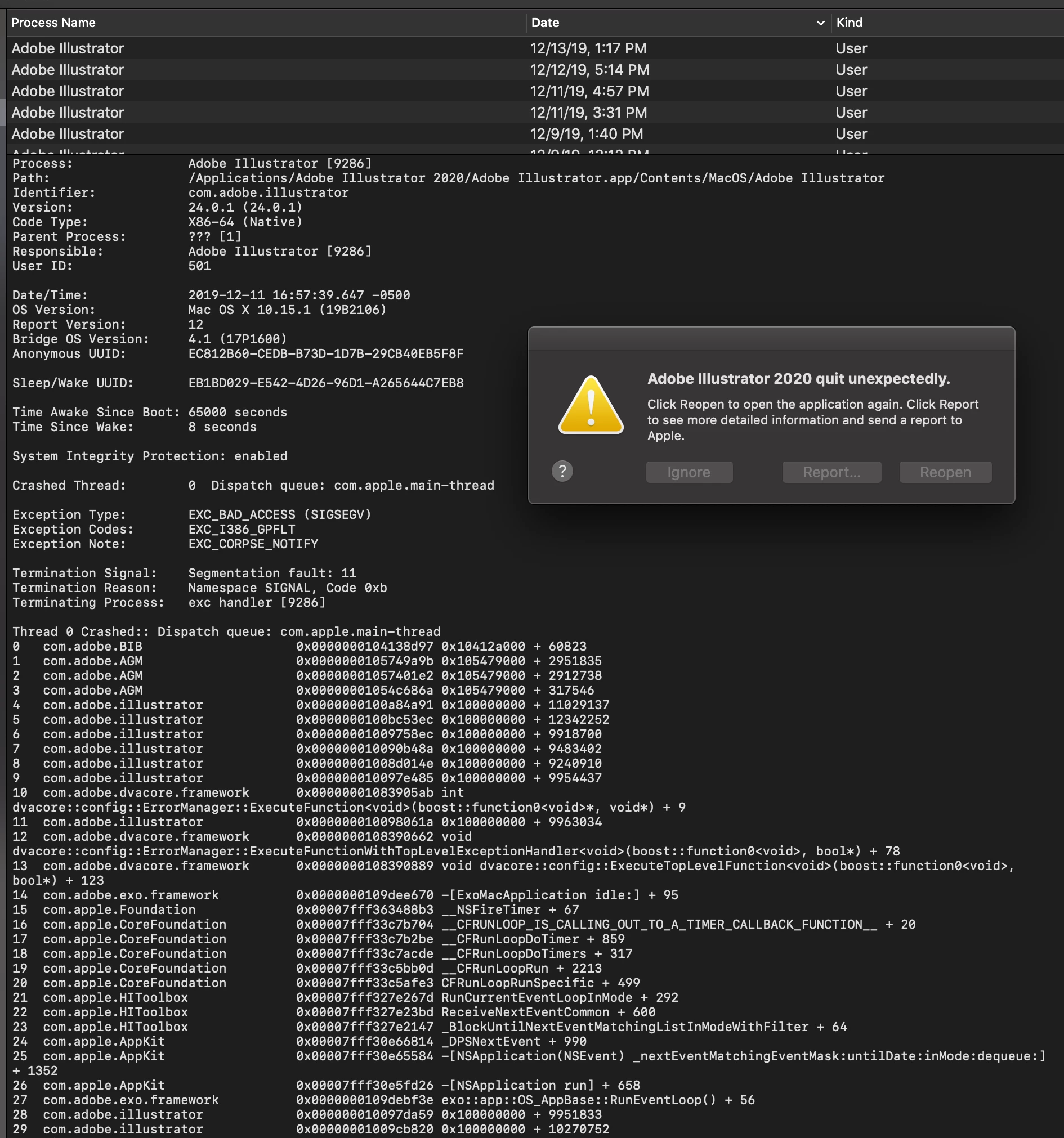


{Renamed By MOD}

This topic has been closed for replies.

2 replies

Rishabh_Tiwari
Legend
December 13, 2019

Hi there,


Sorry to hear about the trouble you are facing with Illustrator. In addition to what Monika suggested you can also try the following steps:


    1. Reset Preferences: -
    • Close all Adobe applications. 
    • Go to locations 
    • ~/Library/Caches 
    • ~/Library/Application Support/Adobe 
    • ~/Library/Preferences 
    • Rename  Adobe Illustrator, com.adobe.illustrator and Adobe Illustrator 24 Settings folders to   Adobe Illustrator.old, com.adobe.illustrator.old and Adobe Illustrator 24 Settings.old 
    • Launch Illustrator from the Creative Cloud. 


    Disclaimer: Please note that resetting preferences will remove all the custom settings and Illustrator will launch with default settings. This way all your old settings will be saved in .old folders and Illustrator will recreate new folders with default settings.  


    1. If that doesn't help, try booting the system into Safe Mode (https://helpx.adobe.com/in/x-productkb/global/start-safe-boot-mode-mac.html) and check how it works there. It starts your system so that it performs certain checks and prevents third party software/ services from automatically loading or opening. If it works fine in Safe mode, then there is some third party service or application like antivirus, plugins or web extensions which are conflicting with the Illustrator.


    1. If that doesn't help either, login to the root account (https://support.apple.com/en-in/HT204012). Check how the application works there. If it works fine there, then it could be related to permission errors. Follow these steps to repair permission errors: https://helpx.adobe.com/in/illustrator/kb/preferences-folder-read-only-error.html


    1. If nothing helps, then we need to troubleshoot this on a live session. Please head here (https://helpx.adobe.com/support.html) and select the chat button in the lower-right corner of the page. We can help faster that way. 


Regards

Rishabh

k00tsuka
Participant
January 4, 2020

After clashing, do "Run Diagnosis". You'll know the reason.


In my case, a custom plugin was caused the problem.

Then removed it from "Plug-ins" folder. solved.


russb73725712
Known Participant
January 8, 2020

Where do you go to "Run Diagnosis"?

I can't find it.


Monika Gause
Community Expert
Community Expert
December 13, 2019

Is a printer connected, set up as default printer and turned on? Illustrator needs a printer.

Are the files located on the harddrive?