Participant
April 4, 2020
Answered

Illustrator 24.1 and 24.1.1 crash on start

  • April 4, 2020
  • 4 replies
  • 1401 views

I have removed all Adobe products via the CC Cleaner Tool. Rebooting between each wipe.

Tried 24.1 and 24.1.1 both have the same issue, the splash page loads and then the program crashes. 


EDIT: Rolling back to latest 23 release has fixed it...


Any help is appreciated, thanks. 
This topic has been closed for replies.
Correct answer Ashutosh_Mishra

Hi All,


We're extremely sorry to hear about this issue. Would you mind sharing version of OS and Illustrator?
I would request if you could try following these steps and share your observations:

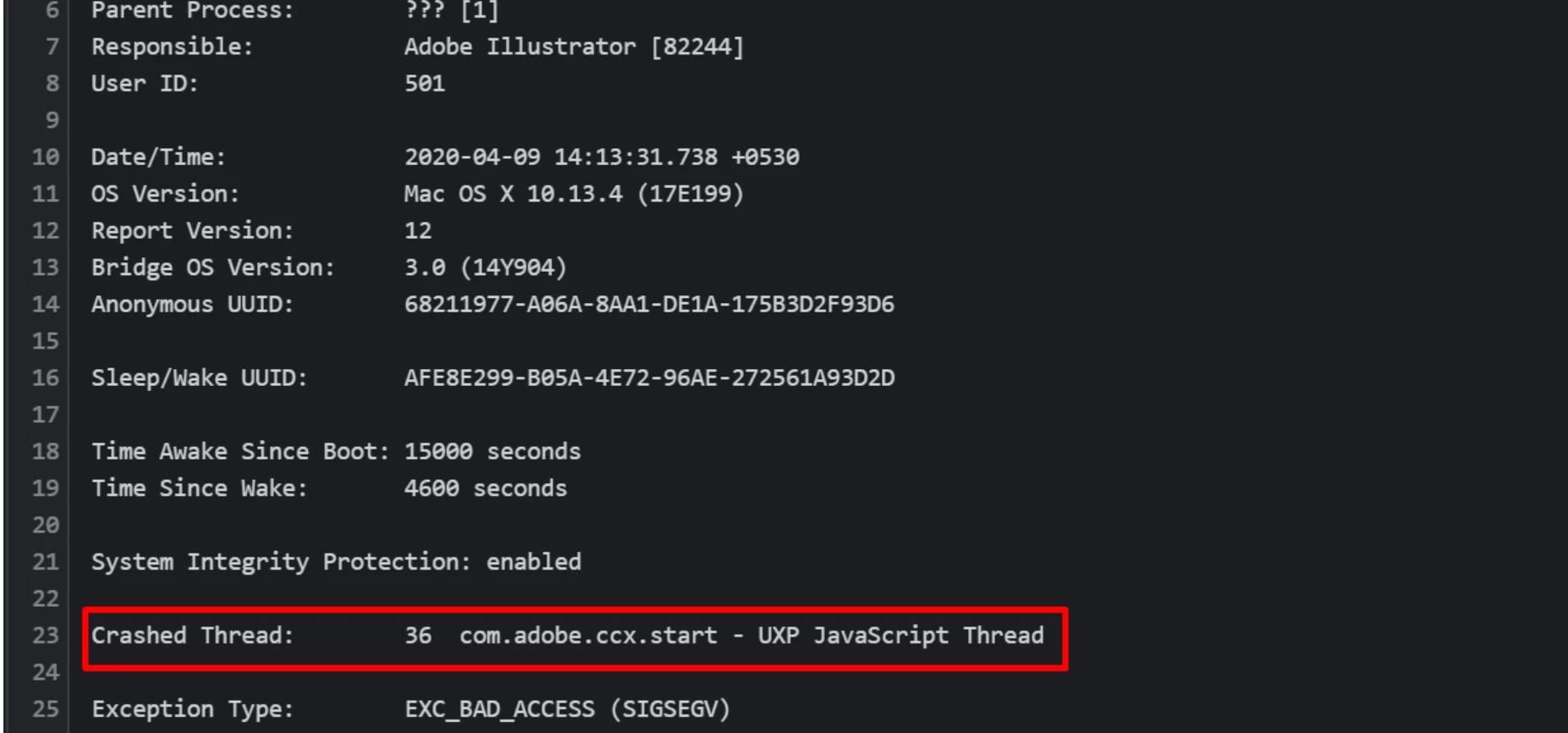
  • Open the crash report given by Illustrator.
  • If you see anything like 
    Faulty module path: Module/Library : OffsetPDFSuite.aip
    Crashed Thread:   36 com.adobe.ccx.start - UXP JavaScript Thread


  • For windows - Program files /common files /Adobe /UXP /extensions - rename this folder to extensions_old

    For Mac -  /library > application support > Adobe > UXP > extensions - rename this folder to extensions_old

  • Launch Illustrator and see if it is working as usual.


Looking forward to your response.


Regards,

Ashutosh

4 replies

Known Participant
September 25, 2020

09/25/20 I am having the same issue. I did a search for the above listed crash report statements and did not find them (I copied and pasted the report into MS Word and did it that way). So, now what? It was working fine until the latest update. Thanks.

Ashutosh_Mishra
Ashutosh_MishraCorrect answer
Inspiring
April 14, 2020

Hi All,


We're extremely sorry to hear about this issue. Would you mind sharing version of OS and Illustrator?
I would request if you could try following these steps and share your observations:

  • Open the crash report given by Illustrator.
  • If you see anything like 
    Faulty module path: Module/Library : OffsetPDFSuite.aip
    Crashed Thread:   36 com.adobe.ccx.start - UXP JavaScript Thread


  • For windows - Program files /common files /Adobe /UXP /extensions - rename this folder to extensions_old

    For Mac -  /library > application support > Adobe > UXP > extensions - rename this folder to extensions_old

  • Launch Illustrator and see if it is working as usual.


Looking forward to your response.


Regards,

Ashutosh

Participant
July 28, 2020

Having this same issue, I have renamed the extension folder but no luck.


Computer: iMac (retina 5k, 27-inch, late 2015)

OS: Catalina 10.15.6

Ai: Version 24.2.1

eliad88883357
Participant
April 9, 2020

Same identical issue.

Ashutosh_Mishra
Inspiring
April 8, 2020

Hi there,


Sorry to hear about your experience. Would you mind sharing version of OS? Also, if you can share the crash report with us using Pastebin or steps provided on help article https://helpx.adobe.com/illustrator/kb/crash-next-steps.html , we'd appreciate that. It'll help us determine exactly what went wrong.

Looking forward to your response.


Regards,

Ashutosh

Participant
April 20, 2020

I have the exact same issue.  I'm on Catalina 10.15.4.  I can't open the program.  It just crashes and says Exc_bad_access (sigsegv).  I have a deadline!