
Participant
July 27, 2021
Question

Illustrator 25.3.1 clipping mask visual bug

  • July 27, 2021
  • 1 reply
  • 745 views

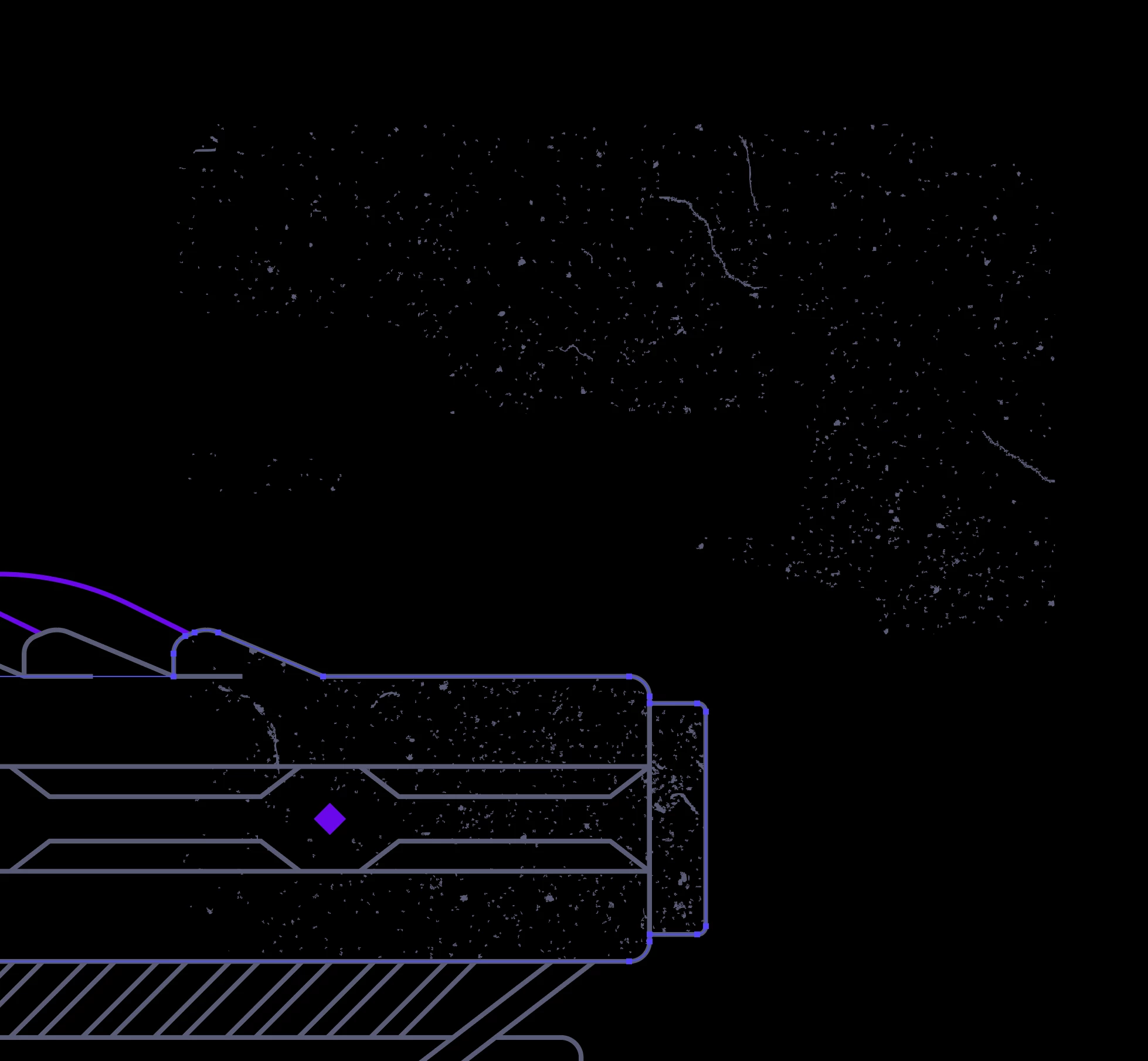
After creating a clipping mask in the latest version of illustrator, I get a strange visual bug where I can see a "ghost" of the contents of my clipping mask floating near my mask. It seems to be a GPU bug as once I switch to view with CPU and back it fixes it, but it shouldn't be happening in the first place. 

I'm on macOS Big Sur 11.5 using a Radeon Pro Vega 56


This instance just occured. The gritty texture in the top half is actually masked within the selection. This should not be visiable. The ghosted contents of my mask sort of warp and shift as I zoom in and out. 
 

This topic has been closed for replies.

1 reply

ceyhun_akgun
Legend
July 28, 2021

Can you share this work with us? I would like to try. I would like to see in which situation this problem occurs or not.

Graphic Designer Educator / PrePress Consultant
MicahS1Author
Participant
July 28, 2021

Hi, I don't believe you'll be able to reproduce this as it seems to be a GPU issue. I have other issues where in outline mode the lines disappear when fully zoomed in. I have another issue that happens occasially where a shape will appear partially filled when it is not. This clipping mask issue is not super consistent, but it does happen randomly and often. All of these instances seeem to go away when viewing with CPU. 

ceyhun_akgun
Legend
July 28, 2021

Can you try changing the screen pixel resolution values? By lowering the screen resolution values, you reduce the load on the video card. You can try this way for a while.

Graphic Designer Educator / PrePress Consultant