
Cynthia Lunine
Participant
February 19, 2022
Question

Illustrator 25.4.1 insists on printing duplex

  • February 19, 2022
  • 2 replies
  • 992 views

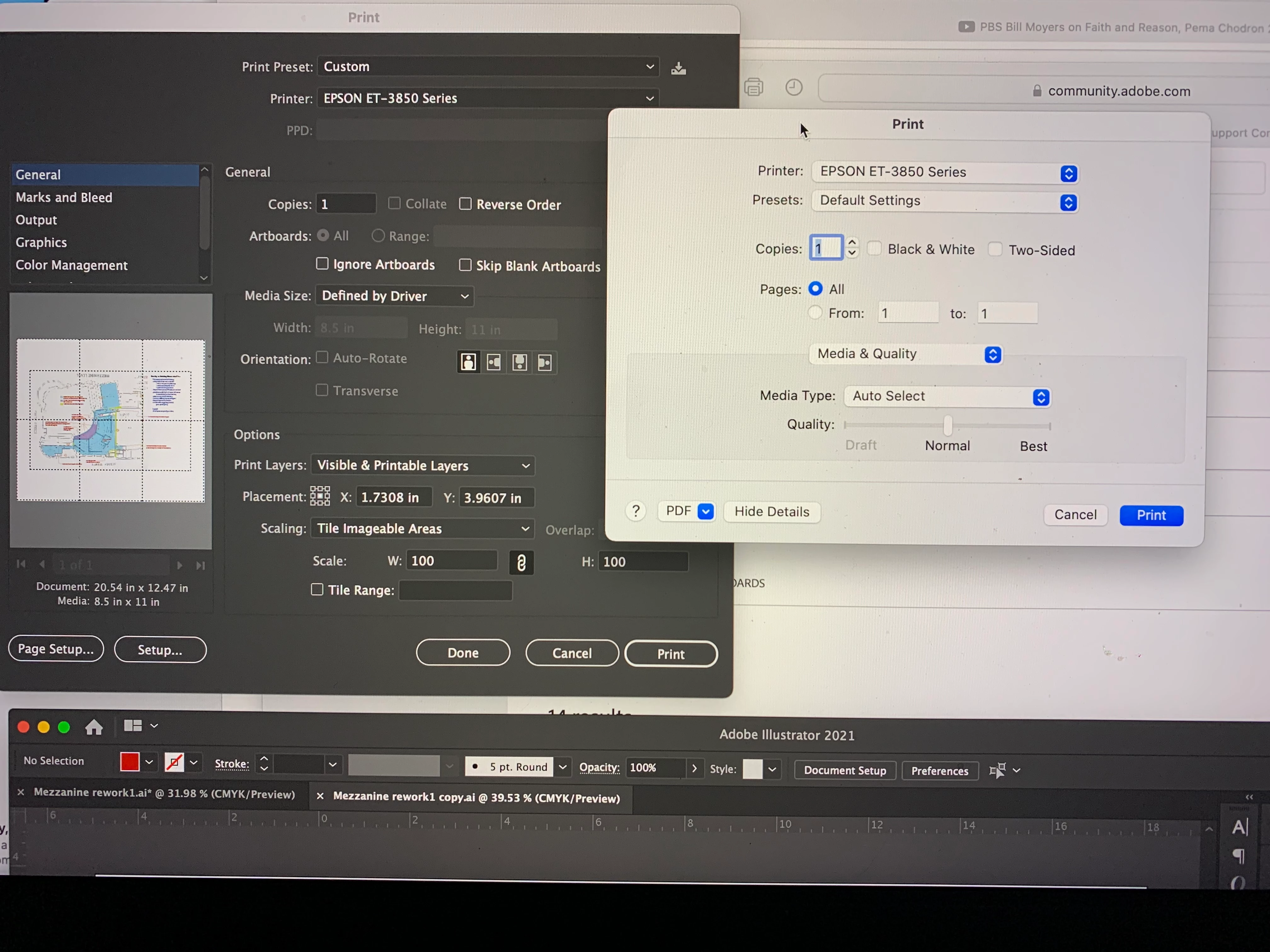
I've had this problem with two printers now. I set printer dialogue to print single pages when I need to tile imageable areas for a large full size output on 8 1/2 x 11 paper, but the job comes out double-sided (duplex) each time. With the old printer (Canon MG6600), sometimes I could go into other apps like Word or Pages and set a job to print single-sided, then Illustrator may comply with the single-sided. But with my new Epson ET3850, this doesn't work. I can't see a problem on the printer's settings and it doesn't happen with other apps. I have a new Macbook Pro with an M1 chip running Monterey 12.0.1 
    2 replies

    Brad @ Roaring Mouse
    Community Expert
    Community Expert
    February 20, 2022

    Separate from the check box you see for Two-Sided printing, check in the menu list (where it says Media & Quality) for a Two-Side Printing Options.

    Did you download a Monterey-specific driver for your new Mac? If so, got to Epson and check. Based on another issue someone posted recently, there IS a Monterey Compatibility FAQ on Epson's site. Check there. (Old drivers tend to "broken" on Monterey if you installed it from an old installer pacajkage).


    Monika Gause
    Community Expert
    Community Expert
    February 20, 2022

    What does EPSON say?