


Illustrator 29.1 Can't Import AI Files From Other Apps
I've been dealing with a new bug encountered in Illustrator 29.1 today. This new version has serious limits with importing AI files exported by other applications. If the AI file has no text objects it will open. But if the AI file has any text objects an error box will be displayed saying:
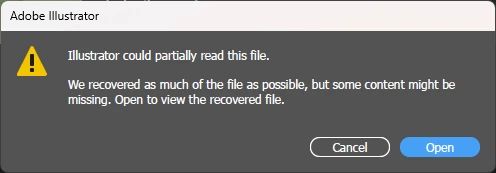
Illustrator could partially read this file. We recovered as much of the file as possible, but some content might be missing. Open to view the recovered file.
When the file is opened there is no content, just an empty placement box.
Rebooting, doing disc cleanup, etc made no difference. The problem would still persist. The only solution appears to be installing a previous build of Illustrator and opening the exported AI files there.
Update: I tested the problem on my home setup. The problem is present there. The update for Illustrator 29.1 released earlier today (11/20/2024) won't import AI files exported from other applications (such as CorelDRAW for instance). The issue is present in the current beta as well.
This might not seem like an important issue, but it is pretty common to handle art files made by customers or by co-workers who are using other design applications. I've tried resetting preferences and even removing plugins (such as those made by Astute Graphics) but those steps don't fix the problem.


 AdChoices