




Illustrator 29.8.1 | Enhanced Controls, Align object with Snapping & Performance Improvements

Hey everyone!
Illustrator 29.8.1 brings modernized color controls, smarter snapping, and pixel-perfect alignment tools to streamline your design flow. With quicker launch times and enhanced precision, your creative process just got a major upgrade.
Please check what's new to learn more about this release. Update now to experience these improvements and elevate your creativity!
Enhance creative control with modernized colors!
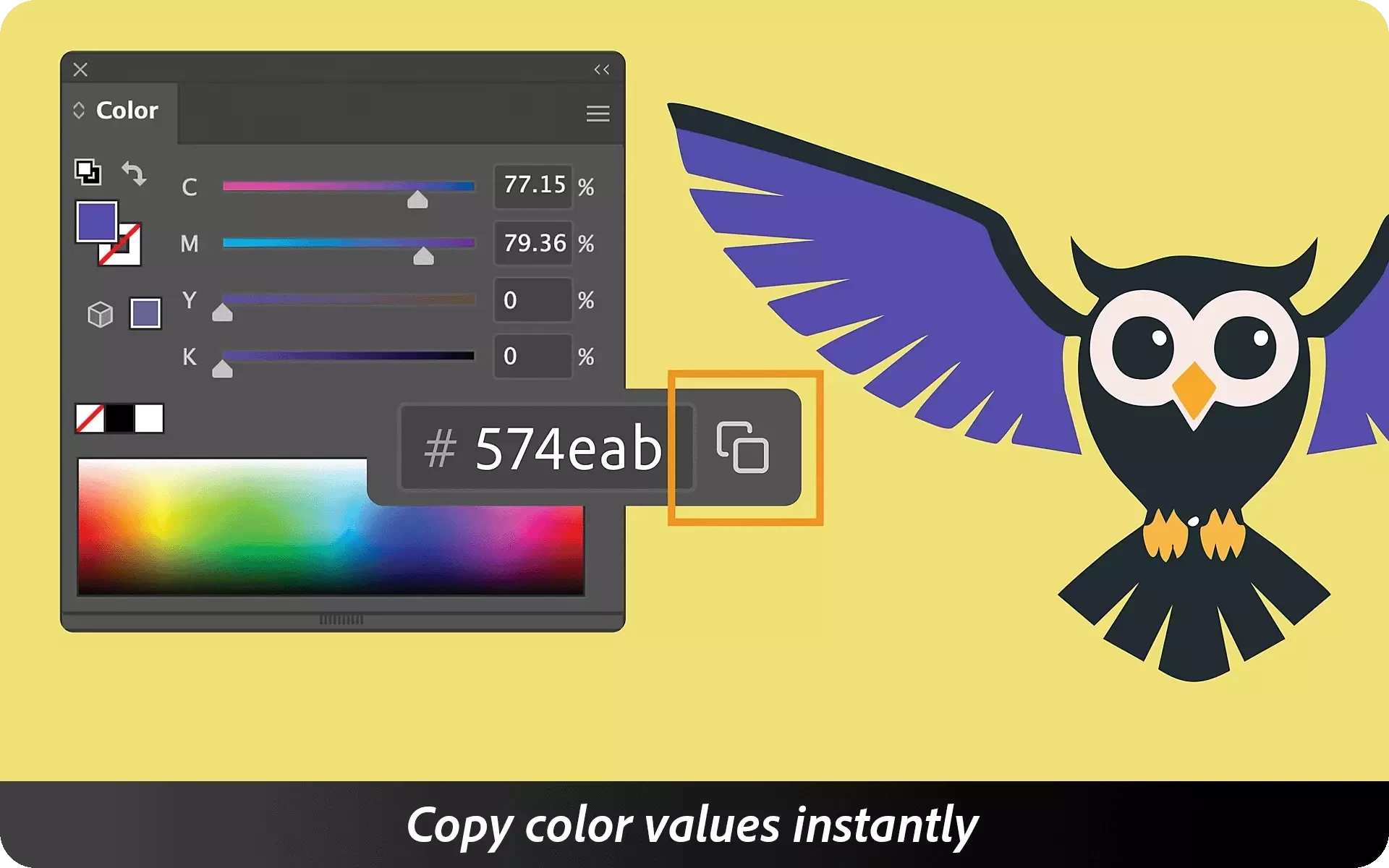
Illustrator now enables you to copy color values directly from the Color panel, Color Picker, New Swatches, or Swatch Options dialog. Simply pick a color, select to copy its hex value, and instantly share it across documents or brand assets. For more details, check out this article.
Align objects smarter with modernized snapping tools
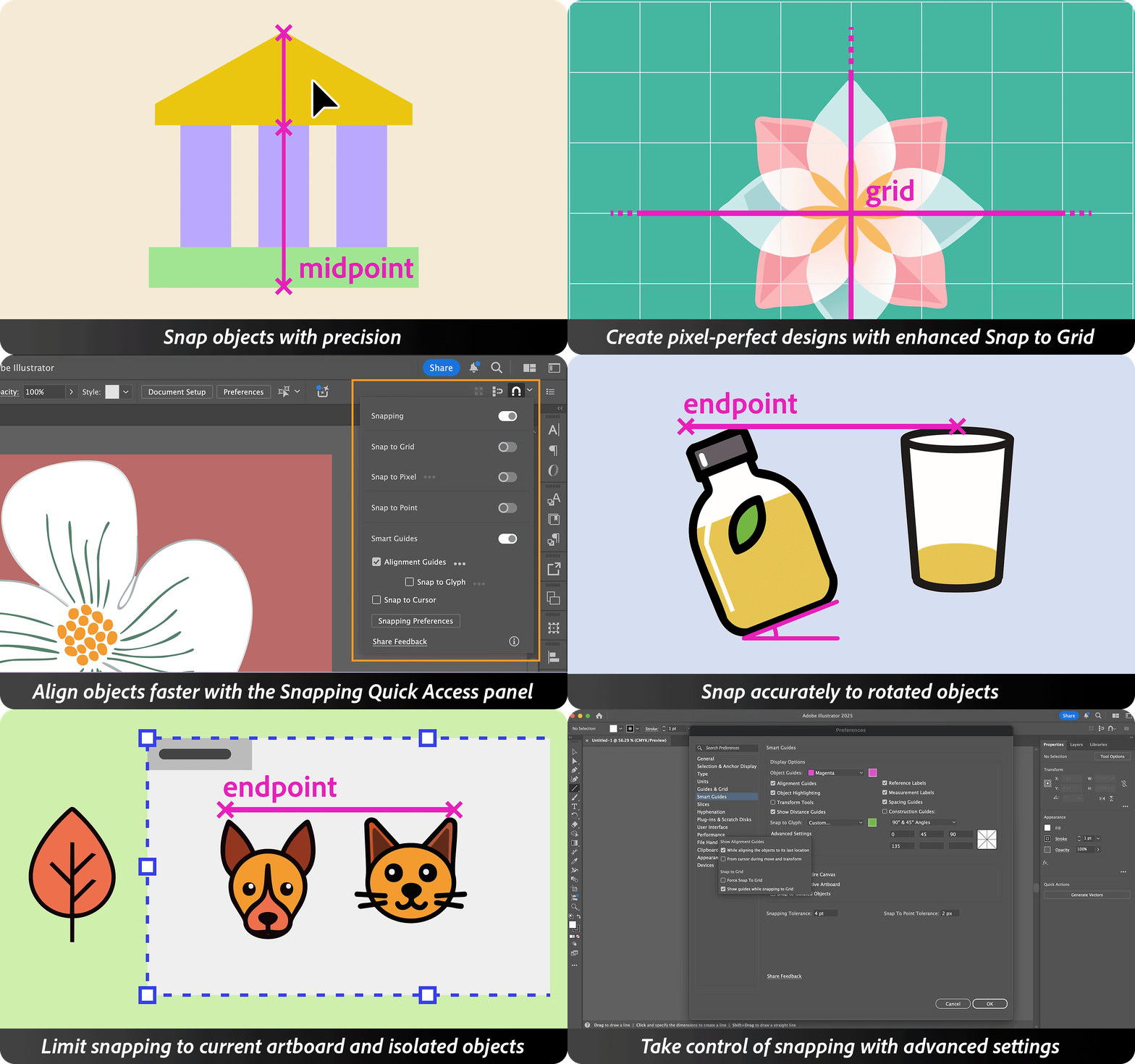
Snap with precision and create pixel-perfect designs using enhanced Snap to Grid and Snap to Pixel features. Speed up alignment with the Snapping Quick Access panel, and snap accurately to rotated objects. Limit snapping to the current artboard or isolated objects for better control. Take full command of your design workflow with advanced snapping settings.
Experience performance enhancements
With Illustrator 29.8.1, enjoy faster launch times, a smoother, more responsive experience, and quicker access to your files and design workflows.
Get Started
Explore the latest updates and enhancements in Illustrator. Update to Illustrator 29.8.1 using this link, or open the Creative Cloud desktop app and click Update next to Illustrator. For step-by-step guidance, check out the detailed update instructions.
Share Your Feedback
We encourage you to try the new features in Illustrator 29.8.1 and share your feedback with the community.
Feel free to create a new post if you have any issues related to the release or need more tips!
If you found this announcement helpful, click 👍 Like.
Use ⭐ Subscribe to stay informed about future updates.
You may also share this post with others who might benefit from these enhancements.
 AdChoices