
Inspiring
February 8, 2026
Question

Illustrator 30.2.0 – home page corrupted and subsequent crash

  • February 8, 2026
  • 1 reply
  • 56 views

I have just opened Illustrator 30.2.0 to get this home page:
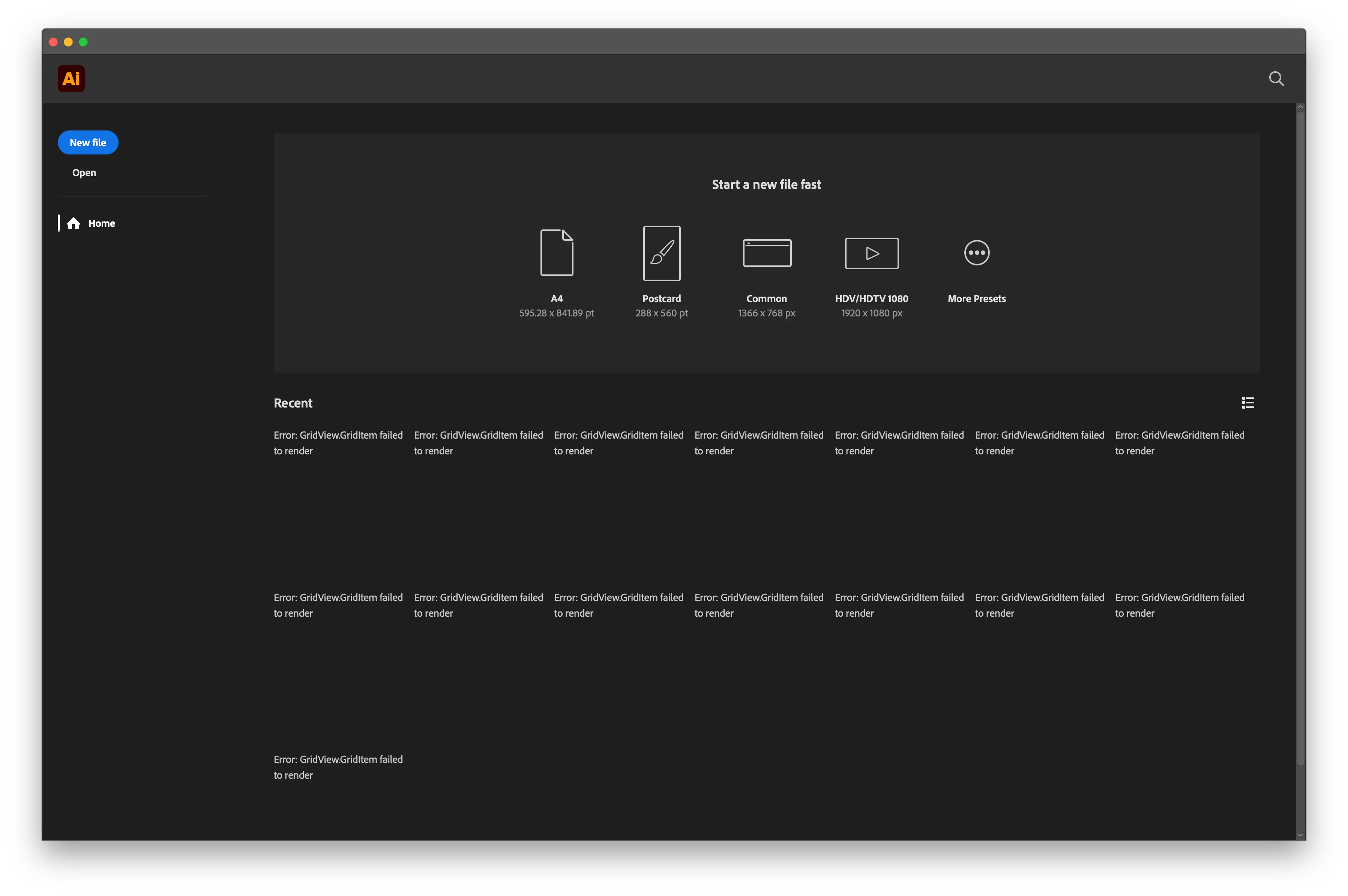
You can see that the LH side is missing several objects.

The Recent grid view is filled with errors (while the list view seems to work).

I then clicked on Open, opened a PDF file and, after briefly seeing the main interface with the single-page PDF in it, Illustrator crashed.

I relaunched Illustrator but there was no crash reporting dialogue.

I tried to open the PDF again and managed to perform a couple of edits (edit artboard > A3 > resize image to fit the artboard). Illustrator asked if I wanted to Save changes before quitting (but I had not asked it to quit). I pressed Save and Illustrator quit. 

What can I do?

macOS 26.2.1 on Apple Silicon M3 Max.

    1 reply

    Ton Frederiks
    Community Expert
    Community Expert
    February 8, 2026

    If strange things happen, you can try to restart your machine and if that does not help, reset the Illustrator preferences.


    Inspiring
    February 8, 2026

    It looks like when Illustrator launched on the main display, the alert for “Illustrator would like to access data from other apps” appeared on the secondary display behind another program. 

    I eventually found it lingering there even after Illustrator had crashed and quit. 

    Managing to press “Allow” for that before launch fixed this. 

    Very strange that macOS didn’t put this straight in front of Illustrator. 

    Ton Frederiks
    Community Expert
    Community Expert
    February 8, 2026

    Good to hear you found the solution.

    I did not have the alert when updating to 30.2, but had it when installing a beta version.

    If the message appears again, you can disable it by giving Illustrator Full Disk Access in System Settings > Privacy & Security