Tilly36290267mdw4
Participant
March 28, 2024
Question

Illustrator 3D lighting settings not showing

  • March 28, 2024
  • 3 replies
  • 940 views

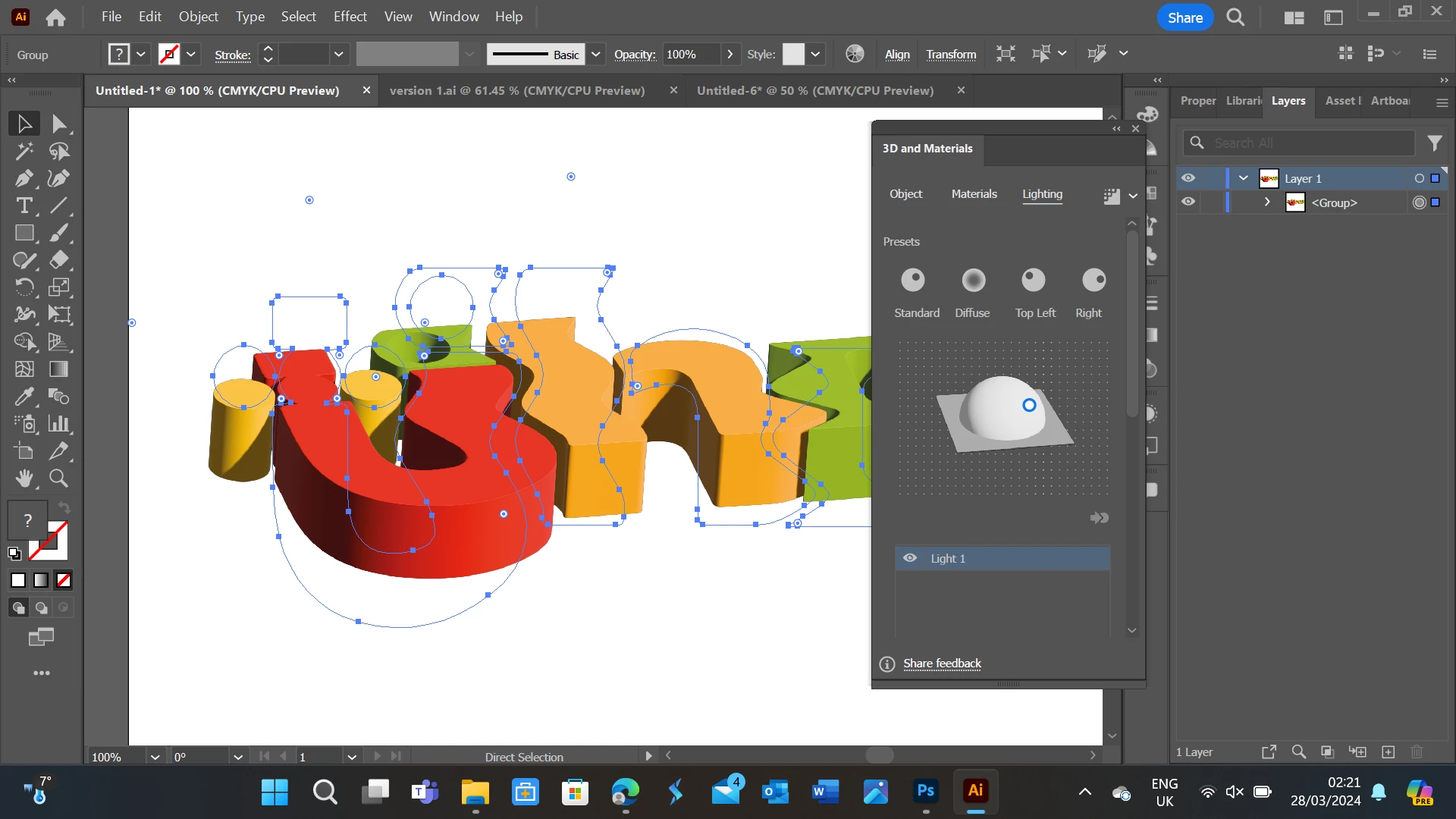
I'm trying to use the lighting settings in 3D and materials but it won't give the option to use the full lighting options, I want to add shadows to the background rather than just the object. These are all the settings I can access, may be a simple fix but I've tried everything.


    This topic has been closed for replies.

    3 replies

    Monika Gause
    Community Expert
    Community Expert
    March 28, 2024

    There's a scrollbar on the panel. Just use it.


    If you have a version that is lower than 27, you might also need to update.

    Community Expert
    March 28, 2024

    Under Preferences in the Performance tab, you might need to turn off "Real Time Editing and Drawing." It has to be disabled for ray-traced based 3D rendering. 

    kglad
    Community Expert
    Community Expert
    March 28, 2024

    in the future, to find the best place to post your message, use the list here, https://community.adobe.com/

    p.s. i don't think the adobe website, and forums in particular, are easy to navigate, so don't spend a lot of time searching that forum list. do your best and we'll move the post (like this one has already been moved) if it helps you get responses.


    <"moved from using the community">