

Malkerty
Participant
February 8, 2023
Question

Illustrator 3d Material Graphic Aliasing/Pixelating Issue

  • February 8, 2023
  • 2 replies
  • 2419 views

Hi All,

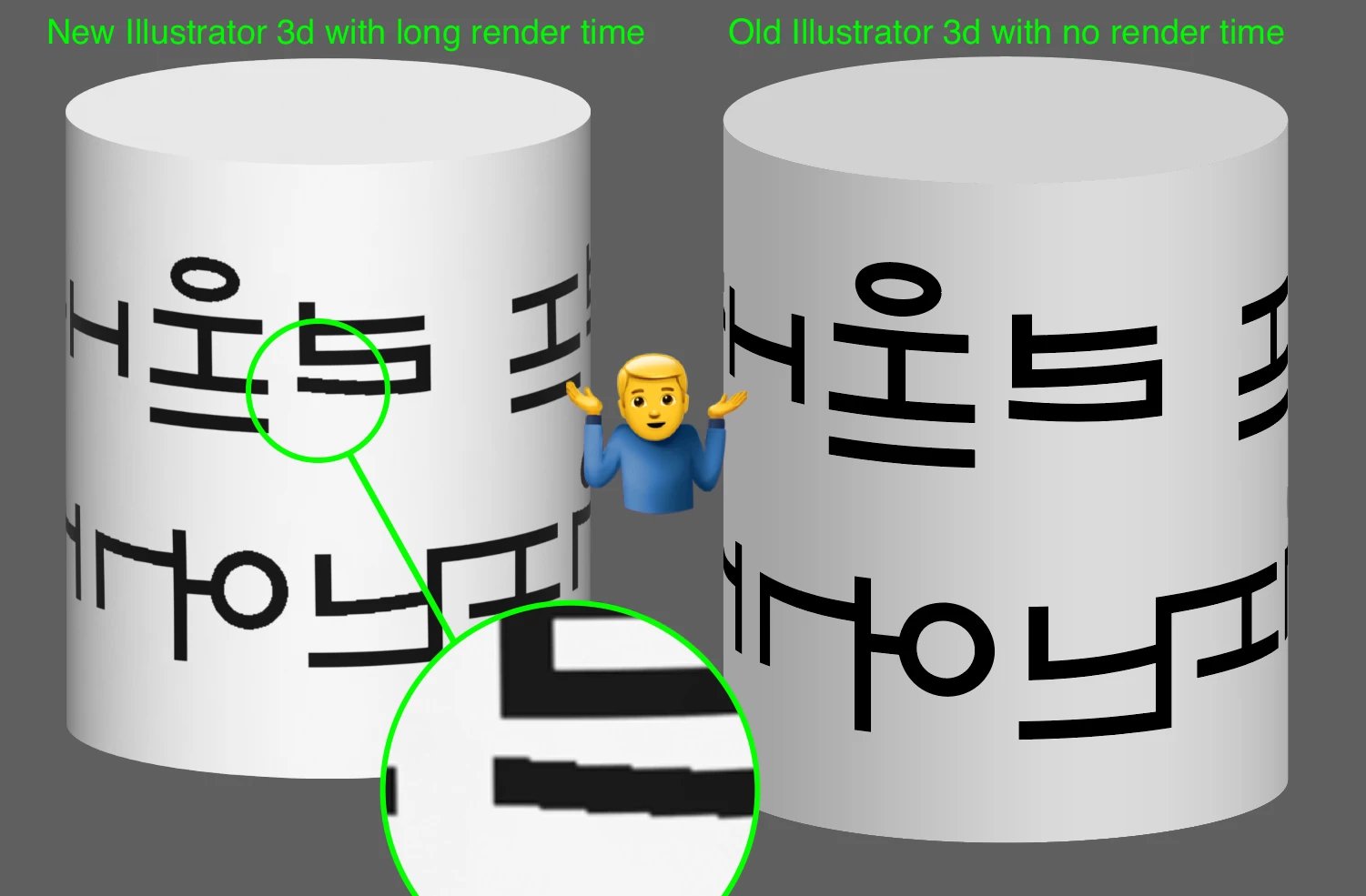
When applying a graphic in the 'Materials' section of the new '3d and Materials' feature, the applied graphic appears aliased / pixelated. The graphic is set up as a Symbol and no matter how large you make the original symbol or how high res you render the 3d object it makes no difference. The weird thing is the old 3d feature does not have this problem, see screengrab attached.


Does anyone know how to resolve this, I've tried everything I can think of. I can't find anything online about this, which I am surprised.
 

2 replies

Participant
January 3, 2025

I'm having similar issues, everything is set to high render. My graphics are on a simple plane, which feels like it should be less of a problem. . . 🤷‍♀️

Monika Gause
Community Expert
Community Expert
January 3, 2025

Use the classic 3D instead. Does that work?

Anubhav M
Community Manager
Community Manager
February 8, 2023

Hello @Malkerty,


We understand that encountering technical issues can be frustrating. We are here to help and would like to suggest changing the Raster Resolution under Illustrator's preferences as described in this article (https://helpx.adobe.com/illustrator/using/effects.html#rasterization_options:~:text=dialog%20box%20respectively.-,Rasterization%20options,-You%20can%20set) and enabling Render as Vector under Render Settings.

If you don't mind, could you please follow the steps and share your observations with us? We appreciate your time and effort in helping us resolve this issue.


Looking forward to your response.


Thanks,

Anubhav

Malkerty
MalkertyAuthor
Participant
February 10, 2023

Thanks for your response, rendering as a vector delivers some interesting problems, please see attached, wobbly lines and artefacts. I tried oulined text as well as live text. Also tested at 72dpi and 300dpi with the same results (although if you are using 'render as vector' does the res setting even have a bearing on the output?)


Monika Gause
Community Expert
Community Expert
February 10, 2023

If you want just vector output, I would go with the Legacy 3D effects.