

Participant
May 14, 2023
Answered

Illustrator

  • May 14, 2023
  • 3 replies
  • 919 views

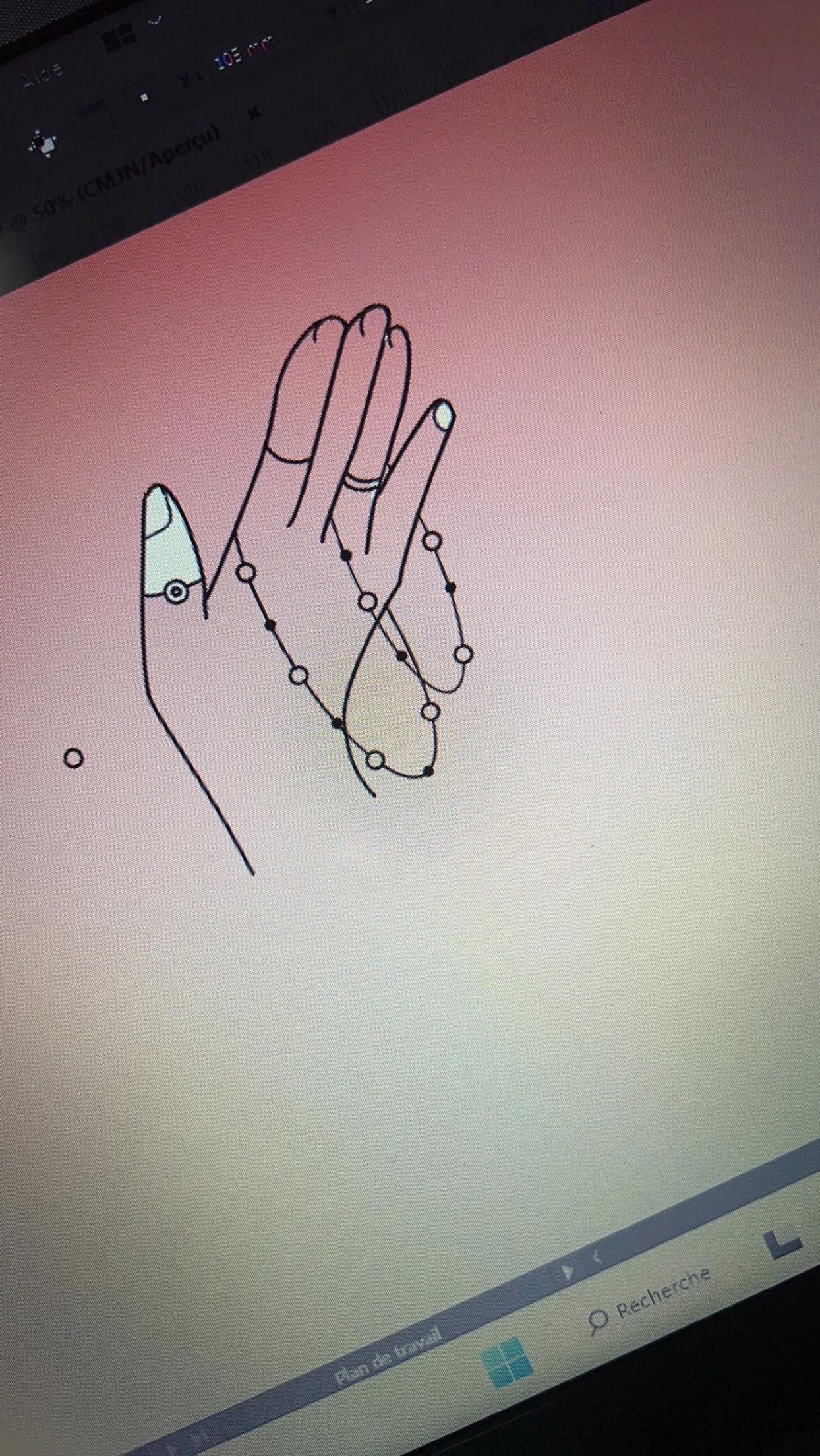
j’essaie de mettre une couleur à mon plan de travail illustrator mais il y’a certaines parties qui restent incolorées. Comment faire?

This topic has been closed for replies.
Correct answer Monika Gause

You could check out Live Paint or the shapebuilder tool.

https://helpx.adobe.com/illustrator/using/live-paint-groups.html 

3 replies

Participant
May 14, 2023

You can draw a shape by itself and place it below the line to achieve the purpose

Monika Gause
Community Expert
Monika GauseCommunity ExpertCorrect answer
Community Expert
May 14, 2023

You could check out Live Paint or the shapebuilder tool.

https://helpx.adobe.com/illustrator/using/live-paint-groups.html 

Participant
May 14, 2023

d'accord je vais essayer. Merci


Mylenium
Legend
May 14, 2023

Well, you have open paths, don't you? How would AI even determine an area to fill? it seems you are misunderstanding the process. All areas for fills must be closed (reasonably in complicance with the gap tolerance settings of e.g. the Live Paint Bucket). You need to adjust your design accordingly and add contours to close those open spaces, be it just temporarily.


Mylenium

Participant
May 14, 2023

comment faire svp? Je suis novice et je maitrise pas encore bien illustrator
