
Known Participant
August 9, 2021
Question

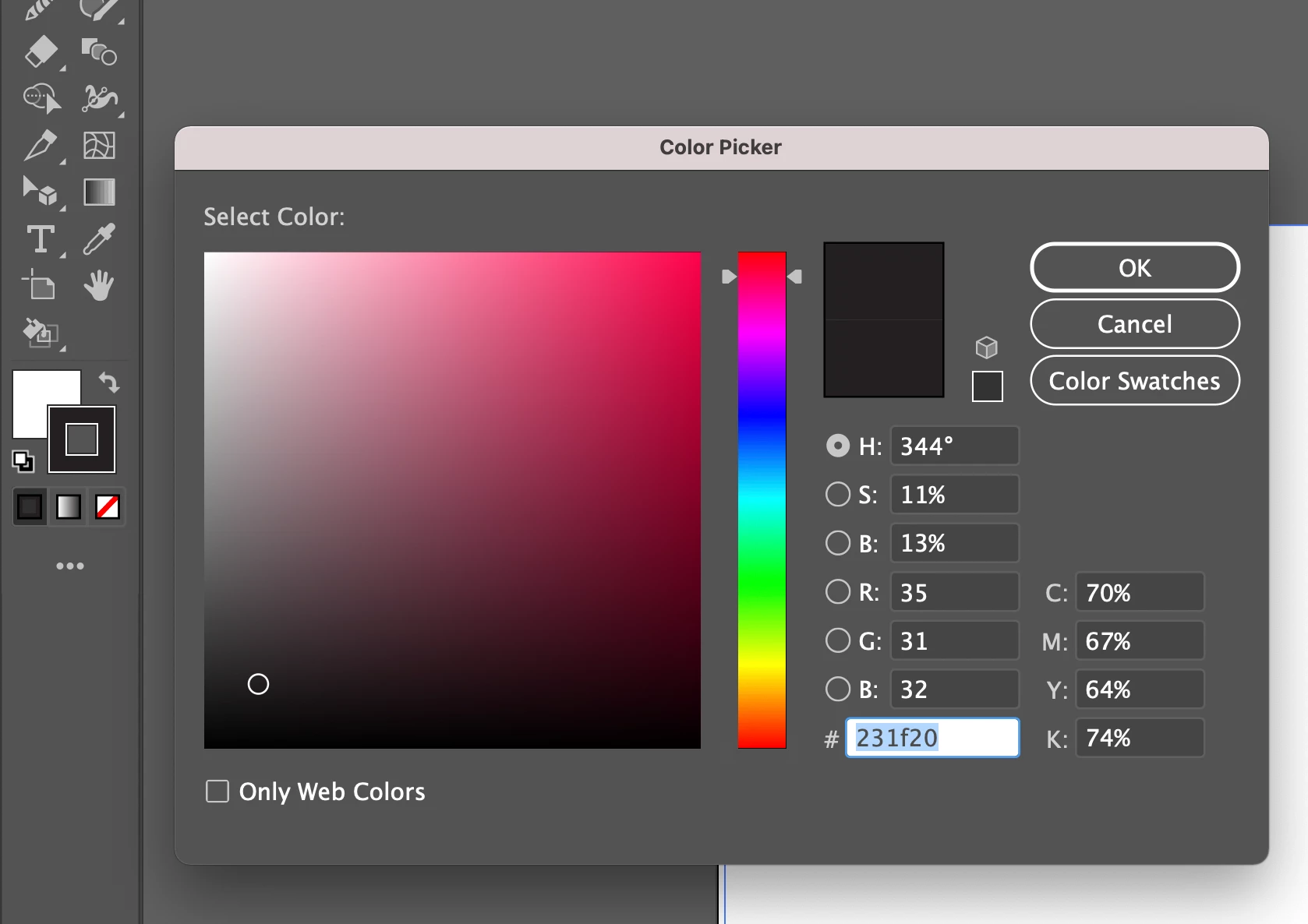
Illustrator black is not black

  • August 9, 2021
  • 2 replies
  • 550 views

Ever since an update a few months ago, the default black on illustator is no longer black, it is #231f20. We have tried this on 2 different accounts and computers in office and it is on both. I already tried to play with color settings & it makes no different what I pick, it still does not default to black.
 

This topic has been closed for replies.

2 replies

Mike_Gondek10189183
Community Expert
Community Expert
August 9, 2021

You need to change the default black swatch in your document profile. This ways when you creat a new document you will get the color you want. You can see that a new item is field with the 2nd swatch called black,


The definition of the swatch comes from ones of these files depending on which document profile you chose. Thsi ios windows location:

.


When asking question like  you should always post

  • your operating system
  • doucmuent color mode

Otherwise it will take multiple responses to answer your question, and many people will pass over responding to you as you failed to provide the information needed to answer the question.


Monika Gause
Community Expert
Community Expert
August 9, 2021

Which document color mode is it?

How do you specify black?