Inspiring
September 26, 2017
Answered

Illustrator CC 2017 breaks on BridgeTalk script execution

  • September 26, 2017
  • 1 reply
  • 1287 views

The following piece of code was functioning wonderfully until illustrator CC 2017. This function is a trampoline for us to invoke scripts from an ExtendScript UI, which are passed as a string into the function.

function BTExecuteScript(jsscript){

    // create a BridgeTalk message for Illustrator to execute jssscript.

    var btMessage = new BridgeTalk;

    btMessage.target = illustrator.targetName;

    btMessage.body =  jsscript;

    btMessage.onResult = function(bto) {BridgeTalk.bringToFront(bto.sender);};

    btMessage.onError = function(errorMsgObject) { // error handler defined here

        alert("Error: "+errorMsgObject.body);

    };   

    btMessage.send();

}

Since upgrading to CC 2017, however, we get the  following error:
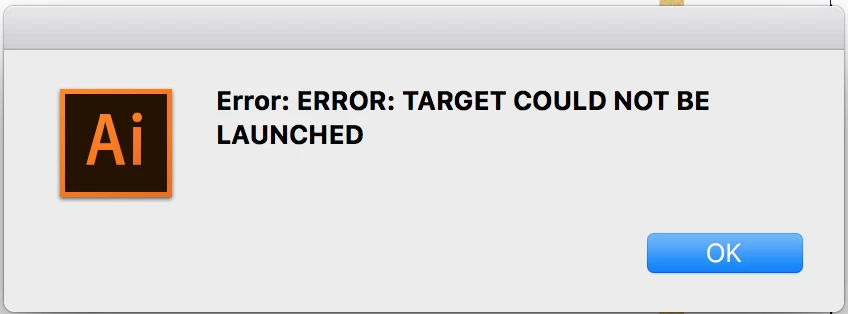
Any help will be much appreciated!

This topic has been closed for replies.
Correct answer Anurag Mendhekar

Thank you, that was the key -- The alert said "illustrator-19" and I discovered that I had a lingering Illustrator\ 2015 folder in the Adobe Illustrator CC Startup scripts folder. For some reason, Illustrator 2017 was reading in the '.jsx' from the 2015 folder instead of the 2017 folder. The solution was to delete the 2015 folders.

Anurag.

1 reply

Silly-V
Legend
September 27, 2017

when you do alert(illustrator.targetName), does it say "illustrator-21" ?

Anurag MendhekarAuthorCorrect answer
Inspiring
September 27, 2017

Thank you, that was the key -- The alert said "illustrator-19" and I discovered that I had a lingering Illustrator\ 2015 folder in the Adobe Illustrator CC Startup scripts folder. For some reason, Illustrator 2017 was reading in the '.jsx' from the 2015 folder instead of the 2017 folder. The solution was to delete the 2015 folders.

Anurag.

Silly-V
Legend
September 27, 2017

great find!