Participant
September 27, 2019
Answered

Illustrator CC 2019 move less than a pixel

  • September 27, 2019
  • 1 reply
  • 7151 views

I can't move less than a pixel.

I have adjusted the "Keyboard Increment".
And there is no the option "Align to Pixel Grid" in my Transform panel.
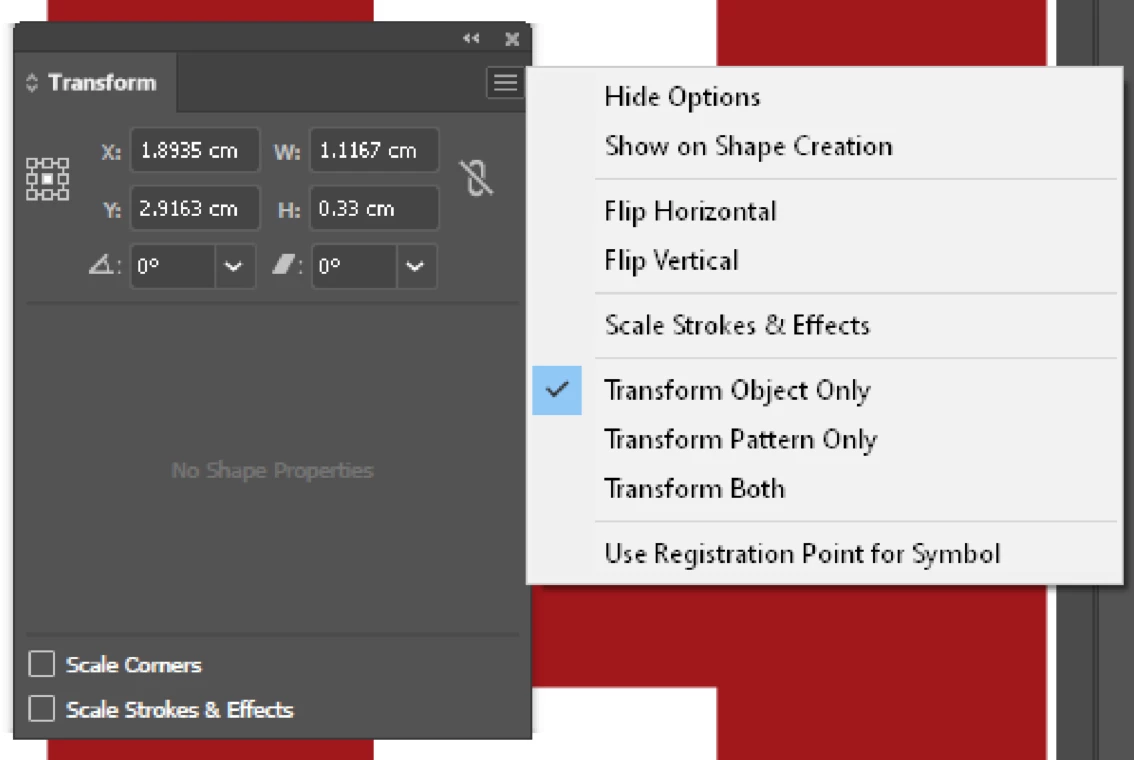
Please help.

    This topic has been closed for replies.
    Correct answer Sebastian Bleak

    Hi, can you provide a screenshot of your entire screen? That might help us find the exact problem.

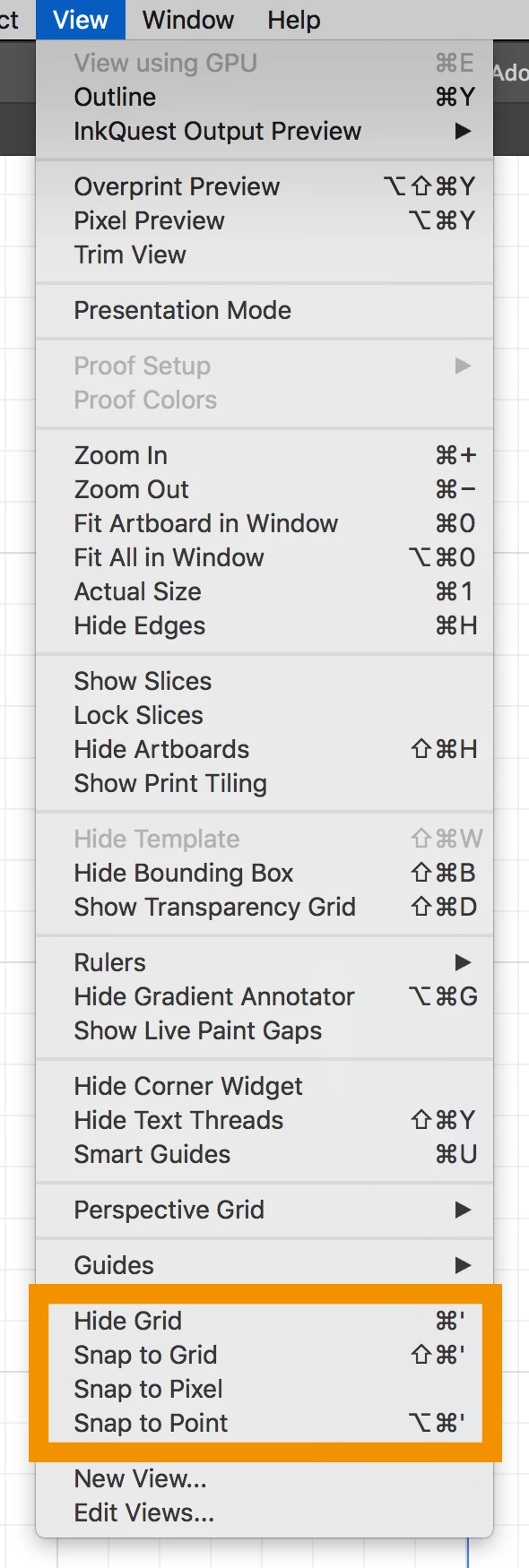
    I was able to move my path by .5 pixel incremints by adding that value in the Preferences, removing the Appearance on my Stroke and making sure all of my Snaps were turned off like you see in this image:

    Hope this helps 😃 

    1 reply

    Sebastian Bleak
    Community Expert
    Sebastian BleakCommunity ExpertCorrect answer
    Community Expert
    September 27, 2019

    Hi, can you provide a screenshot of your entire screen? That might help us find the exact problem.

    I was able to move my path by .5 pixel incremints by adding that value in the Preferences, removing the Appearance on my Stroke and making sure all of my Snaps were turned off like you see in this image:

    Hope this helps 😃 

    YafangAuthor
    Participant
    September 27, 2019

    Thank you!!!!!!!!!!!!!!!!!!!!!!!!!!!!
    You save my day!!!

    This totally solve my problem.

    Sebastian Bleak
    Community Expert
    Community Expert
    September 27, 2019
    Did it work for you?