
Participant
June 14, 2018
Answered

Illustrator CC -> Humongous Drop down menu

  • June 14, 2018
  • 1 reply
  • 2764 views

Hi there,

I just recently changed to a 4k display and using an external FHD screen as my second monitor.

If I open/move across my illustrator window to the second screen my drop down menu is very very very big.
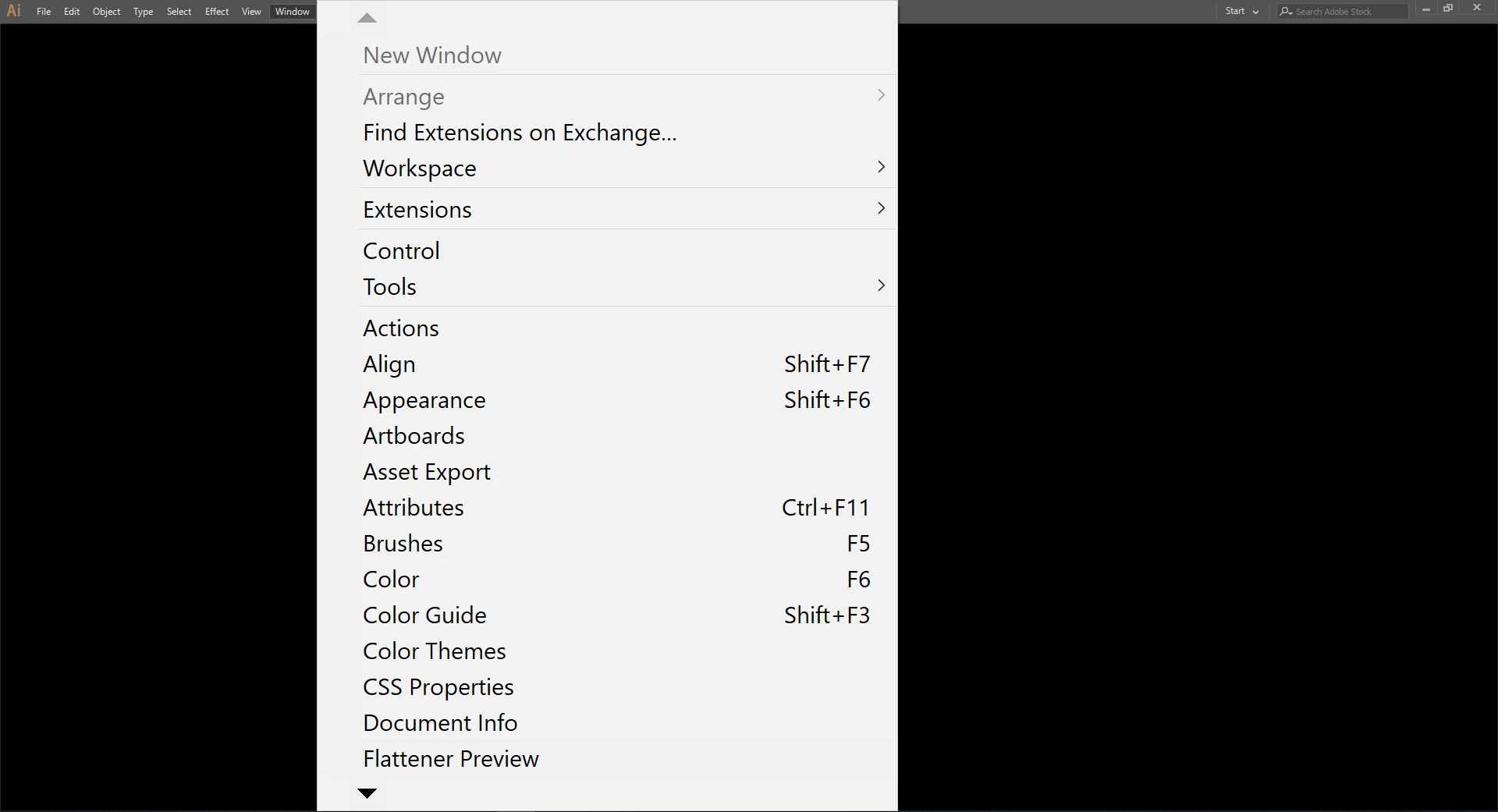
When it comes to Photoshop CC is the over way around, my drop down menus are smaller; thankfully my eyesight is still good

I already tried to play with the UI interface settings but that did not help at all.

If anybody found a work around, opened to suggestions. Thanks

This topic has been closed for replies.
Correct answer Monika Gause

You know this article?

Application user interface too large | Windows

1 reply

Monika Gause
Community Expert
Monika GauseCommunity ExpertCorrect answer
Community Expert
June 14, 2018
lisajonline
Participant
August 26, 2018

EDIT: HA! Figured out that you gotta restart your computer completely after messing with User Interface settings in Preferences. Then it should make the menus smaller. I unchecked "For High-PPI Displays, Scale the User Interface", made sure my display scaling on Windows was 100%, then restarted the computer. Finally worked out!