Illustrator CC keeps on crashing? Please help
Hello, i've got an annoying issue with Illustrator that is making the program totally unusable
After just a few minutes the program completely freezes and stop responding; if i try to move the canvas the picture appears pixelated and after a short while it disappears, even though all the tools and menus remains interactive and functioning
It happens particullary when i'm using the brush tool, but it has happened even while using other functions
I've also noted a spike in the CPU usage when this error occurs, jumping up to 50/60% (it's usually just set to 12/15%)
I frequentely use other Adobe programs (such as photoshop or animate) and this problem has never once occurred with them
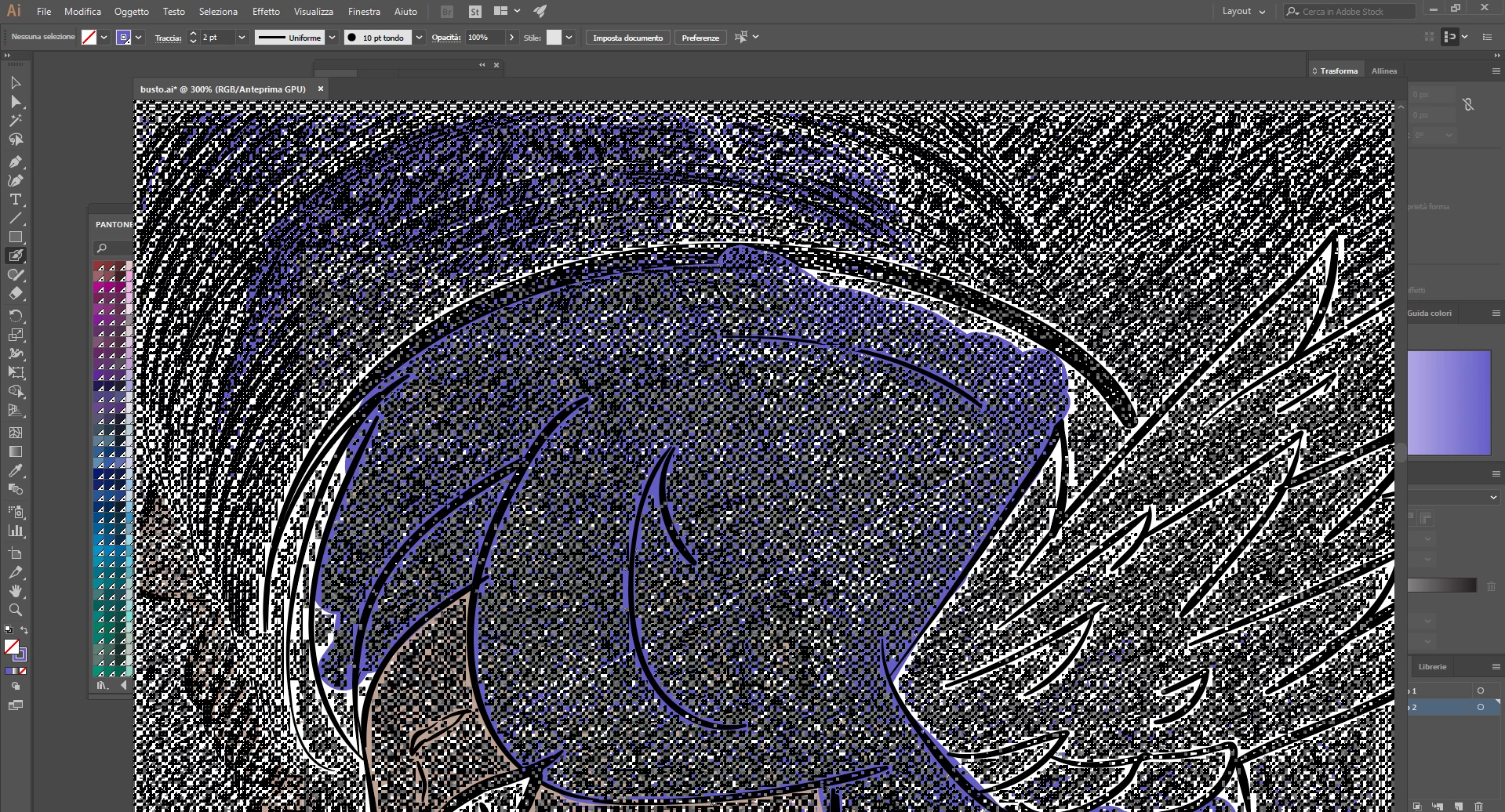
The program is updated to the latest version (22.1), and i've already tried deleting and reinstalling it
I'm running windows 10 (updated) with an intel-core i5
Thank you very much for your help!
 AdChoices