

Participant
July 28, 2025
Question

Illustrator change the fonts in the file

  • July 28, 2025
  • 3 replies
  • 285 views

Hello!
I create a file in Illustrator in last friday.

 

Today, monday, when I open the file all the fonts was changed.
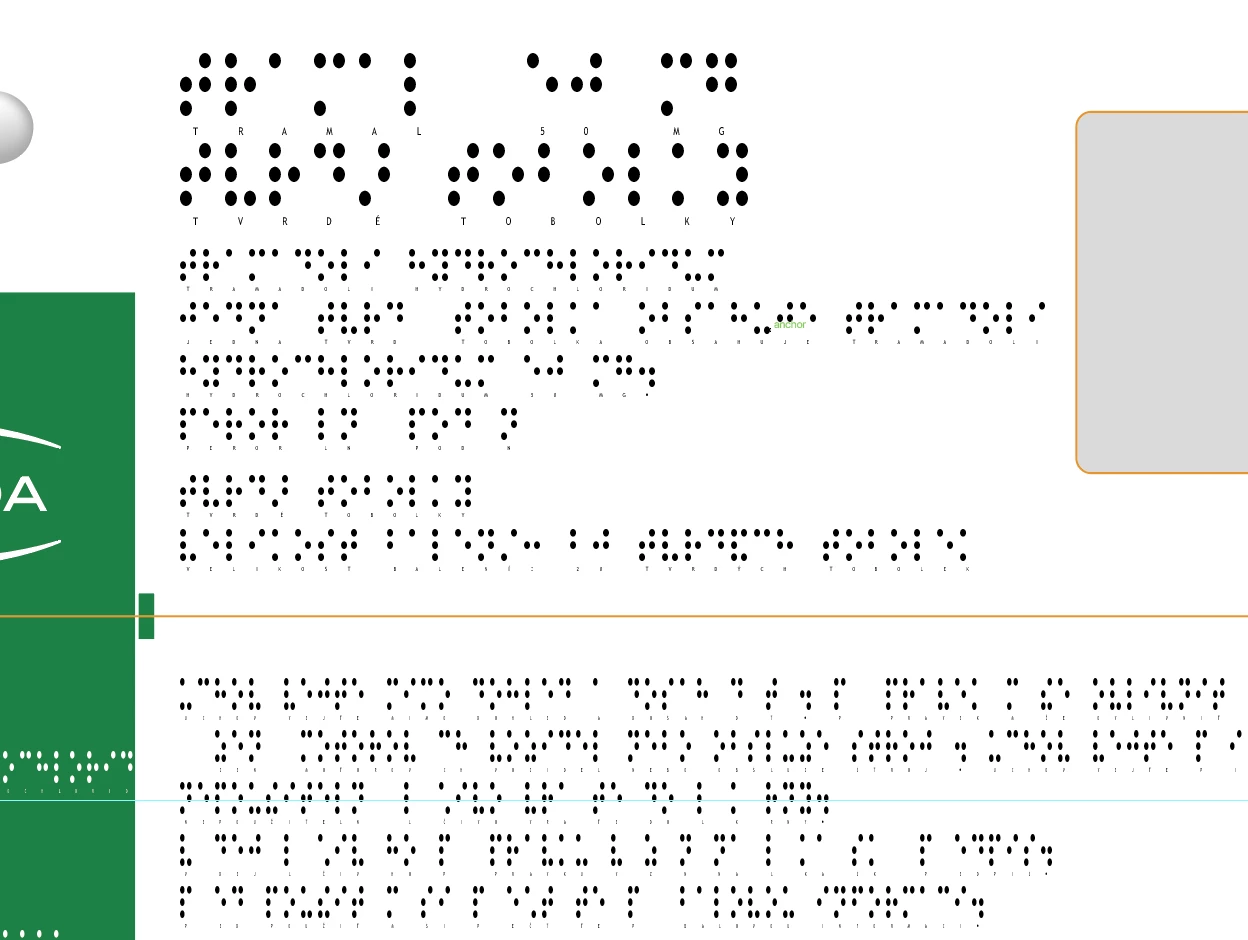

Can someone help, to understand, what happen here?

3 replies

Participant
July 29, 2025

Hi @Abhishek Rao!
"Do you see any missing font warnings when opening the file? Were the fonts installed locally or synced via Adobe Fonts?"
Regarding this topic, when I open the file, the fonts still there. They just changed.
The file should be like this:


And appear like this:


For the fonts I sync with the Adobe fonts, Monotype Fonts. And after this I instaled the font in my Mac, but the issue continues in this file.

Hi @Bobby Henderson!
My other colleagues did not worked in this file. It was just me.


Abhishek Rao
Community Manager
Community Manager
July 31, 2025

Hi @TiagoBrasGrunny,


Thanks again for the details. Could you please confirm which version of Illustrator you're currently using?

If it's not 29.7, I recommend updating to that version and testing the issue again. We had a similar bug reported in Illustrator 29.5.1 where fonts were unexpectedly changing in saved files. You can check that report here: https://adobe.ly/4lVnpk7

Please try it on version 29.7 and let me know if the issue still persists.


I'll be happy to look into it further if needed.

Abhishek 


Participant
August 1, 2025

Hi @Abhishek Rao!
The version that I have is 29.6.
I will update to the new version.
If that happen again I'll let you know.

Thank you

Community Expert
July 28, 2025

It's very strange how the fonts were changed to Braille. Usually if a document has its fonts changed to a default typeface the fonts revert to Myriad Pro.


Is the Illustrator document being edited on more than one computer? I wonder if there is an inconsistency with the application's language settings.

Abhishek Rao
Community Manager
Community Manager
July 28, 2025

Hi @TiagoBrasGrunny,


Thanks for sharing the screenshots. It looks like the original fonts didn't load, and Illustrator substituted them with default placeholder fonts. This usually happens if the fonts are missing from your system or were deactivated, especially if they came from Adobe Fonts.

Do you see any missing font warnings when opening the file? Were the fonts installed locally or synced via Adobe Fonts? Please check the Creative Cloud desktop app under the Fonts section to see if they're still active. You can also try signing out and back into Creative Cloud to refresh the font sync. In some cases, switching the font manually and then switching it back can trigger it to reload correctly.


Let me know how it goes, so we can help further if needed.

Abhishek