Illustrator changes all of my tools to a small hand instead (Mac OS)
Hey.
So I'm having an issue at work that is starting to drive me pretty nuts. Sometimes, I still can't say what triggers it, feels pretty random. Illustrator refuses to show the correct tool icon - and it also makes the tools behave incorrect. Lets say I use the pen tool, instead of showing the pen (or the "X" that I prefer to use) it's the small hand of frustration, and it doesn't highlight paths or show the "+ -" when hovering over them. And that applies to all tools.
Sometimes it shows the tool icon for a little bit and goes back to the hand.
Here is an example of the arrow selected, but acting as the small hand... (sorry for the bad quality had to take a picture of the screen)
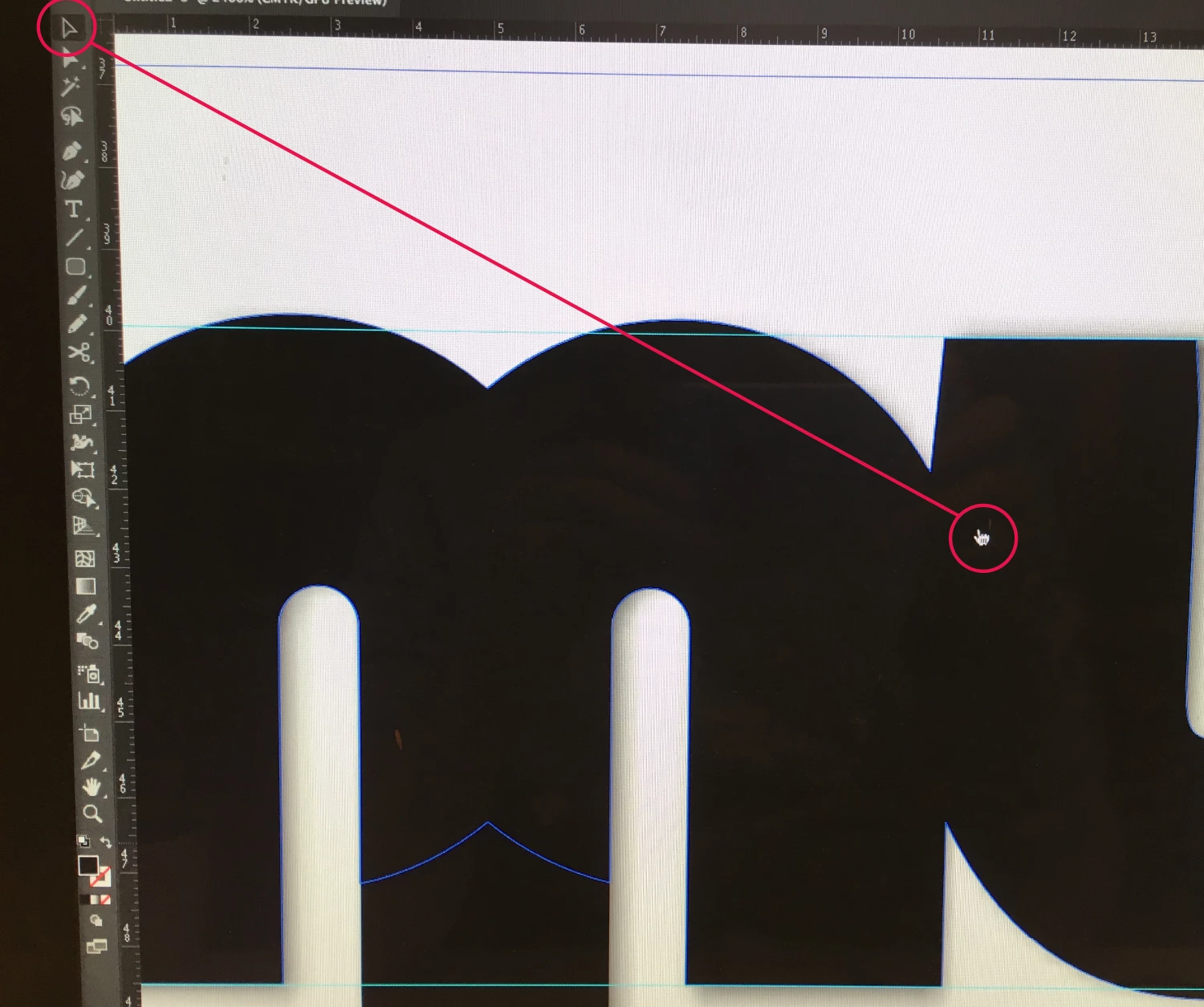
Has anyone else experienced this, maybe even solved it?
Would really appreciate some help, thanks
Edit: I'm running latest version of MacOs, same with Illustrator 2017 (had the same issue back in the previous build)
Taking this screenshot I had barely any programs running in the program and couldn't see any wonky progresses in the activity monitor.
 AdChoices