Participating Frequently
December 12, 2018
Answered

Illustrator changes color

  • December 12, 2018
  • 2 replies
  • 688 views

Hi everyone,

I'm doing some stickers for a friend of mine who owns a business.

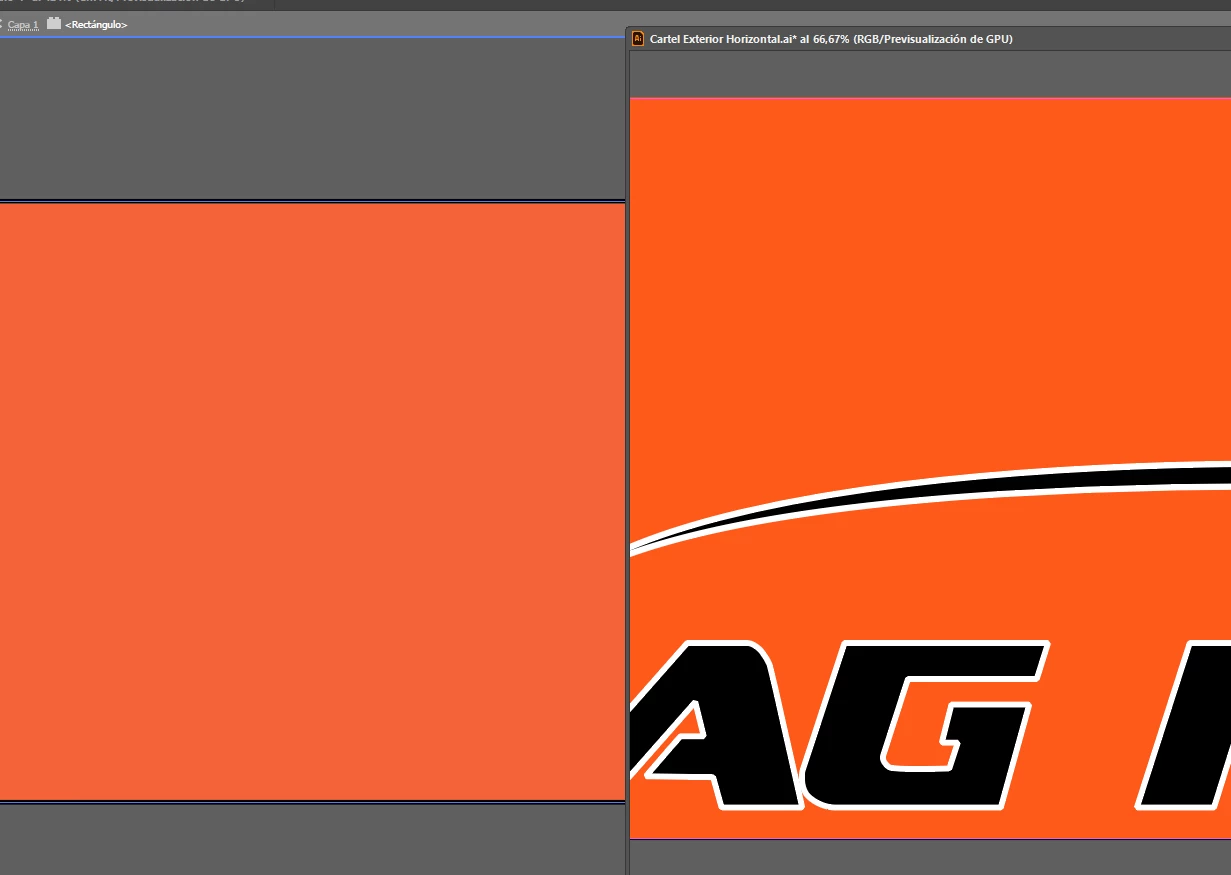
For whatever reason i can't get the exact same orange color even though i saved it as one of my colors.


I checked if there was any change in the CMYK or RGB color mode and i'm not able to spot any difference in both documents.

Could someone please help me?
This topic has been closed for replies.
Correct answer barbara_a7746676

One of your documents is RGB. I can't tell from the screen capture if the other one is RGB or CMYK, but it looks like it might be CMYK. It is not possible to get the exact same color in both RGB and CMYK. Usually the CMYK colors are not as saturated and vibrant.

2 replies

barbara_a7746676
Community Expert
barbara_a7746676Community ExpertCorrect answer
Community Expert
December 12, 2018

One of your documents is RGB. I can't tell from the screen capture if the other one is RGB or CMYK, but it looks like it might be CMYK. It is not possible to get the exact same color in both RGB and CMYK. Usually the CMYK colors are not as saturated and vibrant.

FBFerranAuthor
Participating Frequently
January 2, 2019

THANKS. I was changing the color modes but not selecting the color after changing the color mode.

So i had to convert it to RGB, AND THEN, select the orange color again.

Thank you very much Barbara.

barbara_a7746676
Community Expert
Community Expert
January 2, 2019

So glad you've solved the mystery!

Monika Gause
Community Expert
Community Expert
December 12, 2018

Both documents need to be the same color mode and then apply the color. Does that not work?

Also: one of them is GPU preview, maybe set the other one to that as well?

FBFerranAuthor
Participating Frequently
January 2, 2019

You were right Monika, thank you very much. I was not selecting the color afterwards.