Participant
August 12, 2020
Answered

Illustrator changes HSB values by itself

  • August 12, 2020
  • 3 replies
  • 1172 views


Hi guys,
I have some problems with color while working with HSB. I put certain values, click OK, then I open color picker again, and values are different. 
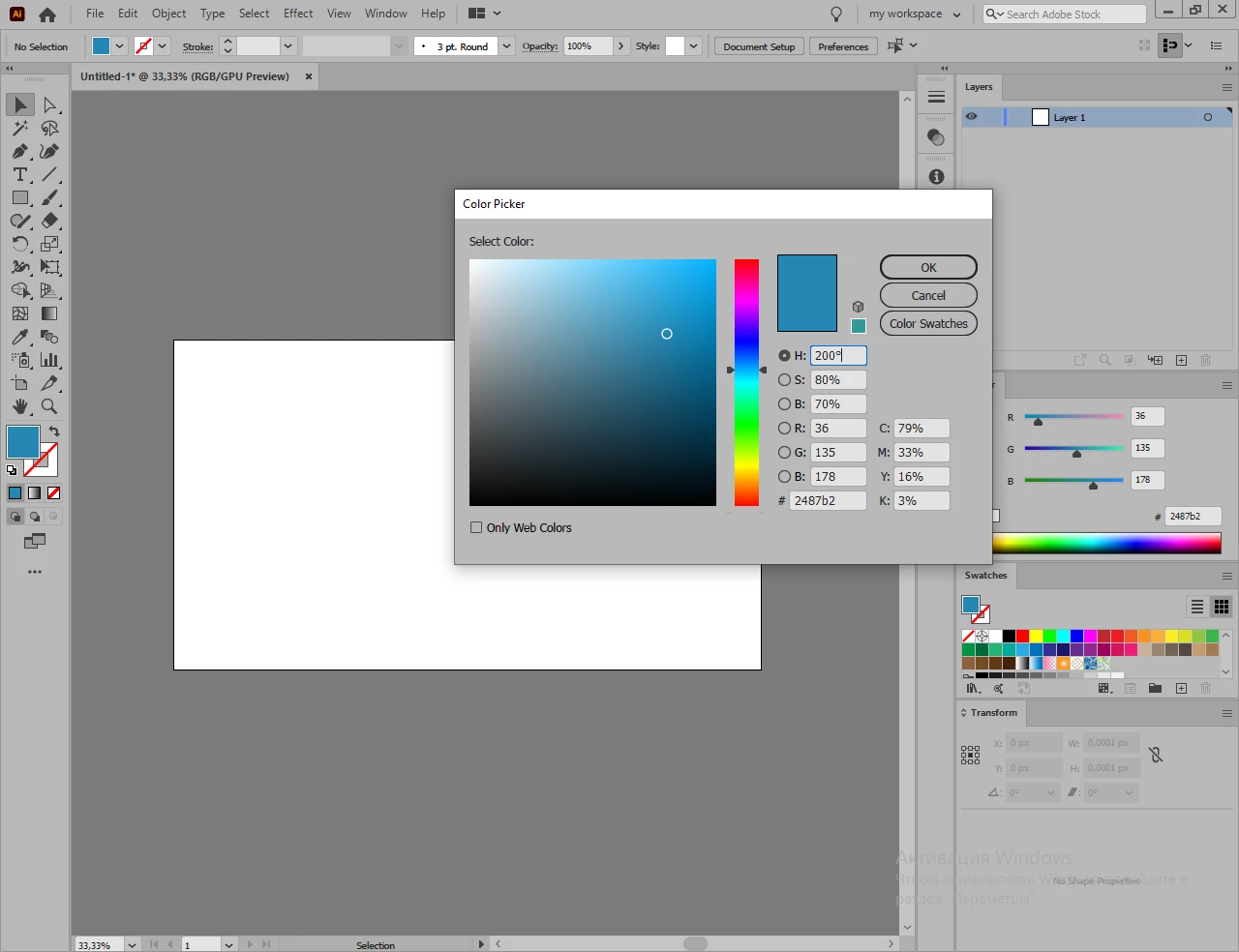
then I open color picker again, and values are different. 
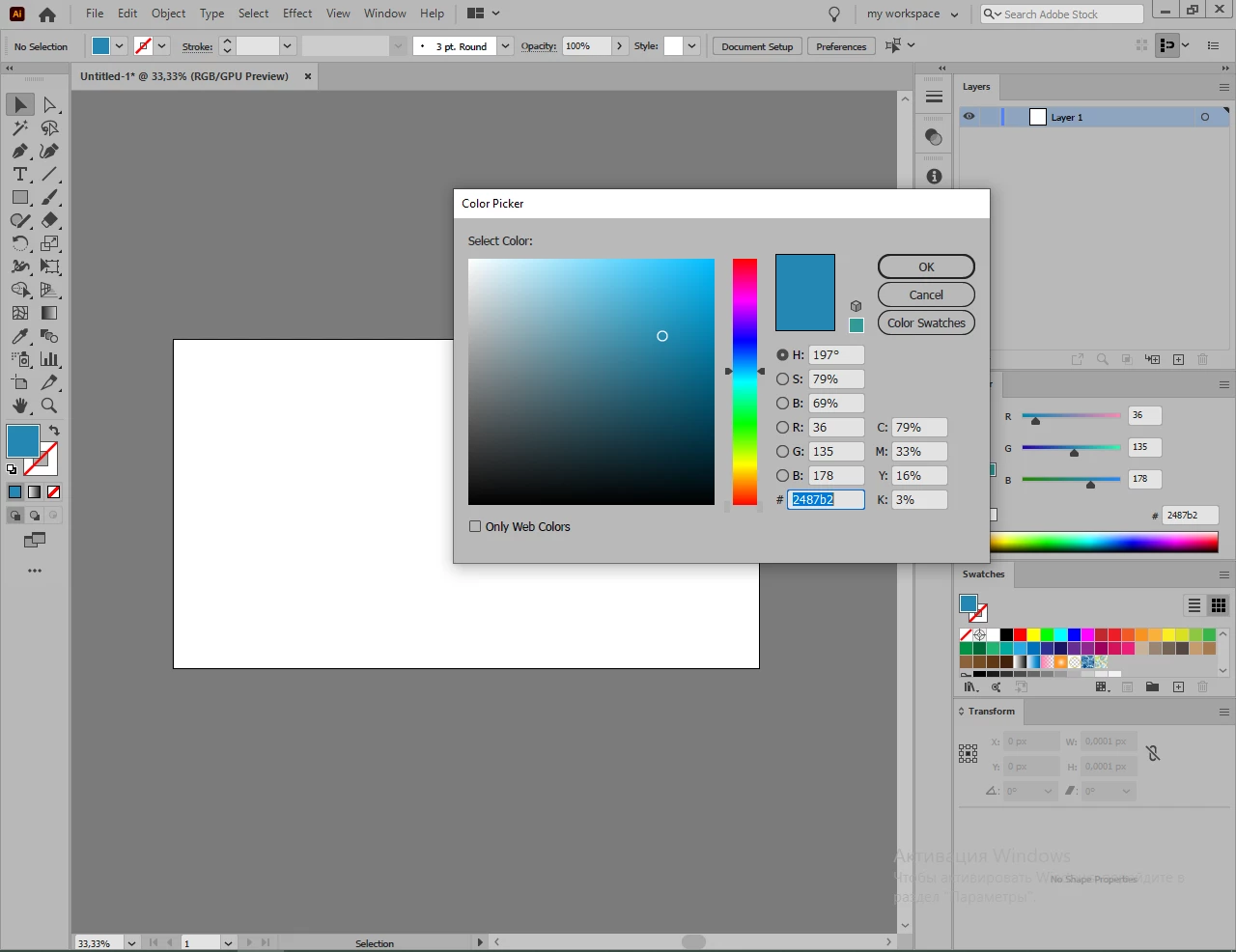
Color mode is RGB. Why do values change? Is it just rough rounding? 

Thank you.

This topic has been closed for replies.
Correct answer Jacob Bugge

Yulia,


"Is it just rough rounding?"


It is: HSB is another description of RGB (or CMYK) so if you enter certain HSB values you will have them changed to fit the closest RGB (integer) values. You can see that the RGB values (and # values and CMYK values) are the same.


Obviously, in some cases it is HSB that makes sense.


You can also insert the HSB values in the Color palette.


3 replies

Jacob Bugge
Community Expert
Community Expert
August 13, 2020

For my part you are welcome, Yulia.


Ton Frederiks
Community Expert
Community Expert
August 12, 2020

I guess rounding, the other values don't change.

Jacob Bugge
Community Expert
Jacob BuggeCommunity ExpertCorrect answer
Community Expert
August 12, 2020

Yulia,


"Is it just rough rounding?"


It is: HSB is another description of RGB (or CMYK) so if you enter certain HSB values you will have them changed to fit the closest RGB (integer) values. You can see that the RGB values (and # values and CMYK values) are the same.


Obviously, in some cases it is HSB that makes sense.


You can also insert the HSB values in the Color palette.


Participant
August 13, 2020

Thank you!