
artur123snt
Participant
January 11, 2018
Answered

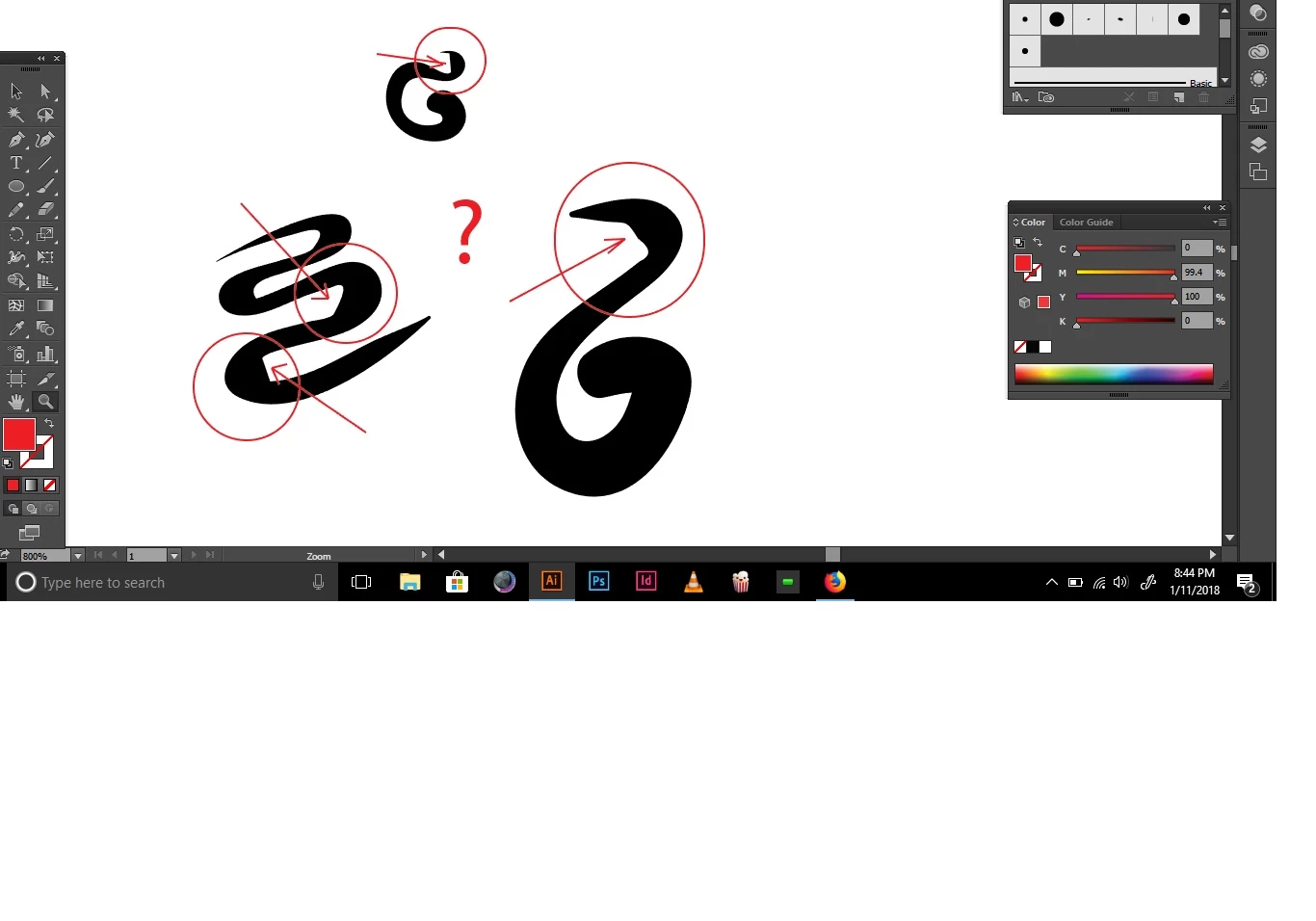
Illustrator changes my lines kind of ugly randomly using wacom (different than the discussion post found here))

  • January 11, 2018
  • 2 replies
  • 991 views

Hi there!

So basically I enjoy when Illustrator smooths my lines a little bit and makes them better.

BUT! it does a weird shaping that I do not enjoy when curving and I don't know why.

Maybe it's a brush option? IDK...

Using Adobe illustrator CC. and a basic Wacom Bamboo grey tablet.

Thanks SO much.
This topic has been closed for replies.
Correct answer Jacob Bugge

Artur,

It is the Blob issue solved by Kurt with the Effect>Distort & Transform>Zig Zag (setting the Size to 0 and Ridges per Segment to a sufficiently number (up to 100, you may get away with fewer)).

In your version, it has probably been been moved to the Appearance palette (click the Stroke listing).

See post #4 by Kurt in this rather old thread with a link:

http://forums.adobe.com/message/2619296#2619296

Edit: Hi Kurt.

2 replies

Jacob Bugge
Community Expert
Jacob BuggeCommunity ExpertCorrect answer
Community Expert
January 11, 2018

Artur,

It is the Blob issue solved by Kurt with the Effect>Distort & Transform>Zig Zag (setting the Size to 0 and Ridges per Segment to a sufficiently number (up to 100, you may get away with fewer)).

In your version, it has probably been been moved to the Appearance palette (click the Stroke listing).

See post #4 by Kurt in this rather old thread with a link:

http://forums.adobe.com/message/2619296#2619296

Edit: Hi Kurt.

Kurt Gold
Community Expert
Community Expert
January 11, 2018

This is an old known issue, but at least there is a bumpy workaround to solve it. See here:

Brush Tool Problem