
peterm54067568
Participant
March 25, 2018
Answered

illustrator charts legend text to vertical

  • March 25, 2018
  • 3 replies
  • 3799 views

Hi Experts,

1. creating a chart in AI

2. I want to change the legend text so it appears vertical instead of horizontal

3. I can almost do it by

- creating a chart,

- selecting the text with the direct selection tool,

- rotating the text with transform,

- creating a graphic style

4. This will rotate the text as  needed, but I cannt get the text to align top or bottom
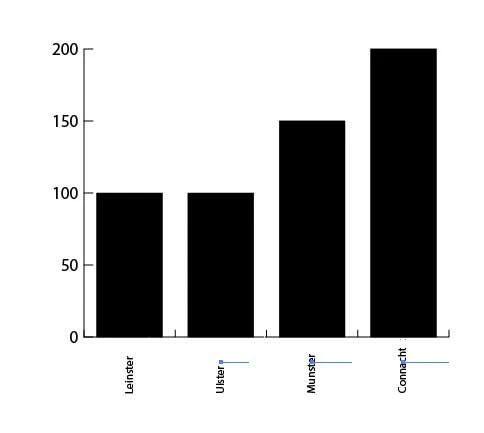
5. Is it possible in charts to simply make the text in a legend appear vertical instead of horizontal

thank you Adobe community and i hope someone can help

Peter
This topic has been closed for replies.
Correct answer Anna Lander

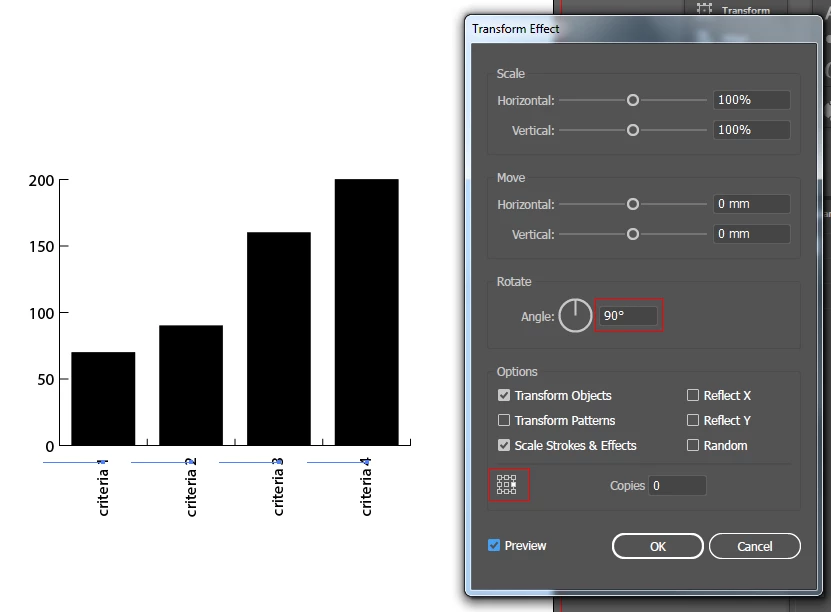
you can use right-align for the criteria texts and a right-centered Reference point in Transform effect.

this will allow you to align the texts top. If you need the bottom aligning, use left-align for the text and left-centered reference point.

3 replies

Anna Lander
Anna LanderCorrect answer
Inspiring
March 25, 2018

you can use right-align for the criteria texts and a right-centered Reference point in Transform effect.

this will allow you to align the texts top. If you need the bottom aligning, use left-align for the text and left-centered reference point.

peterm54067568
Participant
March 25, 2018

Hello Anna

thank you for the answer. I was hoping you could set it up in the chart preferences. Is that not possible

peter

Anna Lander
Inspiring
March 26, 2018

unfortunately, no. chart tool in Illustrator is quite weak.

Monika Gause
Community Expert
Community Expert
March 25, 2018

You can try and use the transform effect.

But that's about it.

elhosary89
Inspiring
March 25, 2018