
Answered
Illustrator Clipping mask [offset path] option?
Hey, I thought I would suck at explaining this very well so I made some reference images to make it less confusing.
See below:
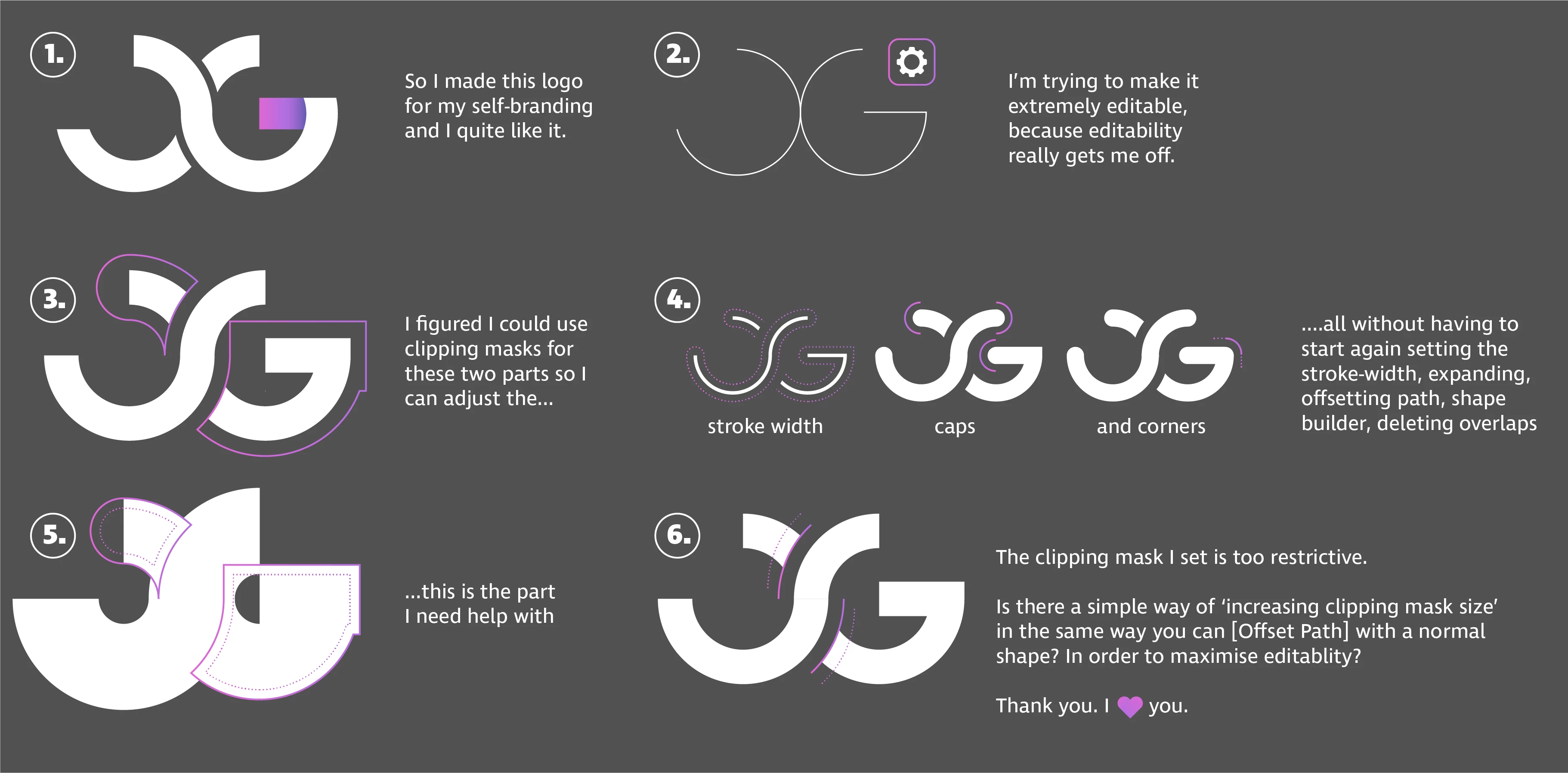

Hey, I thought I would suck at explaining this very well so I made some reference images to make it less confusing.
See below:
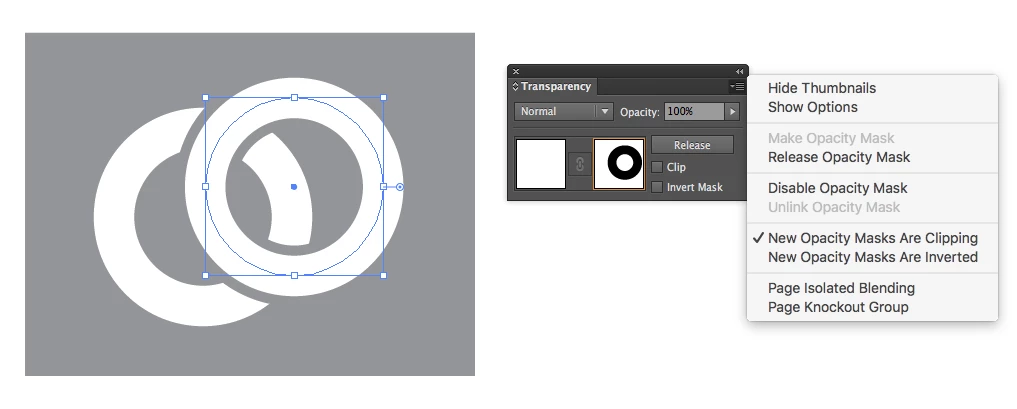
One way is to use an "Opacity Mask" instead of a "Clipping Mask". You can use a copy of the top path as a mask on the bottom path. To change the thickness of the mask, just activate the "Transparency Channel" in the Transparency panel and change the thickness of the line.
Already have an account? Login
Enter your E-mail address. We'll send you an e-mail with instructions to reset your password.
 AdChoices