
MatthewKreiger
Participant
February 6, 2020
Answered

Illustrator clipping path problem

  • February 6, 2020
  • 5 replies
  • 909 views

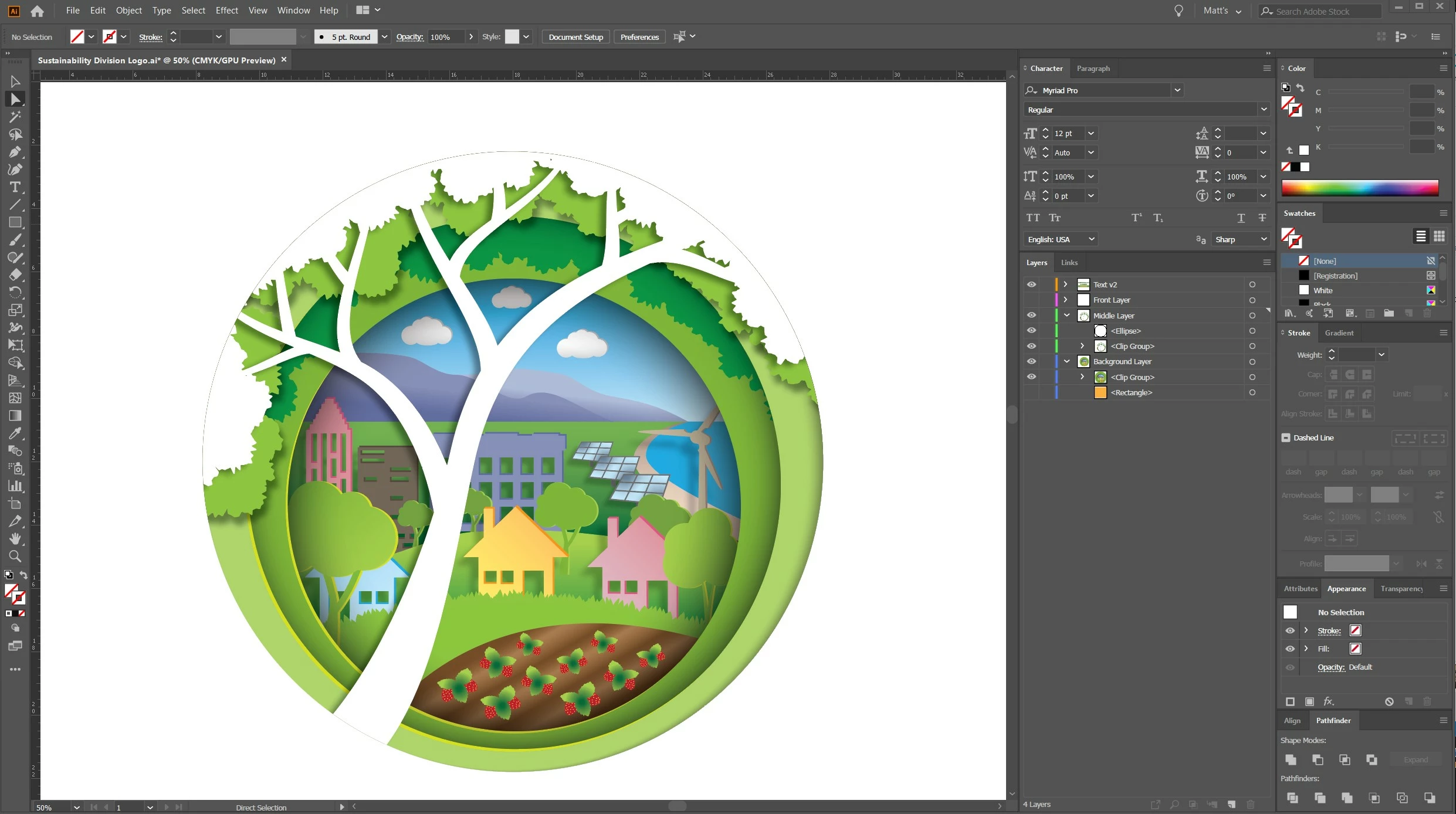
I have multiple objects (some white & some color) that I want to clip with a circular path. When I clip the objects with the circular path, a thin line appears around the clipping path (see attachment). No matter what I do to the clipping path, the line appears. I can apply a white stroke to the clipping path to cover it up, but then I have a white outline when the logo is placed on top of any color or image. My client doesn't want that. Any suggestions for getting rid of this irritating outline?
This topic has been closed for replies.
Correct answer Ton Frederiks

Instead of a Clipping Path, you may try an Opacity mask.

Fill your circular path with white (no stroke).

Hide it and group the rest of the artwork you want to mask.

Show it, select all and click the Make Mask button in the Opacity panel.

Clip should be checked and Invert Mask unchecked.

5 replies

meganchi
Legend
February 6, 2020

Take your direct select tool and select the clipping path, open your appearance panel to see if it has a drop shadow effect. If so, delete the drop shadow from it.

Ton Frederiks
Community Expert
Ton FrederiksCommunity ExpertCorrect answer
Community Expert
February 6, 2020

Instead of a Clipping Path, you may try an Opacity mask.

Fill your circular path with white (no stroke).

Hide it and group the rest of the artwork you want to mask.

Show it, select all and click the Make Mask button in the Opacity panel.

Clip should be checked and Invert Mask unchecked.

MatthewKreiger
Participant
February 6, 2020

Ton - That worked! Thank you for the advice.

Ton Frederiks
Community Expert
Community Expert
February 6, 2020

Good to hear that worked, Matthew!

barbara_a7746676
Community Expert
Community Expert
February 6, 2020

I'm not able to replicate the issue. Might it have something to do with the drop shadow effect that is applied?

spargelimschnee
Participant
February 6, 2020

Hello. I've been able to reconstruct it quickly. No Lines! Mayby you'llput the with Obkects together bey pahfinder –.

spargelimschnee
Participant
February 6, 2020

Sorry, i forgot: i don't using Pathfinder in this case.

Kurt Gold
Community Expert
Community Expert
February 6, 2020

More often than not, this kind of anti-aliasing artifact can be remedied by applying a tiny Offset Path effect to certain objects inside the clipping group.


I may tell you which objects that could be if I (or someone else) could take a look at the actual .ai file.