
Participant
September 29, 2017
Answered

Illustrator color background won't rotate with point type text box...

  • September 29, 2017
  • 3 replies
  • 1909 views

Hey,

I'm in Illustrator CC 2017. Anyone know how to get the background color of a point type text box to rotate with the text? I went about creating the colored background by adding a fill in the effects, converting to shape (rectangle), etc. However, I need to rotate my text box, and when I do so the colored background does not rotate with the text leaving me with this:
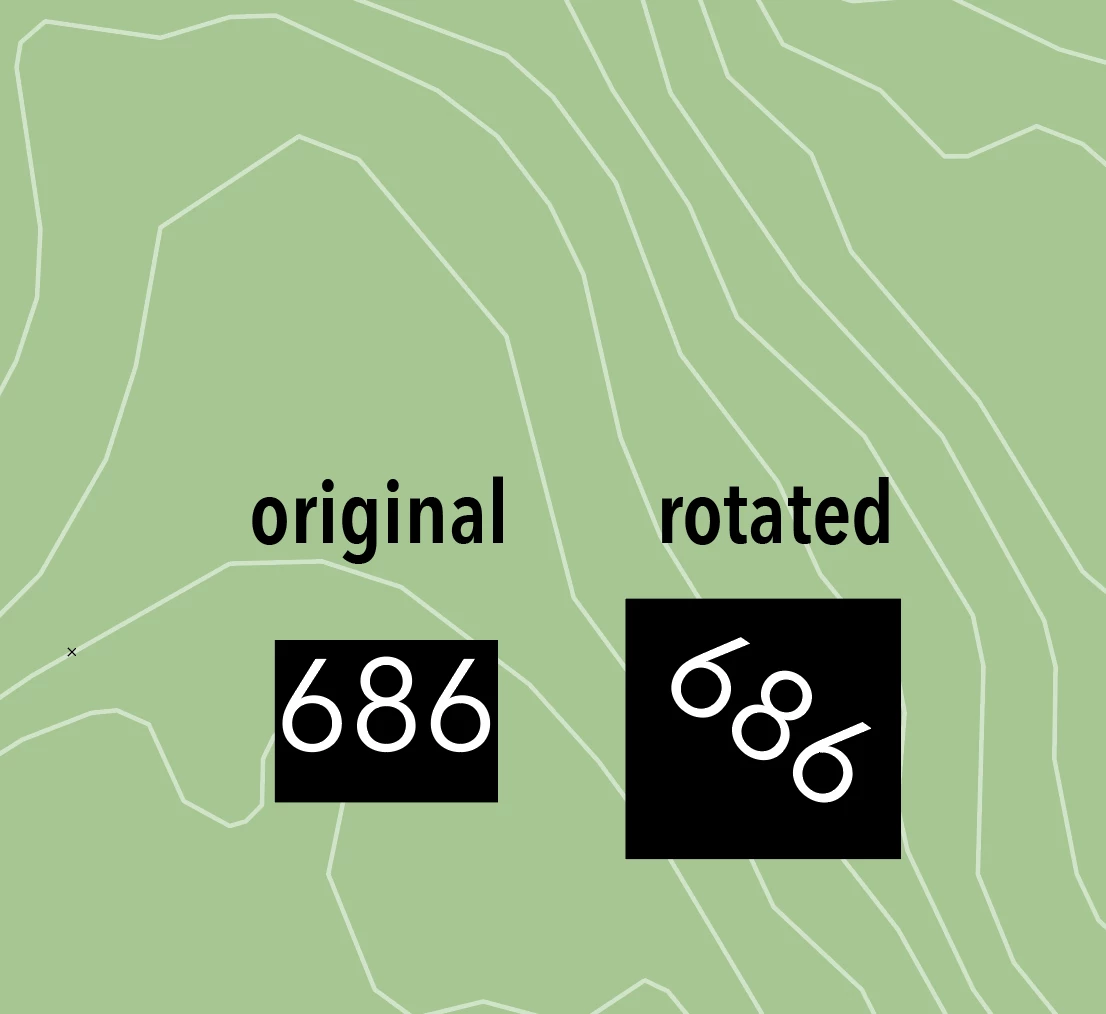
Any ideas would be appreciated. Thanks!
This topic has been closed for replies.
Correct answer Monika Gause

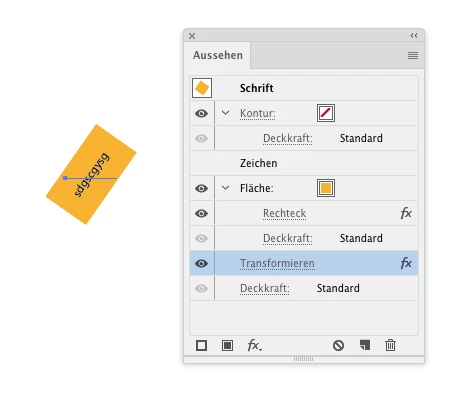
When you are working with the effect, apply the transform effect to the text object inorder to rotate the whole thing

Sorry for the German. Transform effect is highlighted in blue.

3 replies

Monika Gause
Community Expert
Monika GauseCommunity ExpertCorrect answer
Community Expert
September 29, 2017

When you are working with the effect, apply the transform effect to the text object inorder to rotate the whole thing

Sorry for the German. Transform effect is highlighted in blue.

Bill Silbert
Community Expert
Community Expert
September 29, 2017

If you are using point type then the box behind the text is not directly connected to the text. If you select both the text and the box together then you should have no problem rotating them together. If you want the text to be part of the box then use the Area Type Tool—see screen shot:

To use Area type draw a box, select it, then click on the outer edge with the Area Type Tool. The box will then work similarly to a text frame in InDesign. It will rotate along with the text as a single unit.

emdrz10Author
Participant
September 29, 2017

Bill,

Thanks for the ideas. There's a good chance I'm still doing something wrong, but it seems I can't get the things you suggested to work. With the point type tool, it seems the background color is linked to the text, seeing as it adjusts relative to my text, and I'm not able to select it separately from the text itself. Also, the area type tool disables the colored background, which was the goal in the first place, and when I rotate the box, the text does not rotated but rather flows:

Sorry if I misunderstood, but please tell me if I'm missing something. Thanks.

Ten A
Community Expert
Community Expert
September 29, 2017

Your post moved from Adobe Creative Cloud to Illustrator.