


Participant
March 3, 2023
Answered

Illustrator colors are washed out and dull

  • March 3, 2023
  • 2 replies
  • 930 views

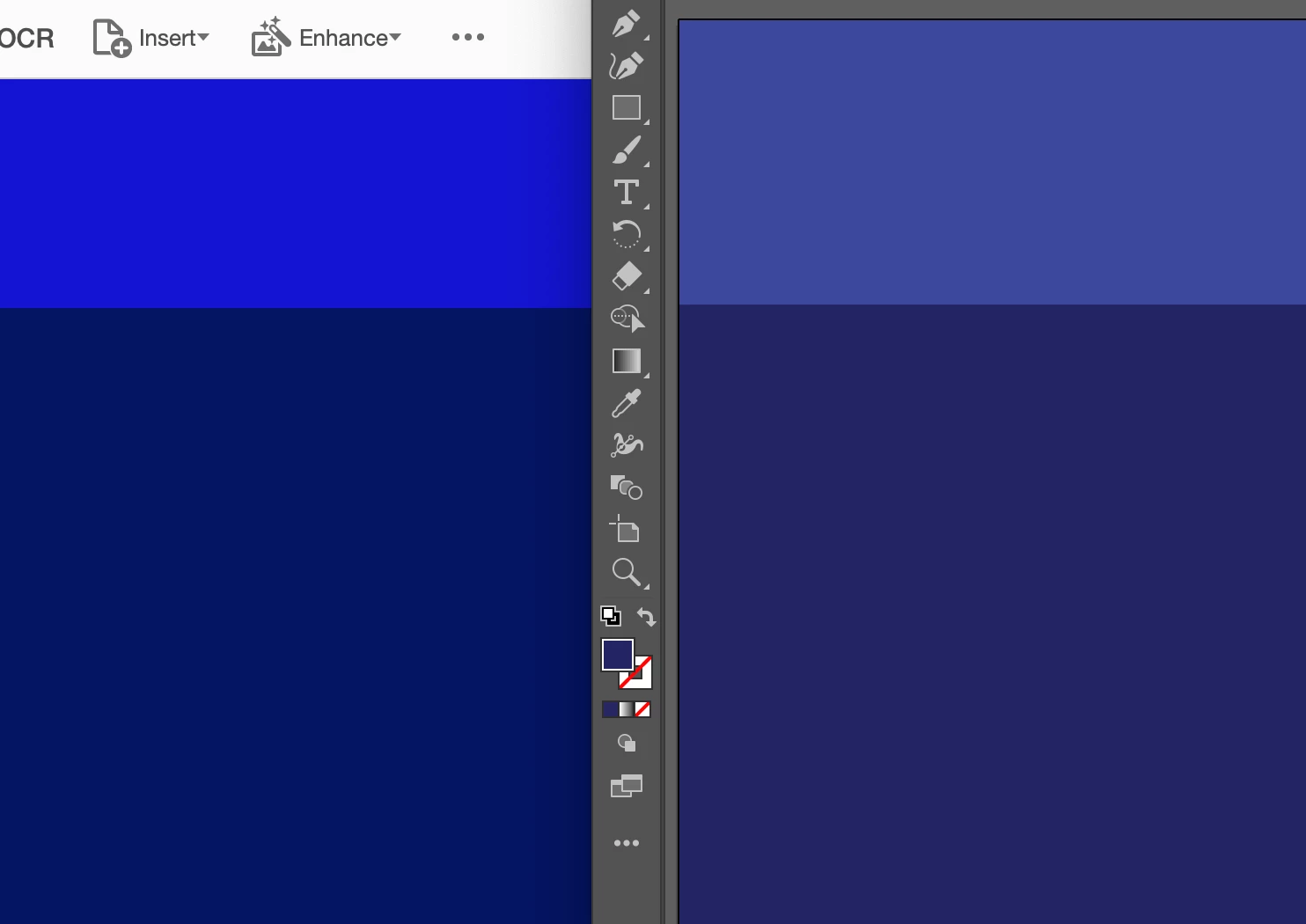
As I was working on a marketing campaign today, I realized my colors weren't fully matching up with the brand guidlines pdf. After checking all rgb colors a million times, I still can't figure out why these colors are showing up almost washed out or dull. I've tried screenshotting the brand guidelines and put them in the document to compare, and I watched the screenshot alter to a duller wash when uploaded.


How can I fix this? I've already tried "re-caliberating" my color settings, and that didn't seem to help.


Thank you.


Colors on the right are supposed to look like the colors on the left. In illustrator, they have the exact same rgb and pantone.

This topic has been closed for replies.
Correct answer Anubhav M

Hello @Kimberly28684464kcfs,


We understand that encountering technical issues can be frustrating. I hope the suggestions shared by Larry helped resolve the problem. If not, kindly try recalibrating your monitor for sRGB (Windows / macOS) and restarting your computer to check if it helps.


Looking forward to your response.


Thanks,

Anubhav


Note: Marking correct for visibility.

2 replies

Anubhav M
Community Manager
Anubhav MCommunity ManagerCorrect answer
Community Manager
March 3, 2023

Hello @Kimberly28684464kcfs,


We understand that encountering technical issues can be frustrating. I hope the suggestions shared by Larry helped resolve the problem. If not, kindly try recalibrating your monitor for sRGB (Windows / macOS) and restarting your computer to check if it helps.


Looking forward to your response.


Thanks,

Anubhav


Note: Marking correct for visibility.

Larry G. Schneider
Community Expert
Community Expert
March 3, 2023

Looks like you are working in a CMYK document, not a RGB one.

Participant
March 3, 2023

how do I change that?

Larry G. Schneider
Community Expert
Community Expert
March 3, 2023

Lower left of the screen should give you access to Document Color Mode. Set that to RGB or just start a new document and make sure to set it to RGB.