
Question
Illustrator: copy and paste problems/questions
Hi community,
I have questions/issues about using copy and paste on Illustrator V26.0:
1. When I try to copy a group of objects (include texts), when I paste them, it only shows the texts without formatting (as the screenshot below). It only happens when I select the texts while doing copy and paste.
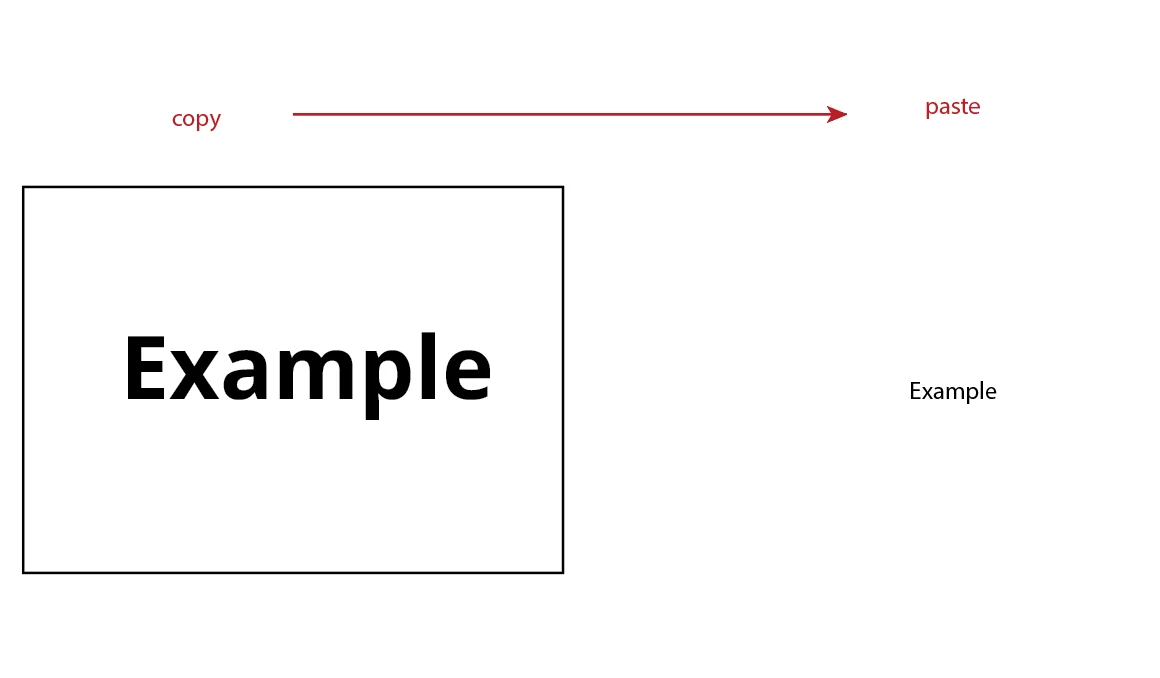
2. The Paste in Place function doesn't work as well. It seems like everytime I do copy and paste, the objects just go anywhere on the artboard, or just don't show up.
I only start experiencing these issues today. I've tried to reset the preference, restart my laptop, and reinstal the illustrator, but none of them work for me.
Can anyone please give me some advices on how to solve these problem?
Thanks in advance.
 AdChoices