
Participant
August 9, 2024
Question

illustrator corrupted colors to black

  • August 9, 2024
  • 1 reply
  • 126 views

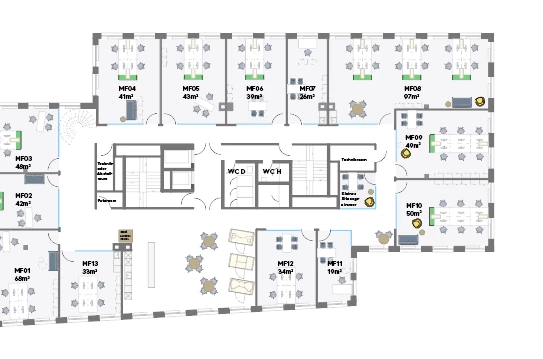
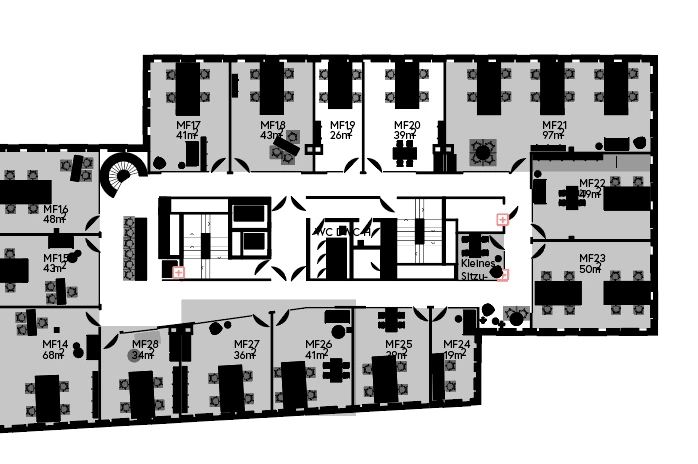
I worked on my file, when editing versions suddenly my file filled all colorshapes with black, (even placed logos). Outline/Preview is not the case, i cant go back. is all my work lost? I cant find this issue on the Net. thankful for any input

here how it was:

And this is what it turned into: 

This topic has been closed for replies.

1 reply

Anubhav M
Community Manager
Community Manager
August 9, 2024

Hello @Jan5E61,

We understand that encountering technical issues can be frustrating. Is this file saved as a Cloud Document? If yes, try reverting to an older version of the cloud document (https://adobe.ly/3WIVZT5) to see if it helps. If the problem persists, kindly share a link to the file after uploading it to Dropbox/Google Drive/etc. so that we can check it on our end.


Note: While sharing the link, kindly ensure it is set to Public.


Looking forward to hearing from you.


Thanks,

Anubhav

Jan5E61Author
Participant
August 10, 2024

its not aaved as a CC Doc 😞

Monika Gause
Community Expert
Community Expert
August 10, 2024

Can you share the document? Rename the file extension to .PDF and you can upload it to the forum.

Or if not, show the contents of the layers panel?

Select one of those black shapes and show what's in the Appearance püanel?