
Participant
November 7, 2019
Answered

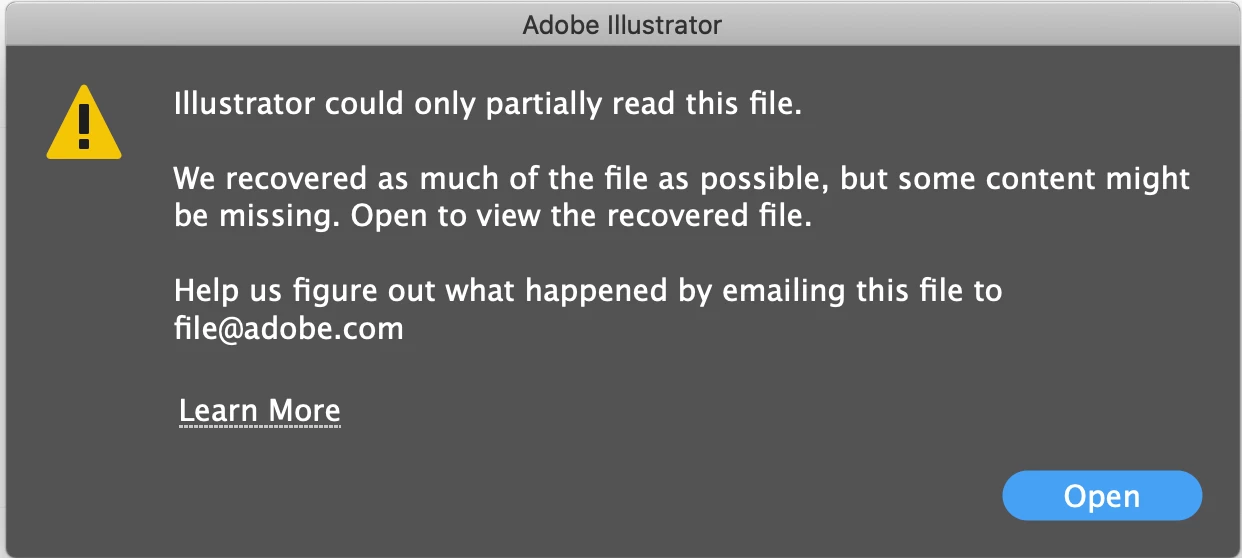
Illustrator could only partially read this file - SOS HELP

  • November 7, 2019
  • 7 replies
  • 38213 views

Hi Guys

 
Ever since I have updated to entire Adobe CC to 2020. 
I have been facing multiple messages with regards to my source files on AI.  The pop-up message indicates " Illustrator could only partially read this file". Files were fine before the updates and after the updates, I cannot access any of my files now.  These are source files and before I get into a “Full Panic” mode, I really hope its a glitch on the latest updates, as I have absolutely no access to my sources other than AI. I have tried the recommended recover steps by opening the AI files on PDF mode then save it as PDF then open on AI again, unfortunately, AI doesn’t read the files.
Adobe Technician, please help in assisting this matter ASAP as I have deadlines. 
 
 
JA
Correct answer Araf28669797bsht

Definitely worked for me...! (Remember to restart your PC after changing preference settings.)

7 replies

Participant
January 24, 2025

I found another workaround. I opened the file in Illustrator for Web and re-saved it. At first it did not work, but then I went through any and all artwork outside of  my artboard. One of those items must have been the problem because after that I had no issues.


Participant
March 21, 2025

미리보기로는 파일이 보이는데, 열리지 않아요..ㅜ


이렇게 뜨고, 파일은 열리지 않습니다..

 Illustrator for Web에서 파일을 열고 다시 저장한다는거 이해하지 못했는데, 어떻게 하면 되는지 다시 알려주실 수 있을까요?ㅠ


lienhoa1812
Participant
May 28, 2024

Hello everyone, I just went throuh a crisis because of this (tried every single method and failed) but luckily got this worked out. I wanna share my luck to y'all

in the same location where i saved my corrupted .ai file, i coincidentally found out and clicked on this .tmp file, and almost everything was there.
THANKS GOD. Anyway, i think this is a font problem. Try delete or disable the in question fonts too.

Monika Gause
Community Expert
Community Expert
May 28, 2024

Save earl,y save often, save different versions of your file. Not everyone has this kind of luck.

Participant
July 30, 2020

I solved this problem this way.


Edit > Preference > Plug-ins & Scratch Disks > Primary - C:\(or D\), Secondary - C:\(or D\)


I hope this helps.


Participant
December 8, 2020

Thx, this way is working !

yu yanm48686847
Participant
May 20, 2020

Hi! Hope you've found some way around this by now. If not, I've discovered that Illustrator won't let you open objects exported from another program (e.g. rhinocerous in my case) if the name of the layer of the object has a special character. For me, the name of the layer in rhino was "balcony/" literally because I missed the enter key and was too lazy to go back and correct it, and it cost me an hour of trying to figure out why the object wouldn't read. I took out the "/" and it read it straight away. This is so stupid and it's beyond me why Adobe hasn't discovered/made a statement about this yet.

Participant
November 5, 2020

this comment literally saved me!!!! Thank you so so much :') It's my finals week and I have no idea why my files keep getting these messages! Thanks again!

Adobe Employee
April 21, 2020

the documents you have are most likely already corrupt.. to take advantage of various automatic recoveries being developed in illustrator upgrade to latest.. or atleast above 24.1..

share a sample file to be looked into by the community.. or share at file@adobe.com..


finally in case you are able to open the file correctly in some version of illustrator do mention the version.. let adobe folks know in which update they broke your file open.

Khang_Art
Participant
February 20, 2020

Hi, 


I have just encountered this issue today. It sucks that the IT team never respond promptly, and most of the answer are just copy and paste the guides.

Anyway, I assume this is a bug due to different versions of the software. Like what Ton_Frederiks saif below, install older version of the app, and open the file from it.

Or download Infinity Designer, and open from that app instead.


I hope this helps. 

Rick E Johnson
Inspiring
March 6, 2020

This has happened to me three times in the past week, something I'd never seen before. I'm using Illustrator 2019, 23.1.1, and macOS Mojave 10.14.6. The files are stored on a windows-based server. Illustrator 2019 opens most of the illustration, missing some upper layers. Illustrator 2020 opens just the PDF data, which is all there but is a nightmare to have to edit.


Every time, Adobe has been able to quickly recover the files for me, but it's nuts that this keeps happening. Two other illustrators here use the same setup, but never encountered this issue, and no server issues with several designers using InDesign.

Rick E Johnson
Inspiring
March 6, 2020

This is humbling, but I think I found the problem. Our file server was full. Usually, Illustrator would give us an error when this happened, but not lately. I'll report back if it turns out that this isn't the cause.

Ton Frederiks
Community Expert
Community Expert
November 7, 2019

The first thing I would do is install an older version using the CC app (and make sure to have many backups of these critical files)