Participant
April 21, 2022
Answered

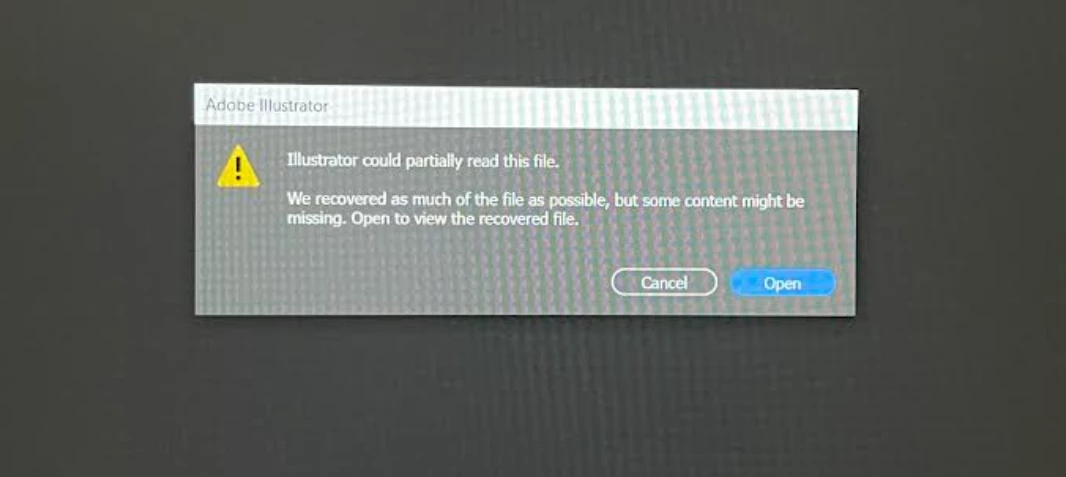
Illustrator could partially read this file
  • April 21, 2022
  • 2 replies
  • 1611 views

I had no issues with this until couple days ago. I am trying to export linework from rhino to edit some drawings and it just wont open with all my lines. I tried everything I can think of it, uninstall then reinstall, save the files small, make the linework small etc, 

Please help

This topic has been closed for replies.
Correct answer dilara24132033tv5f

Hello, 

I uninstalled and installed illustrator again as well as changing my file type and it started working.

Thanks

2 replies

Mike_Gondek10189183
Community Expert
Community Expert
April 21, 2022

How are you exporting from Rhino, what file format? Have you tried both of these methods?

Participant
April 22, 2022

Hello,


Yes I have tried both of them but I got it to work with saving it as a autocad file instead of illustrator.

Anubhav M
Community Manager
Community Manager
April 21, 2022

Hello @dilara24132033tv5f,


Sorry to hear about this experience. I would request you to share a few more details like:

  • Exact version of the OS and Illustrator
  • Since when are you facing this problem?
  • Is it acting this way with this specific file? If yes, kindly share the link to download the file here or via DM.
  • Where are the files stored (Internal/External/Network drive)?
  • Are there multiple embedded images in this document?
  • Are you able to open this file in Acrobat?


Looking forward to your response.


Thanks,

Anubhav

dilara24132033tv5fAuthorCorrect answer
Participant
April 22, 2022

Hello, 

I uninstalled and installed illustrator again as well as changing my file type and it started working.

Thanks