Participant
June 20, 2012
Answered

Illustrator CS6 - Export Slices to SWF or SVG - not possible anymore?!?

  • June 20, 2012
  • 2 replies
  • 17594 views

Hi all,

I just learned that it's not possible anymore to export slices to swf or svg via the save for web dialog:

http://blogs.adobe.com/ivandavid/illustrator_cs6_save_for_web/

Apart from the fact that I believe that this is a pretty strange decision to remove an existing feature…

Does anyone know a workaround for that (apart from installing cs5.5...)?

I need to somehow be able to export my slices to swf.

As far as I know, the only option to export slices is via the save for web dialog, but this dialog only offers pixel graphic formats, so now way to use fireworks or what ever to convert them to vector swfs…

What a bummer…

Thanks!
This topic has been closed for replies.
Correct answer kendallplant

Semi-ignore my previous answer - figured out another work around that involves converting your slices to artboards.

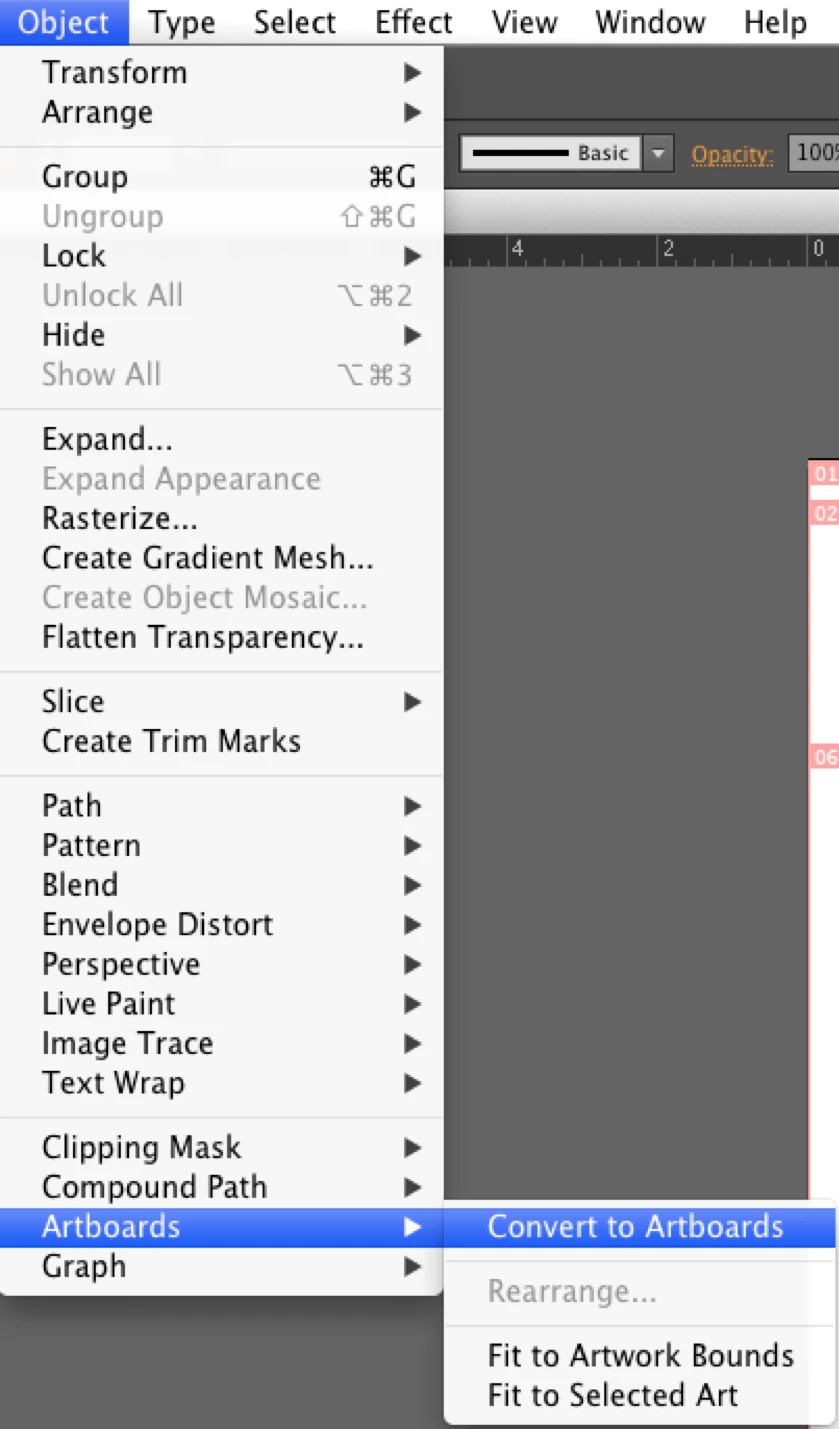
After you have made all of your slices, use the Slice Selection Tool to select your first slice. Go to Object > Artboards > Convert to Artboards. This should create a new artboard out of that slice. Do this for all of your slices.

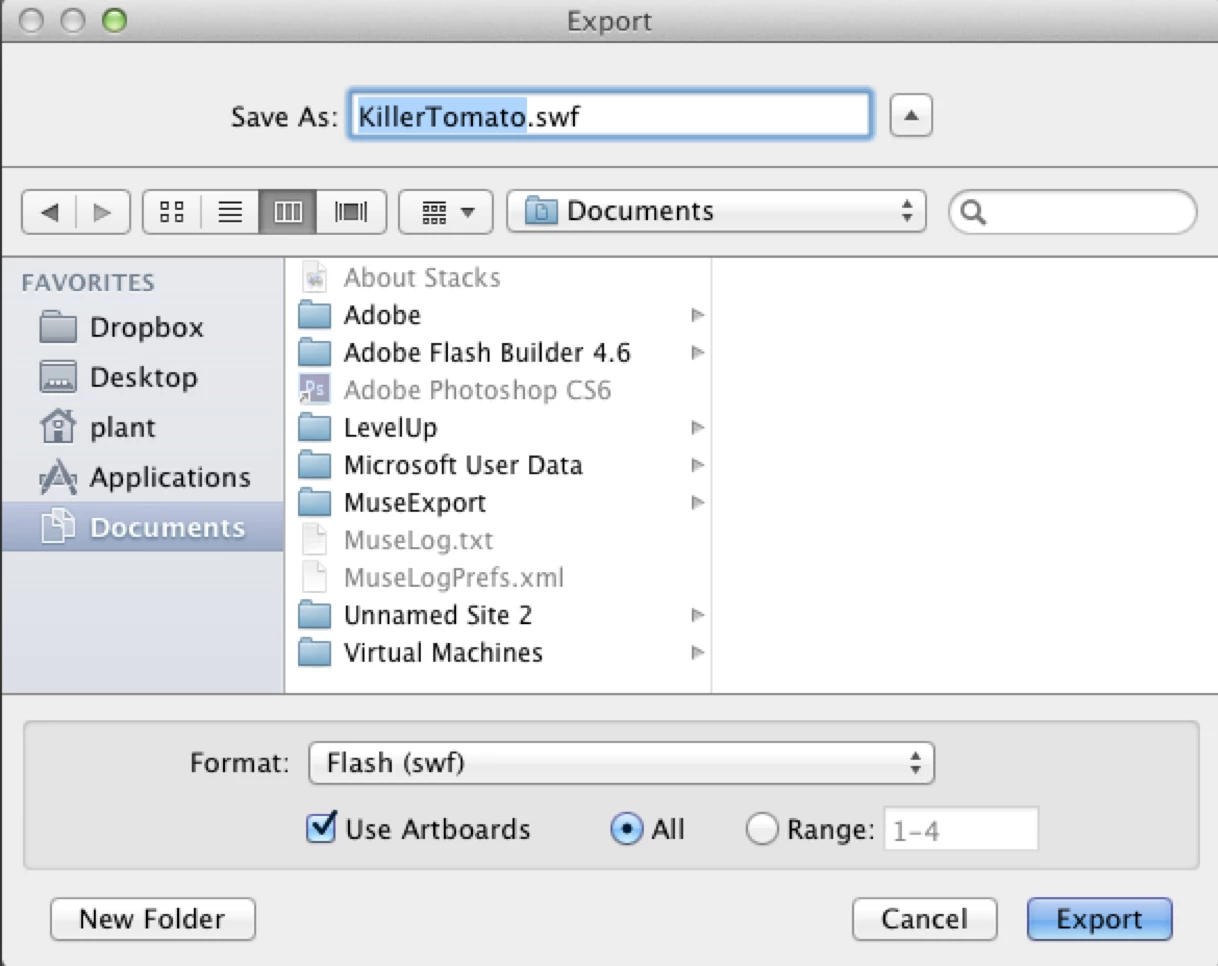
After creating new artboards from your slices, go to File > Export... and select Flash (swf) from the dropdown menu. Make sure you check the "Use Artboards" option underneath the format menu.

This process should result in individual swf files of each of your slices, along with your original image. Hope this helps!

2 replies

Participant
December 15, 2016

For anyone else who runs across this post, it looks like this feature was added in a feature called Asset Export. It allows you to create many different formats and sizes from your selected assets and export them.  No more slicing required.

kendallplant
Adobe Employee
Adobe Employee
June 21, 2012

It really is a bummer that Adobe removed this feature, but I did find a workaround solution from this blog post. Looks like you have to export your slices via the save for web feature, open them back up, and from there you should be able to export them as .swf files.

Hope this helps!

suthalbAuthor
Participant
June 23, 2012

Thanks for you help!

But I must admit I don't get it ;-) Could you try to explain the procedure a bit more detailed?

e.g. in which format do you export the slices and how do you open them as a back up?

And do you get swfs consiting of vectors with this procedure?

Thanks for your help!

kendallplant
Adobe Employee
kendallplantCorrect answer
Adobe Employee
June 25, 2012

Semi-ignore my previous answer - figured out another work around that involves converting your slices to artboards.

After you have made all of your slices, use the Slice Selection Tool to select your first slice. Go to Object > Artboards > Convert to Artboards. This should create a new artboard out of that slice. Do this for all of your slices.

After creating new artboards from your slices, go to File > Export... and select Flash (swf) from the dropdown menu. Make sure you check the "Use Artboards" option underneath the format menu.

This process should result in individual swf files of each of your slices, along with your original image. Hope this helps!