Answered
Illustrator ctrl+shift+O.. keyboard shortcut does not work
In adobe illustrator
ctrl+shift+O.. keyboard shortcut dowsnot working....

In adobe illustrator
ctrl+shift+O.. keyboard shortcut dowsnot working....
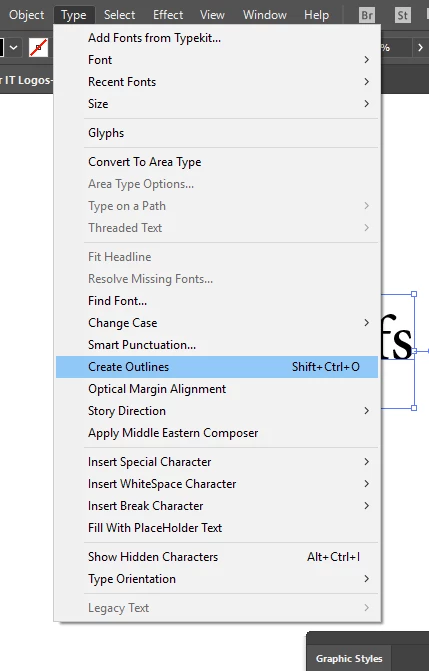
make sure first that no problem in your application shortcuts by going to Type> Create Outlines and check if the shortcut is Ctrl+Shift+O and if it is good, make sure that you are selecting your text with the direct selection tool not to select characters with Type tool.
Creating outlines will not work if you are selecting characters with Type tool.
Already have an account? Login
No account yet? Create an account
Enter your E-mail address. We'll send you an e-mail with instructions to reset your password.


 AdChoices