Participant
March 22, 2024
Question

Illustrator cutting off parts of image when saving.

  • March 22, 2024
  • 1 reply
  • 1085 views

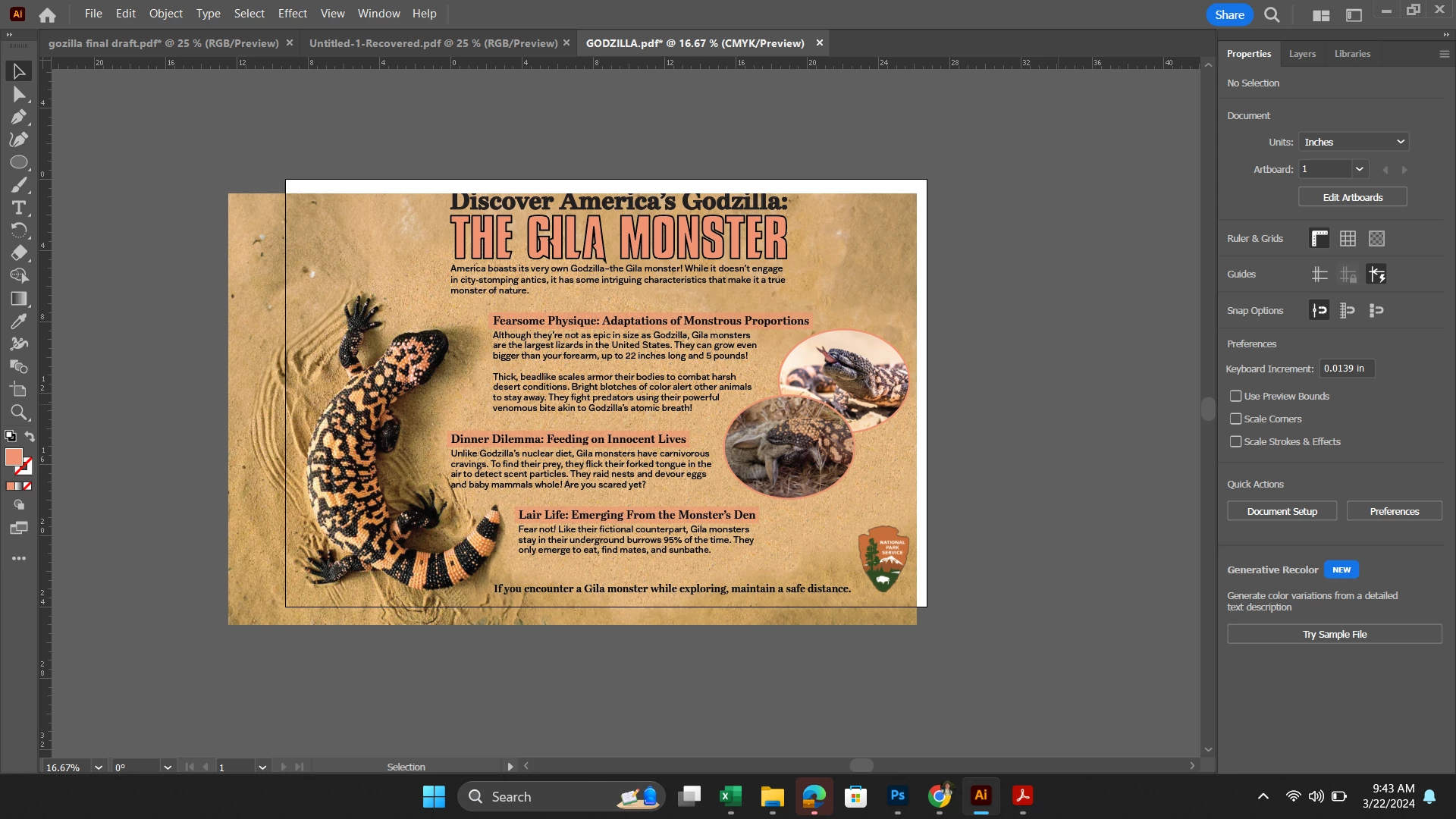
I finished this project, I'm just trying to save it, but every time I go to save it cuts off part of my image on the top and the right side.  I'm not sure what's happening. The background image is more than large enough to cover the artboard, so if anyone can help me with this, I would appreciate it. I'm at a total loss.
This topic has been closed for replies.

1 reply

Jacob Bugge
Community Expert
Community Expert
March 22, 2024

Charlotte,


As I (mis)understand it, you need to move the artwork to fill the Artboard at top and right, and adjust position to best fit.


But it is important to also save the AI version of the artwork.


The safe(st) way to save as PDF is to use Save a Copy As PDF.


Participant
March 22, 2024

I think I accidentally deleted the before image before I posted. So the image above is what it looks like when I am working on the project. The image posted in the original post is what happens when I click save. It's also what happens when I exit isolation mode, but I don't have any layers that make it that way.

Anshul_Saini
Community Manager
Community Manager
March 28, 2024

Hi @Charlotte35437173llll,


Thank you for sharing the screenshots. It appears that the issue might be related to the positioning or size of your artwork within the artboard. To investigate further and provide more targeted assistance, could you please share the Illustrator file with us? This will allow us to analyze the issue more accurately and provide you with the best possible solution.


Thank you for your cooperation.


Best regards,

Anshul Saini