Participant
January 24, 2020
Answered

Illustrator displaying fill where there is none. Can't remove. Help!
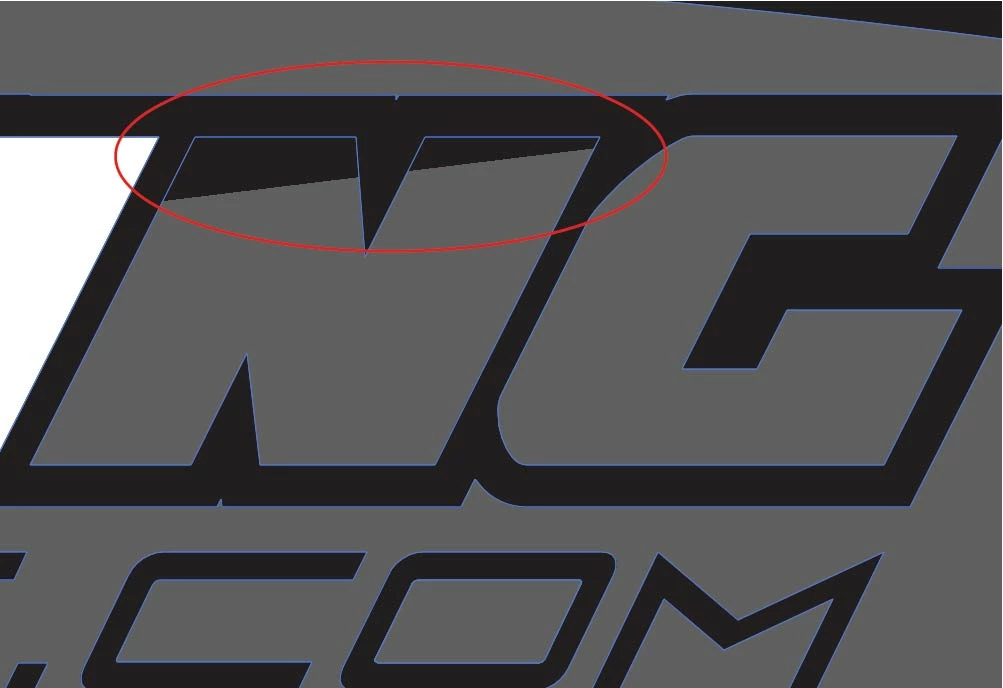
  • January 24, 2020
  • 2 replies
  • 817 views

This topic has been closed for replies.
Correct answer Ton Frederiks

Like Kurt suggested, it may be a display issue.

Try View > View using CPU

2 replies

Ton Frederiks
Community Expert
Ton FrederiksCommunity ExpertCorrect answer
Community Expert
January 24, 2020

Like Kurt suggested, it may be a display issue.

Try View > View using CPU

Participant
January 24, 2020

It does disappear when I preview on CPU. Comes back when I revert. Thanks.

Ton Frederiks
Community Expert
Community Expert
January 24, 2020

It may be annoying, but it should not affect print or export.

Kurt Gold
Community Expert
Community Expert
January 24, 2020

It may be just a display issue on screen. Or it may be something else.


How does it look in Outline mode (see View menu)?

Participant
January 24, 2020

It disappears in outline mode. But I'm afraid it will be there when I place
my printing order. The eye dropper tool even picks up the color. This has
happened on multiple files on different computers over the past few months.
