
counihana123
Participating Frequently
March 29, 2017
Answered

Illustrator displays pattern differently when exporting to png
  • March 29, 2017
  • 1 reply
  • 1489 views

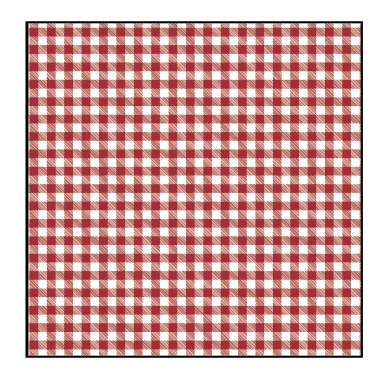
The above image is how I want the pattern to look
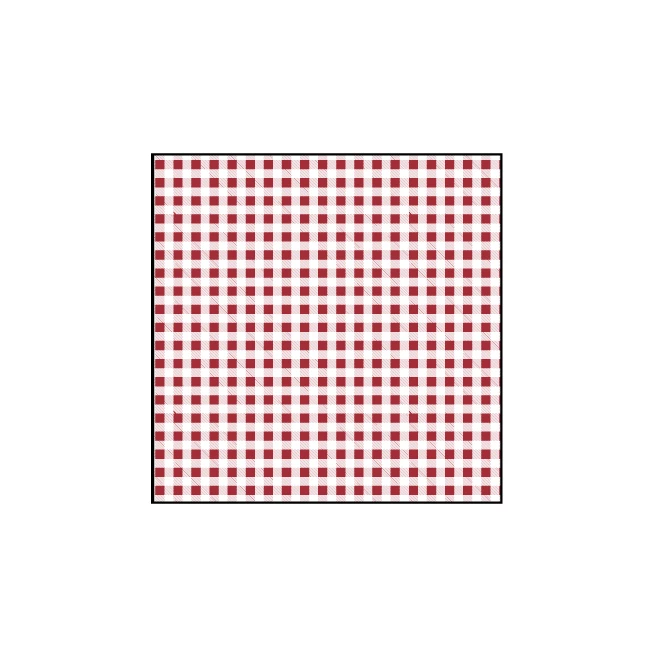
This is how the pattern appears when I export to png. What do I need to do to fix this? Scale strokes & effects is checked, and everything is expanded anyway.

This topic has been closed for replies.
Correct answer Monika Gause

Dropbox - gingham.ai


The lines in your pattern are thinner than a pixel. So you rely on resampling.

If what is displaed on screen is exctly what you need then why not just take a screenshot?

1 reply

John Mensinger
Community Expert
Community Expert
March 29, 2017

It looks like the export settings are limiting the colors. Please detail your export procedure. Screenshots never hurt.

counihana123
Participating Frequently
March 29, 2017

John Mensinger
Community Expert
Community Expert
March 29, 2017

Have you tried it with Art Optimized (Supersampling) chosen on the Anti-aliasing menu?