

Matteo Grander
Participating Frequently
January 26, 2022
Question

Illustrator displays RGB colors as CMYK

  • January 26, 2022
  • 1 reply
  • 257 views

I've got an RGB Illustrator document with an RGB colour applied to an object. (I've applied the colour from my creative cloud library – it's displayed correctly in the 'libraries' window).

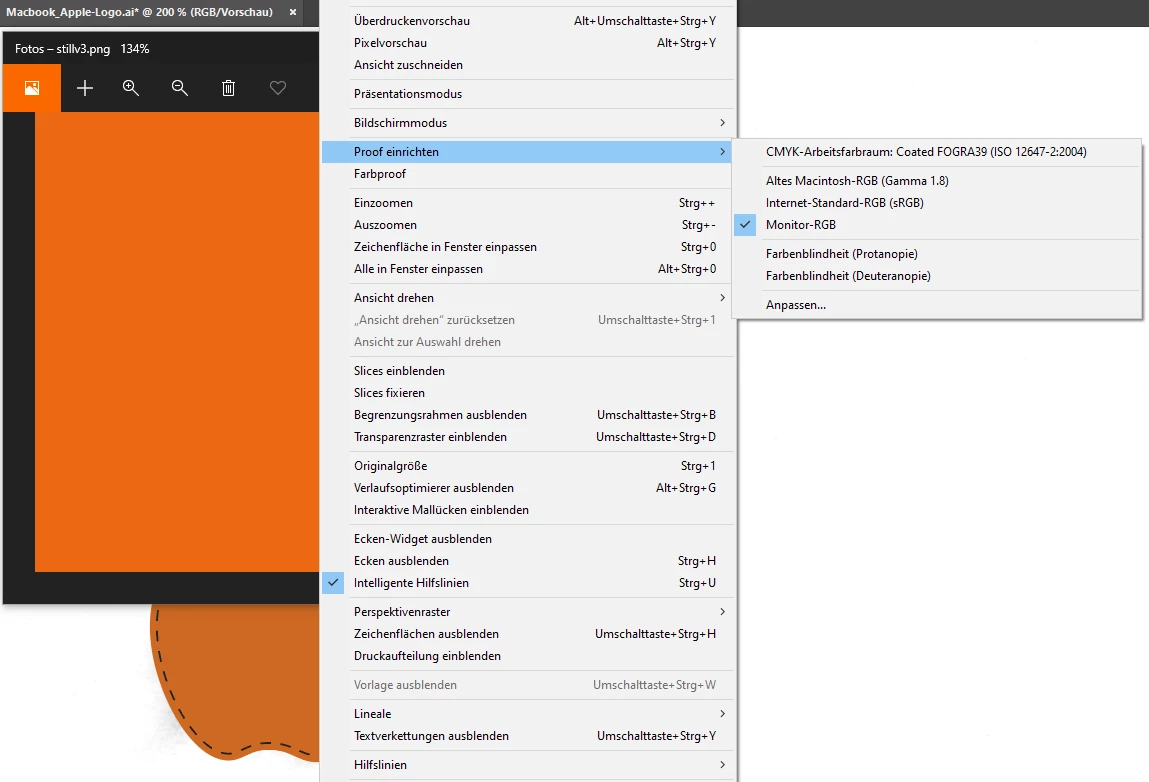
For whatever reason, the colour is displayed as if I had my document set to CMYK/set the colour proof settings to 'Coated FOGRA39'. But my document is set to RGB, the colour is in RGB, and I've disabled colour proofing.
The colour looks correct when I set the proof to 'Monitor RGB', but why does Illustrator display RGB documents as if they were CMYK?
 

1 reply

Ton Frederiks
Community Expert
Community Expert
January 26, 2022

What is your RGB workingspace?

What is the document color profile (see at the bottom of your doc window)?


Matteo Grander
Participating Frequently
January 27, 2022

I couldn't figure out what my workingspace is.. (I couldn't find what that means)

But this is what is displayed at the bottom of my Window

Here are my colour settings:


Ton Frederiks
Community Expert
Community Expert
January 27, 2022

Working space is Arbeitsfarbräume in your Color Settings.

In your case this is Adobe RGB and there is a difference with your sRGB document color space.

Does the color still change when you create a new Adobe RGB document?